Keyword Placement in SEO: Where to Put Terms in 2026

Introduction: Strategic placement beats “more keywords” (and what I’ll show you)
I still remember the first time I audited a page that was technically “perfect” but ranked nowhere. The keyword density was exactly 2.5%, the word count was high, and the topic was relevant. But when I actually looked at the page, I realized the problem instantly: the primary keyword was buried in the middle of long paragraphs and footer links, while the headline was vague and “clever.”
I moved the main term to the H1, tweaked the first sentence, and rewrote the title tag. Without adding a single new paragraph, the page jumped to page one within two weeks. That was my lightbulb moment: placement often outweighs frequency.
If you are a growth marketer or content lead, you might feel like the rules are constantly shifting under your feet—especially with AI Overviews taking up screen real estate. But the fundamentals of keyword placement in SEO remain surprisingly stable, even as we adapt to new AI requirements.
In this guide, I’m cutting through the noise. I’ll give you a prioritized checklist of where to put keywords for maximum impact, show you exactly how to structure content for 2026’s answer engines, and help you avoid the over-optimization traps that kill rankings.
Quick answer: Where keywords matter most (in one glance)

If you need to optimize a page in the next five minutes, focus strictly on these high-leverage spots. This list functions as your immediate priority map:
- Title Tag: Place the primary keyword as close to the beginning as possible.
- H1 Heading: Include the primary keyword (or a close variant) naturally.
- URL Slug: Keep it short, clean, and keyword-focused (e.g.,
/keyword-placement-guide). - First 100 Words: Mention the topic early to confirm user intent.
- Subheadings (H2/H3): Use variations and questions to structure the page.
- Meta Description: For click-through rates (CTR), not direct ranking.
What “keyword placement in SEO” actually means in 2025 (and why it still works)
When I say “keyword placement,” I’m not talking about stuffing a phrase into every nook and cranny of a webpage. I’m talking about signaling. It is the art of putting specific terms in specific HTML elements so that both search engines and humans immediately understand what the page is about.
There is a critical distinction beginners often miss: Placement vs. Density vs. Intent.
Mini Glossary for Context:
Primary Keyword: The main topic you want to rank for.
Secondary Keywords: Supporting topics that add depth.
Long-tail Keywords: Specific, often conversational phrases (e.g., “how to place keywords in a blog post”).
Placement vs density vs intent (the beginner-friendly distinction)

Think of it like organizing a filing cabinet. Intent is deciding which folder you need (what the user wants). Placement is writing the label clearly on the tab so it can be found (title, H1). Density is just scribbling the name of the file all over the papers inside. Scribbling more doesn’t help you find the file faster; the label on the tab does.
Even with advanced semantic SEO, Google still relies on these core locations to categorize your content efficiently. If your H1 says “Solutions,” Google has to work hard to guess what solutions. If it says “Enterprise CRM Solutions,” the categorization is instant.
What changed: AI Overviews and answer engines reward structure
The game has evolved, though. It’s no longer just about 10 blue links. With AI Overviews now appearing in over 50% of Google search results in the U.S. , placement has taken on a new role: structure.
AI models look for structured answers. They scan for a question (H2) followed immediately by a concise answer (paragraph). If your keywords are buried in fluff, AI systems—like Google’s Gemini or ChatGPT—might miss your content entirely. Modern placement is about being “quote-able” by machines.
The highest-impact keyword locations (rank + CTR) — with a placement checklist
Here is how I approach this when I audit a client’s site. I prioritize locations based on two factors: Ranking Signal (does it help Google understand?) and User Signal (does it convince a human to click or read?).
Title tag + H1: the two signals I never skip
These are your heavy hitters. The title tag is what users see in search results; the H1 is what they see when they land on the page.
I try not to repeat the exact phrase in both verbatim if it sounds robotic. One can be a close variant.
Before (Weak):
Title: Welcome to our Blog – Tips
H1: SEO Advice
After (Optimized):
Title: Keyword Placement in SEO: The 2026 Guide for Marketers
H1: How to Master Keyword Placement for Better Rankings
URL slug + meta description: relevance + click-through rate
Your URL should be clean. If I see /blog/2025/category/post-id-882, I know the CMS is messy. Change it to /keyword-placement-seo. It confirms to the user (and Google) they are in the right place.
For meta descriptions, I don’t stress about rankings—Google often rewrites them anyway. But I always include the keyword once because Google bolds it in the search results, which draws the eye and improves CTR. If it looks spammy in a text message, it’ll look spammy in search too, so keep it natural.
First 100 words + subheadings: prove the topic fast
When I audit a page, I scan the first paragraph immediately. If you haven’t mentioned your core topic by the third sentence, you’re burying the lede. Search engines weigh the top of the page heavily because that’s where the “answer” usually lives.
For subheadings (H2s and H3s), use them to introduce variations. If your main keyword is “dog training,” don’t force “dog training” into every header. Use “puppy obedience,” “leash walking tips,” or “housebreaking.”
Images + internal links: small signals that compound

Alt text is primarily for accessibility, but it’s also how Google understands images. If you have a chart showing traffic growth, alt="Chart showing organic traffic growth from proper keyword placement" is helpful. alt="keyword placement keyword placement SEO" is spam.
Internal links are powerful. When linking to this article from another page, use descriptive anchor text like “guide to keyword placement” rather than “click here.”
Table: Keyword placement priority map (what matters most)
| Page Element | Impact Level | Ideal Approach | Common Mistake |
|---|---|---|---|
| Title Tag | High | Primary keyword near the front. | Too long or vague (e.g., “Home”). |
| H1 Heading | High | Natural phrase including keyword. | Using multiple H1s or no H1. |
| URL Slug | Medium | Short, hyphenated, keyword-rich. | Leaving dates or random IDs. |
| First 100 Words | High | Natural mention in first paragraph. | Burying the topic after a long intro. |
| H2/H3s | Medium | Use variations & questions. | Forcing the exact keyword every time. |
| Alt Text | Low/Medium | Descriptive sentence. | Leaving it blank or stuffing it. |
A repeatable keyword placement in SEO workflow (step-by-step)

The biggest issue I see with teams isn’t a lack of knowledge; it’s a lack of process. They write a draft and then try to “sprinkle” keywords in later. That rarely reads well.
I prefer a structured approach. Sometimes I use tools like the AI article generator from Kalema to help generate a structured first draft or outline that hits all the semantic notes, but then I always step in with human editorial control to refine the placement and intent. Here is the manual workflow I follow to ensure consistency.
Step 1: Match the keyword to intent (before you place anything)
I’ve seen pages with perfect on-page SEO fail completely because they answered the wrong question. Before I place a single term, I Google it. Are the top results “how-to” guides? Product pages? List posts?
If the user wants a definition and you give them a sales page, no amount of H1 optimization will save you.
Step 2: Pick 1 primary keyword + a small set of variations
Don’t overcomplicate this. Pick one main focus. Then, identify 3-5 variations. Long-tail keywords represent approximately 91% of all Google search queries , so finding specific, lower-competition variants is often where the wins are.
For example, if my main keyphrase is “email marketing software,” my variations might be “best tools for newsletters,” “email automation platforms,” and “free email marketing services.”
Step 3: Draft the page skeleton (H1 → H2s → FAQs) before writing paragraphs
This is my favorite trick. Outline your headers first. If I skim only the headings, do I still get the answer? If yes, your structure is solid. Plan where your primary keyword goes (H1) and where the variations fit (H2s).
Step 4: Place keywords while editing (not while you panic-write)
Write your draft freely. Then, put on your “editor hat.” Go back and check the first paragraph. Did you bury the lead? Check the H2s. Are they boring? Tweak them to include your variations. I prioritize clarity over forcing an exact match phrase every single time.
Table: Pre-publish keyword placement checklist (copy/paste)
I keep this checklist in a Notion doc for every post:
- [ ] Title Tag: Starts with primary keyword?
- [ ] H1: Clearly states the topic?
- [ ] URL: Short and clean?
- [ ] Intro: Topic mentioned in first 2-3 sentences?
- [ ] Subheads: At least one H2 contains a keyword variation?
- [ ] Images: At least one image has descriptive alt text?
- [ ] Links: Internal links use descriptive anchors?
- [ ] Spam Check: Does it read naturally out loud?
How many times should you use a keyword? Density, frequency, and “sounds natural” rules
This is the question I get asked most often: “What is the ideal density?”
The honest answer? There is no magic number. However, a keyword density of 1–2% is a commonly recommended safety zone. Once you exceed 2–3%, you risk looking like spam to search engines and sounding robotic to humans.
If you find yourself counting words too closely, you’re focusing on the wrong thing. I always tell my writers: If it feels forced, it is.
A simple density rule of thumb (with a quick example)
For a 1,500-word article, a 1% density means the keyword appears about 15 times. That sounds like a lot, but it happens quickly. Between the Title, H1, H2s, intro, conclusion, and a few body paragraphs, you’ll hit that naturally.
I care far more about the coverage of the topic than the frequency of the phrase.
How to add relevance without repeating the exact keyword
Instead of repeating “keyword placement” 50 times, I use semantic relevance. I talk about “on-page optimization,” “ranking signals,” “HTML elements,” and “search intent.” Google understands these are all part of the same entity. This makes the text richer and safer from over-optimization penalties.
Keyword placement for AI Overviews, ChatGPT, and answer engines (AEO/GEO essentials)
Here is where we pivot to 2026 strategies. Traditional SEO was about proving relevance to a crawler. AEO (Answer Engine Optimization) and GEO (Generative Engine Optimization) are about providing structured data for an AI.
To scale this kind of content intelligence across a whole site, you need more than just a writer; you need a system. Tools that function as a comprehensive SEO content generator can help ensure you aren’t just writing words, but building assets that AI can parse. Whether you are using an AI SEO tool for research or an AI content writer to draft frameworks, the goal is the same: clarity and structure.
AEO in practice: write the answer first, then expand
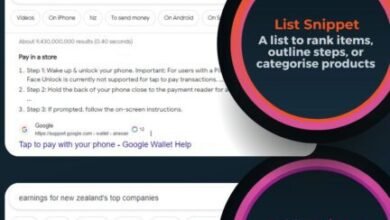
When I want to win a featured snippet or an AI overview, I use the “inverted pyramid” style. If the H2 is “What is keyword placement?”, the very next sentence should be a direct, 40-60 word definition.
Example Question: Where should I put keywords?
Direct Answer: Keywords should be placed in high-visibility areas including the title tag, H1 heading, the first 100 words of content, and URL slug. Secondary placements include subheadings, image alt text, and naturally throughout the body copy.
(Then, I expand on the details in the following paragraphs.)
GEO in practice: cover the topic, not just the phrase
Generative engines look for topical authority. They want to see that you covered the full cluster of related concepts. When I want a page to be “quoteable” by an AI, I make sure to include lists, definitions, and distinct steps. Structured content is easier for Large Language Models (LLMs) to ingest and summarize.
Schema markup that supports keyword placement (FAQ, Article, WebPage)
Schema is code that helps search engines understand your content. It doesn’t replace good writing, but it highlights it. I recommend adding FAQ Schema to your pages. It allows you to place questions and answers in a format that Google explicitly looks for. If you aren’t technical, most modern SEO plugins handle this automatically—you just need to fill in the fields.
Table: Traditional placement vs AEO/GEO placement signals
| Goal | Traditional SEO Focus | AEO / GEO Focus | What I Would Do |
|---|---|---|---|
| Relevance | Keywords in Title, H1, Body. | Context, entities, depth. | Cover related subtopics fully. |
| Format | Long-form text. | Lists, tables, TL;DRs. | Add a summary box at the top. |
| Structure | H1-H6 hierarchy. | Q&A pairs, Schema. | Use FAQ schema explicitly. |
Common keyword placement mistakes (and how I fix them)
I’ve audited hundreds of pages, and the same errors pop up repeatedly. Here is a diagnostic list so you can avoid them.
Mistake-to-fix list (5–8 items)
- Stuffing headings:
Mistake: “Best SEO Services for SEO Growth and SEO Results.”
Why it hurts: Looks spammy, lowers CTR.
The Fix: “Proven SEO Services that Drive Growth.” (Reads human). - Ignoring Search Intent:
Mistake: Writing a sales page for an informational query.
Why it hurts: High bounce rate, rankings drop.
The Fix: Check the top 3 results before writing. Match their format. - Keyword Cannibalization:
Mistake: Targeting the exact same keyword on 5 different blog posts.
Why it hurts: Pages compete against each other.
The Fix: Audit your site. Combine weak pages into one strong guide. - Exact-Match Anchor Text Abuse:
Mistake: Every internal link says “cheap laptops.”
Why it hurts: Looks like manipulation to Google.
The Fix: Vary it: “check out our laptop deals,” “this guide on laptops,” etc. - Missing the First Paragraph:
Mistake: Writing a 300-word fluffy intro before stating the topic.
Why it hurts: Users (and bots) get bored and leave.
The Fix: State the problem and solution in the first 3 sentences.
FAQs: Keyword placement questions beginners ask most
Where exactly should I place keywords within a page for the most impact?
If you only do three things, do these: 1. Put the keyword in the Title Tag (near the front). 2. Put it in the H1 heading. 3. Mention it naturally in the first paragraph. These are your strongest relevance signals.
What’s the ideal keyword density to avoid penalties?
Aim for 1–2%. There is no strict penalty for going slightly over, but if you hit 3-4%, readability usually suffers. Don’t stress about the math; stress about the flow.
How do I optimize for AI answer engines like ChatGPT or Google AI Overviews?
Focus on structure. Use question-based headings followed by direct, concise answers. I also like to add a TL;DR box after the intro to summarize the key points, which is highly scannable for AI models.
Should I still focus on short keywords, or are long-tail keywords more important now?
You need both, but long-tail keywords are your quick wins. Short keywords (e.g., “shoes”) establish the topic, but long-tail (e.g., “best running shoes for flat feet”) capture specific intent and convert better. I often target the short keyword in the H1 and the long-tail variations in my H2s.
Does using schema markup really help keyword placement?
It helps search engines understand your placement. It’s worth doing if you can, but it’s not required to get started. FAQ Schema is the most accessible win for content writers—it directly helps you occupy more space in the SERPs.
Conclusion: My keyword placement game plan you can use today

If there is one thing I want you to take away, it is this: placement signals priority.
- Stop obsessing over how many times you use a word.
- Start obsessing over where you put it.
- Structure your content so both humans and AI can easily find the answer.
Your next step: Go to Google Search Console, find a page that is getting impressions but has a low click-through rate. Open it up. Rewrite the Title Tag and H1 to be clearer, and sharpen the first 100 words. That 10-minute fix often does more than a complete rewrite.