Beyond the Plugin — How to Become an On-Page SEO Expert (What “Expert” Actually Means)
Introduction: I used to think on-page SEO was “set the plugin and move on” — here’s what I learned

Early in my career, I was obsessed with “green lights.” If my SEO plugin gave me a perfect score—keyword in the first paragraph, exact match in a subheading, 1% density—I assumed the page would rank. I remember publishing a guide that had a “perfect” score, only to watch it sit on page 5 for six months. The technical settings were fine, but I had completely missed the user intent and failed to demonstrate any real experience.
That was my wake-up call. Being an on-page SEO expert isn’t about satisfying a sidebar checklist; it’s about diagnosing why a page works, understanding the technical ecosystem it lives in, and crafting content that satisfies both human curiosity and machine logic.
In this guide, I’m going to share the actual workflow I use today. We will go beyond basic tool settings to cover the modern skill stack: technical foundations, content craftsmanship, E-E-A-T, and the new reality of AI-driven search (GEO/AEO). This is about building a repeatable system that delivers business results, not just vanity metrics.
What this guide is (and isn’t)
To be clear, on-page SEO is the practice of optimizing individual web pages to rank higher and earn more relevant traffic. This guide covers:
- Content Intelligence: Matching intent and depth.
- HTML Elements: Tags, schema, and structure.
- Page Experience: Core Web Vitals and UX.
- Internal Architecture: Linking strategies.
This is not a course on backlink building or server-side technical SEO, though we will touch on indexing and speed where they intersect with your page.
What distinguishes an on-page SEO expert from someone relying on plugins?

Plugins are fantastic guardrails, but they are not strategists. A plugin can tell you if your keyword is missing from the title tag, but it can’t tell you if that title tag is boring, irrelevant, or misaligned with what the user actually wants.
True expertise involves systems thinking. When I look at a page now, I’m not just checking for keywords. I’m looking at the Information Architecture (is this easy to navigate?), the rendering path (is the content visible to Google immediately?), and the credibility signals (does this author look trustworthy?).
For example, a plugin might suggest adding your keyword to an H2. An expert might realize that the H2 itself is unnecessary fluff and delete the section entirely to improve time-to-value for the user. We don’t just fill boxes; we make design and content decisions based on evidence.
Table: “Plugin user” vs “true on-page SEO expert” (real-world behaviors)
| Feature/Task | The Plugin User Checklist | The Expert Approach |
|---|---|---|
| Keyword Usage | Stuffs keywords until the density counter turns green. | Places keywords naturally in high-impact zones (URL, Title, H1) but prioritizes readability. |
| Internal Linking | Links to random posts to get a “links added” checkmark. | Builds a strategic topic cluster; links only where it aids the user journey. |
| Content Updates | Only changes the date to look fresh. | Audits the SERP, adds new sections, updates stats, and improves depth before updating the date. |
| Reporting | “We got a green score on the draft.” | “We improved CTR by 1.2% and increased average engagement time.” |
| Problem Solving | “The tool says readability is bad.” | “The sentence structure is too complex for this mobile audience; I’m simplifying the intro.” |
The “expert mindset”: hypotheses, tradeoffs, and business goals
An expert operates on hypotheses, not absolutes. My mindset is usually: “If I improve the clarity of the above-the-fold content, I suspect bounce rate will drop, sending a positive signal to Google.”
We also manage tradeoffs. Sometimes, strict SEO syntax hurts conversion. I’ve had arguments with developers where we decided to load a heavy visual element because it drove sales, even though it hurt our Largest Contentful Paint (LCP) slightly. An expert knows when to break the “rules” for the sake of the business goal—whether that’s leads, trials, or revenue.
The modern on-page SEO skill stack (technical + content + UX + E‑E‑A‑T)

If you want to move beyond the basics, you need to develop proficiency in four distinct pillars. You don’t need to be a coder, but you must be able to speak their language.
Technical foundations: Core Web Vitals, mobile usability, crawl/index basics
You can write the best article in the world, but if Google can’t crawl it effectively or if it loads in 10 seconds on a 3G network, you won’t rank. I always start my audit with Core Web Vitals (CWV)—these are critical ranking factors that measure user experience.
I learned this the hard way when a client’s site traffic tanked. The content hadn’t changed, but they had added a massive uncompressed hero image that pushed the text down. That single image destroyed their LCP score.
Mini table: CWV metrics and what usually causes them
| Metric | What it measures | Common Culprits (Simple Fixes) |
|---|---|---|
| LCP (Largest Contentful Paint) | Loading speed of the main content. | Giant hero images; slow server response; video backgrounds. (Fix: Compress images, use WebP). |
| CLS (Cumulative Layout Shift) | Visual stability (does stuff jump around?). | Ads loading late; images without height/width dimensions; dynamic banners. |
| INP (Interaction to Next Paint) | Responsiveness to clicks/taps. | Heavy JavaScript executing when a user tries to click a menu or button. |
Content that ranks: intent match, topical depth, and clean structure
Content optimization is no longer about repeating keywords. It is about Search Intent. If a user searches “how to tie a tie,” they want a video or a diagram, not a 2,000-word history of neckwear. Experts map content types to intent.
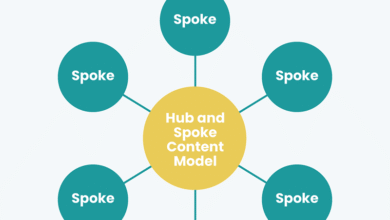
Furthermore, we build Topical Authority. Instead of writing one isolated post, we create a “hub” page and link out to supporting articles. This tells search engines, “We are experts on this entire topic, not just this one keyword.”
E‑E‑A‑T for beginners: how to make credibility visible on the page
E-E-A-T stands for Experience, Expertise, Authoritativeness, and Trustworthiness. In the age of AI content, this is your differentiator. I look for ways to prove a human is behind the work:
- Experience: Use phrases like “In my testing…” or “When I tried this…”
- Expertise: Ensure the author bio is visible and lists relevant credentials.
- Trustworthiness: Cite primary sources. If you make a claim, link to the study or data.
SERP-ready elements: titles, meta descriptions, headings, schema, and internal links
Finally, there’s the “packaging.” The Title Tag is still one of the strongest on-page signals. I treat it like a headline in a newspaper—it must promise value. Meta descriptions don’t directly impact rankings, but they drive Click-Through Rate (CTR).
Then there is Schema Markup (Structured Data). This is code that helps search engines understand your content (e.g., “This is a recipe,” “This is a review”). Implementing proper structured data strategies has been shown to lead to traffic increases of up to 45% in some cases , making it a high-leverage task.
How to become an on-page SEO expert: my step-by-step workflow (beyond checklists)

This is the exact process I follow. It moves from research to technical execution, ensuring nothing gets missed.
Step 1 — Pick the right page + define the job to be done (intent)
Before I write a single word, I analyze the SERP (Search Engine Results Page). I look for patterns. Are the top results listicles? Are they product pages? Are they lengthy guides?
If Google shows mostly templates for a query like “marketing budget,” do not publish a 3-paragraph opinion piece. You will fail because you aren’t doing the job the user hired the search engine to do. I define the intent: Informational, Transactional, or Navigational.
Step 2 — Build a lightweight on-page brief (topics, H2s, evidence, CTA)
I never write without a brief. A brief prevents me from rambling. I map out my H2s to cover the primary topic and secondary questions (often found in the “People Also Ask” box).
My brief includes:
- Target Keyword & Intent
- H1 and Title ideas
- Structure (H2s/H3s)
- Internal Links to include
- Unique Angle (E-E-A-T injection)
Using a structured approach here is vital. When I need to scale this process, I often rely on an AI article generator to turn these structured briefs into comprehensive first drafts, which I then refine with my editorial nuance. This hybrid approach saves hours of staring at a blank cursor.
Step 3 — Write for humans first, then tighten for SEO (titles, headings, entities)
I draft for the human reader first. I use short paragraphs (1-3 lines) to keep mobile readers engaged. I avoid jargon unless I define it immediately.
Once the draft exists, I put my “SEO Hat” on. I check my headings: Do they include the target keywords naturally? I check for Entities—concepts related to my topic. If I’m writing about “coffee,” Google expects to see entities like “roast,” “beans,” “brewing,” and “caffeine.” I ensure these are present to deepen context.
Step 4 — On-page implementation checklist (HTML elements + internal links + schema)
Now, I implement the technical tags. Here is my mental checklist:
- URL: Short, lowercase, hyphen-separated. (e.g.,
/on-page-seo-guidenot/category/2025/guide-to-seo) - Title Tag: Front-load the keyword. Keep it under 60 characters.
- Internal Links: I add 3-5 links to other relevant pages on my site using descriptive anchor text (not “click here”).
- Schema: If it’s a blog post, I ensure
Articleschema is active. If it’s a product,Productschema.
Step 5 — Page experience pass (CWV + UX sanity check)
I pull out my phone. Seriously. I load the page on my mobile device and try to read it. Is the font too small? Do popups cover the screen immediately? If I can’t use the page easily, neither can my users. I also run a quick check in PageSpeed Insights to ensure I haven’t accidentally broken the LCP.
Step 6 — Publish, then iterate with data (not vibes)
Publishing is not the finish line; it’s the starting line. I monitor the page in Google Search Console. If I see high impressions but low clicks (Low CTR), I know my Title or Meta Description is weak, and I rewrite them. If I rank on page 2 (positions 11-20), I know I likely need more content depth or better internal links.
Table: One-page on-page SEO workflow (inputs → actions → outputs)
| Step | Tools | Time Est. | Output |
|---|---|---|---|
| 1. Research | Google SERP, Keyword Planner | 15 mins | Target Keyword & Intent definition |
| 2. Briefing | Google Docs / Notion | 20 mins | Content Outline with H2s/H3s |
| 3. Drafting | Editor / Writing Tool | 60-90 mins | Complete human-readable draft |
| 4. Technical SEO | CMS (WordPress/Webflow) | 20 mins | Optimized URLs, Titles, Metas, Schema |
| 5. QA & Publish | Mobile Phone, Lighthouse | 10 mins | Live page with passing CWV scores |
AI search is changing on-page SEO: GEO, AEO, and AI Overviews (what I do differently now)

The game is changing. With AI Overviews appearing in approximately 13% of U.S. desktop searches as of early 2025—and projected to exceed 50% by August—we can’t ignore Generative Engine Optimization (GEO). This isn’t about “tricking” AI; it’s about being the most citable source.
When I optimize for AI, I focus on clarity. AI models crave structure. I use an AI SEO tool to analyze how well my content answers specific questions, ensuring I am providing direct, evidence-backed answers that an Answer Engine (AEO) can easily extract and cite.
Why AI visibility changes the goal (sometimes fewer clicks, more qualified visits)
Here is the reality: CTR on pages with AI summaries has dropped by around 30% . That sounds scary, but the traffic that does click through is often more qualified. They read the summary, realized they needed deep expertise, and clicked on you. The goal shifts from “get every click” to “be the expert source cited in the answer.”
On-page tactics for GEO/AEO: answer-first structure + evidence + clean entities
If I want to be cited in an AI Overview, I change my writing style:
- Direct Answers: I define the core concept immediately after the heading. (e.g., “What is GEO? GEO is…”)
- List Formatting: LLMs love lists. I use bullets for steps and features.
- Quotes & Data: I include unique stats or quotes that the AI can reference.
How I test and learn in AI search (without guessing)
I treat this as a laboratory. I don’t guess. I take a set of pages, update them with “answer-first” formatting, and watch the Generative Appearance rates (if available in my tracking tools) or simply monitor if I start appearing in the AI snapshots for my target queries. It’s early days, but adaptability is the skill that pays off.
How I measure on-page SEO success (rankings, behavior, and AI visibility KPIs)

I don’t rely on a single metric. I look for a constellation of data points to tell me the truth. I use Google Search Console for rankings and GA4 for user behavior. When you are managing hundreds of pages, you need a system to track this at scale, often utilizing a Bulk article generator and management system to keep content fresh and performance visible across the board.
Table: KPIs I track, what they mean, and what I change when they’re off
| KPI | Source | What it indicates | Action if “Bad” |
|---|---|---|---|
| Impressions | Search Console | Google thinks you are relevant. | If low: Retarget keywords or improve topical authority. |
| CTR (Click-Through Rate) | Search Console | How compelling your snippet is. | If low: Rewrite Title Tag and Meta Description. |
| Average Engagement Time | GA4 | Did the user find value? | If low: Improve intro hook, readability, or intent match. |
| Conversion Rate | GA4 / CRM | Business impact. | If low: Improve CTA placement or offer relevance. |
Scaling without losing quality: refresh cycles, content hubs, and consistent publishing
Content decays. I set a reminder to audit my top pages every 3–6 months. I check: Is the information still accurate? Are there broken links? Has the SERP intent changed? Regular refreshes are the easiest way to maintain rankings without writing new content from scratch.
Soft skills that make the work land (communication, ethics, problem-solving)
Finally, the difference between a good SEO and a great one is communication. When I present to a client or a boss, I don’t say “I fixed the Hreflang tags.” I say, “I fixed a technical issue that was preventing our UK users from seeing the correct pricing page.” I translate technical fixes into business value. Transparency builds trust, and trust gets your recommendations approved.
Common on-page SEO mistakes beginners make (and how I fix them)

We all make mistakes. Here are the ones I see most often in audits, and they are usually easy to fix.
Mistake list: 7 fixes I’d prioritize this week
- Keyword Cannibalization: Writing three different posts targeting the exact same keyword. Fix: Merge them into one ultimate guide.
- Weak Intros: Spending 300 words on “In today’s digital landscape…” fluff. Fix: Cut the first paragraph. Start with the value.
- Missing Internal Links: Creating “orphan pages” that no other page links to. Fix: Add 3 inbound links from high-authority pages on your site.
- Slow Images: Uploading 5MB PNG files. Fix: Compress and convert to WebP.
- Broken Schema: Adding Review schema to a blog post that isn’t a review. Fix: Validate using Schema.org validator.
- Ignoring Mobile: Formatting tables that break on phones. Fix: Use horizontal scroll CSS for tables.
- Generic Titles: Using “SEO Guide” as a title. Fix: Make it specific—”The 2025 Guide to On-Page SEO for Startups.”
FAQ (quick, accurate answers)
What distinguishes an on-page SEO expert from someone relying on plugins?
An expert understands the why behind the rules and knows when to break them for UX or business goals. They focus on outcomes (traffic, revenue), not just checklist scores.
Why is AI Search Optimization important for modern on-page SEO?
With AI Overviews taking up significant screen real estate, optimizing for “answer engines” is essential to maintain visibility and authority, even if click-through behavior changes.
How do Core Web Vitals impact on-page SEO?
They are a confirmed ranking factor. Poor scores (slow loading, shifting layouts) can hurt your rankings and, more importantly, frustrate users into leaving.
What does E‑E‑A‑T mean and why does it matter?
It stands for Experience, Expertise, Authoritativeness, and Trustworthiness. It is how Google determines if your content is credible enough to rank, especially for sensitive topics.
Conclusion: my next steps to start becoming an on-page SEO expert (a simple 30-day plan)

Becoming an expert doesn’t happen overnight, but it happens faster than you think if you are deliberate.
3-bullet recap: what I’d remember if I forgot everything else
- Intent is King: If you don’t answer the user’s specific question, no amount of keywords will save you.
- Technical UX Matters: Speed and structure (schema) provide the foundation your content stands on.
- Measure to Improve: Don’t just publish; watch the data and iterate based on what users actually do.
A realistic 30-day plan (Week 1–4)
- Week 1: Audit & Clean. Pick your top 5 pages. Run them through PageSpeed Insights. Fix image sizes. Rewrite titles for better CTR.
- Week 2: Content Upgrade. Choose one page that is ranking on page 2. Expand the content, add an FAQ section, and improve the internal linking pointing to it.
- Week 3: The System. Create your own “On-Page Brief” template. Stop writing from scratch. Define your standard operating procedure.
- Week 4: Review. Check GSC. Did the changes from Week 1 move the needle? Document what worked. Future you will thank you.
Start small, be consistent, and trust the data. That is how you win.