How to Do an SEO Audit: 2026 Hybrid Handbook From Scratch
Introduction: how to do an SEO audit (and why it matters in 2026)
I have seen perfectly good content get buried not because the writing was bad, but because of invisible technical debt—index bloat, slow templates, or a site architecture that confused Google’s crawlers. If your organic traffic has plateaued or your rankings are slipping despite publishing consistently, the problem likely isn’t what you are writing, but how search engines are experiencing your site.
Learning how to do an SEO audit in 2026 is different than it was even two years ago. We are no longer just auditing for ten blue links. With AI Overviews now appearing in over 50% of Google search results and organic clicks shrinking to roughly 40.3% of US searches, we have to audit for a hybrid world. We need to secure traditional rankings while ensuring our content is structured for AI citation.
This handbook isn’t a one-day “fix everything” magic button. It is a repeatable diagnosis workflow. I’m going to walk you through the exact process I use to uncover why a site is underperforming—covering technical health, content quality, authority, and the new requirements for AI search visibility.
What this handbook includes (and what it doesn’t)

- Technical Foundation: Crawlability, indexation strategies, and Core Web Vitals (including INP).
- Content Quality: Intent matching, E-E-A-T assessment, and fixing content decay.
- Authority Signals: Internal linking architecture and backlink hygiene.
- Modern Visibility: Optimizing for GEO (Generative Engine Optimization) and AEO.
- Exclusions: This guide focuses on general business and SaaS sites; I won’t be diving into deep log-file analysis or complex international (hreflang) setups, as those usually require specialized engineering support.
Before I start an SEO audit: goals, baselines, and the tools I use

Before I open a single crawler, I define the business goal. An audit without a goal is just a list of complaints. Am I trying to recover from a traffic drop, or am I preparing for a migration? Usually, I start by defining a baseline window (the last 90 days) in GA4 to understand what “normal” looks like.
Then, I assemble my toolkit. You can absolutely do a high-quality audit for free, though paid tools help speed up data collection on larger sites. If I only had one tool, I’d start with Google Search Console because it shows what Google actually sees, not just what a third-party tool simulates. However, for content operations and fixing the issues I find, I often rely on workflow assistants like AI SEO tool suites to streamline the process.
Here is the stack I rely on:
| Tool | Type | Best For | Output I Record |
|---|---|---|---|
| Google Search Console (GSC) | Free | Indexation & Rankings | Coverage errors, query data |
| Google Analytics 4 (GA4) | Free | Traffic & Engagement | Top landing pages, decay trends |
| PageSpeed Insights | Free | Performance (CWV) | LCP, INP, TTFB scores |
| Screaming Frog | Paid/Free | Deep Crawling | Status codes, titles, canonicals |
| Ahrefs / SEMrush | Paid | Backlinks & Keywords | Domain Authority, lost links |
| Kalema | Paid | Content Ops | Content refreshes & SEO content generator workflows |
My pre-audit checklist (10 minutes):
- Confirm access to GSC and GA4.
- Run a fresh crawl of the site (using Screaming Frog or similar).
- Create a blank spreadsheet (I use tabs for: Tech, Content, Links, Speed).
Define the audit scope: site-wide vs. section audit
If you manage a massive site, auditing every URL at once is a recipe for burnout. I often scope my audits based on the business need. For a local service business, I’ll audit the whole site (usually under 500 pages). But for a large SaaS blog or ecommerce site, I might restrict the audit to a specific directory, like /blog/ or /products/category-name/.
For example, if lead quality is down, I focus heavily on the service pages and bottom-of-funnel content. If top-of-funnel traffic is bleeding, I focus on the blog and information architecture.
My minimum tool stack (free) vs. “nice to have” (paid)
- The “I’m Broke” Stack: Google Search Console + Detailed SEO Extension + PageSpeed Insights + Screaming Frog (Free up to 500 URLs). You can diagnose 80% of issues here.
- The Scaling Stack: All of the above plus a paid crawler (for unlimited URLs) and a market intelligence tool like Ahrefs or Semrush to see competitor gaps and backlink toxicity.
Step 1–3 of how to do an SEO audit: crawlability, indexability, and site architecture
This is the foundation. If Google can’t crawl it, they can’t index it. And if they can’t index it, you don’t exist. I approach this phase logically: Crawl → Index → Structure.
Common issues I find here aren’t usually catastrophic server errors (though those happen); they are subtle configuration mistakes. I’ve seen canonical tags quietly pointing to staging environments after a redesign, effectively telling Google “don’t rank this page.” Or the classic index bloat: thousands of thin WordPress tag pages like /blog/tag/marketing getting indexed, diluting the site’s overall relevance.
| Issue | How I Detect It | Why It Matters | Quick Fix |
|---|---|---|---|
| Index Bloat | GSC “Indexed pages” count is higher than expected | Wastes crawl budget; lowers site quality | Noindex low-value tag/category pages |
| Orphan Pages | Screaming Frog “0 Inlinks” report | Google can’t find/value them | Add internal links from relevant parents |
| Redirect Chains | Crawler “Redirect Chains” report | Slows loading; loses link equity | Link directly to the final destination |
Step 1: Crawl the site and collect the “inventory”

Think of this like taking stock in a warehouse. I run a crawler to get a complete list of URLs. I’m looking for the status code of every page. I export these reports to my audit spreadsheet:
- Response Codes: Identify 404s (broken links) and 301s (redirects).
- Page Titles & Meta Descriptions: Look for duplicates or missing tags.
- Directives: Check for accidental
noindextags on pages that should be visible.
Step 2: Compare crawl vs. what Google indexes

Here is where I jump into Google Search Console (Pages report). I look for mismatches between my “warehouse inventory” and what Google has on the shelves.
- Indexed, not submitted in sitemap: These are pages Google found that you didn’t tell them about. Often, these are old pages you forgot to delete or parameter URLs generated by filters.
- Submitted and indexed: This is the healthy bucket.
- Discovered – currently not indexed: Google knows about these but hasn’t bothered to crawl them yet. This is usually a sign of crawl budget waste or low site authority.
Step 3: Fix architecture problems that create orphan pages and wasted crawl paths
Good architecture means your most important pages are within 3 clicks of the homepage. I check the “Crawl Depth” report in my crawler. If my key revenue-driving service page is sitting at depth 6, buried under a maze of blog categories, that is a priority fix.
I also look for URL parameters. On ecommerce sites, filters like ?color=blue&size=small can generate infinite URLs. If these aren’t handled with canonical tags or robots.txt rules, they trap Googlebot in an infinite loop of low-value content.
Step 4: Performance & Core Web Vitals (LCP, INP, CLS, plus TTFB)

Technical performance is no longer just about raw speed; it’s about the user experience. Since the introduction of INP (Interaction to Next Paint), which replaced FID, Google is heavily scrutinizing how responsive your page is after a user clicks a button or types in a field.
I don’t chase a perfect 100 score on PageSpeed Insights. I chase “Good” (green) scores on the templates that drive revenue. If a blog post scores a 65 but my checkout page scores a 95, I sleep fine. However, widespread poor scores, especially for TTFB (Time to First Byte), often indicate a cheap hosting provider or a lack of caching.
| Metric | What It Means | Typical Causes | First Fixes to Try |
|---|---|---|---|
| LCP | Loading performance (main content) | Giant hero images | Compress images; standard format |
| INP | Responsiveness to clicks | Heavy JavaScript/Third-party code | Defer non-essential JS; remove unused plugins |
| CLS | Visual stability (shifting) | Ads or images without dimensions | Set explicit width/height on images |
My Core Web Vitals triage order (what I fix first)
When resources are limited, here is how I prioritize:
- Global Templates: If the header, footer, or sidebar is causing an issue (like a heavy chat widget), fixing it there solves it for 1,000 pages at once. I learned this the hard way when one unoptimized newsletter popup tanked INP site-wide.
- Money Pages: Product pages, pricing, and demo requests. High friction here kills conversions immediately.
- High-Traffic Blog Posts: These are often the first entry point for users. A slow load here increases bounce rate, signaling to Google that the result isn’t relevant.
Step 5–6: On-page and content quality audit (intent, E‑E‑A‑T, decay, duplication)
Once the technical foundation is solid, I move to the content itself. This is often where the biggest wins are hidden. I look for content decay—posts that used to rank well but have slowly slid to page 2 or 3 because they reference “2023 trends” or competitors have simply published deeper guides.
I also look for keyword cannibalization. It’s common to find a business has written three different articles about “email marketing tips” over five years. Google doesn’t know which one to rank, so it ranks none of them well. In these cases, merging them into one “Ultimate Guide” usually beats trying to update all three.
Step 5: On-page checks I do on every important page

- Title Tags: Are they truncated? Do they include the primary keyword near the front?
- H1 Tags: Is there exactly one H1? Does it match the user’s search intent?
- Meta Description: It doesn’t directly impact rank, but it impacts clicks. Is it compelling?
- Formatting: Do I see walls of text? I check for skimmability—bullet points, bold text, and images break up the reading experience.
Step 6: Content quality, consolidation, and refresh plan
I build a list of URLs and assign an action to each. Deleting content is scary, but sometimes it’s the cleanest fix when pages are thin or irrelevant.
- Keep: Traffic is steady, information is accurate.
- Refresh: Traffic is declining, or stats are outdated. Needs a rewrite.
- Merge: Competing with another page. Combine the best parts and 301 redirect the loser to the winner.
- Prune (Delete/Noindex): Thin content, outdated news, or zero-traffic pages with no backlinks.
Schema markup and formatting that helps both SEO and AI answers
Schema helps Google understand your content, but it also helps AI models parse it for answers. I always validate pages using the Rich Results Test.
I verify that Organization schema is on the homepage and Article or BlogPosting schema is on posts. If relevant, FAQ schema is powerful, but be careful: a common mistake I see is copying FAQ schema code across pages without changing the questions, which confuses search engines.
Step 7: Internal linking + backlink review (authority signals without spam)

I rarely advise clients to go out and buy backlinks. It’s risky and expensive. Instead, I focus on the authority we can control: internal linking. Most of the time, I get more lift from fixing internal links than chasing new external ones.
I look for “orphaned” clusters—great blog posts that are linked only from paginated archive pages and nowhere else. By creating a “hub” page that links out to these related posts, and having them link back to the hub, we clarify the topical authority to Google.
For external backlinks, I keep it simple. I check the Anchor Text profile in Ahrefs. Is it natural? If 90% of the links say “best cheap shoes,” that’s a spam signal. I rarely disavow links unless there is a manual action or a clear, massive spam attack.
Internal linking map: the simplest way I find orphan pages
- Crawl the site with Screaming Frog.
- Sort by “Inlinks” (lowest to highest).
- Identify high-quality pages with fewer than 3 internal links.
- Open the site in a browser and find relevant older posts where a link to this page would add value.
- Add the link naturally (don’t force it).
Step 8: Audit for AI search (GEO/AEO) + track AI visibility metrics

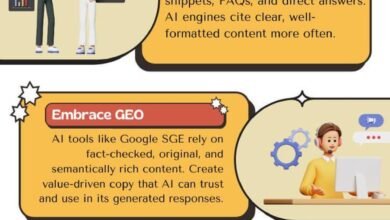
This is the newest layer of the audit. Generative Engine Optimization (GEO) and Answer Engine Optimization (AEO) focus on being the source that AI tools cite when answering a user’s question. We aren’t trying to “game” the AI; we are trying to make our content easy to extract and trustworthy.
I audit specifically for AI readiness. Does the content answer the core question immediately? AI models prioritize direct answers near the top of the content. I also check for E-E-A-T signals like clear author bylines and citations to reputable data sources, which help establish the “Trust” needed for citation.
| Metric | What It Measures | How to Improve It |
|---|---|---|
| Generative Appearance | How often you appear in AI snapshots | Structure content with clear H2s and definitions |
| Citation Frequency | How often you are linked as a source | Provide unique data/stats; quote experts |
| Share of AI Voice | Dominance in AI answers for a topic | Cover the topic comprehensively (topical authority) |
AEO-friendly page pattern: summary → steps → FAQs
To improve visibility in AI Overviews, I recommend this structural pattern for informational queries:
- H1: Clear question/topic.
- The Direct Answer: A 40-60 word definition or summary immediately following the H1.
- The Details: Structured H2s and H3s with bullet points.
- The FAQ: A dedicated section at the bottom answering related “People Also Ask” questions.
Turning findings into action: my SEO audit report template, cadence, FAQs, and next steps

An audit is useless if it sits in a Google Doc. You need to convert findings into a prioritized plan. I use an Impact x Effort x Risk matrix. If a fix has High Impact and Low Effort (like fixing title tags on top pages), it gets done this week. If it’s High Impact but High Effort (migrating to a faster server), it goes into the 60-day plan.
To execute the content refreshes and rewrites identified in the audit at scale, many teams use an AI article generator to speed up the drafting process while maintaining the structural best practices we just discussed.
30/60/90 Day Plan:
- First 30 Days: Fix critical technical errors (404s, noindex), optimize title tags on top 20 pages, fix broken redirects.
- 60 Days: Address Core Web Vitals (INP/LCP), execute content refreshes on decaying posts, improve internal linking.
- 90 Days: Create new content hubs, tackle deep architecture changes, review backlink strategy.
My one-page SEO audit report outline (copy/paste)
EXECUTIVE SUMMARY
- Health Score: [Good/Fair/Critical]
- Top 3 Priorities: [List the 3 moves that move the needle]

1. TECHNICAL HEALTH
- Crawl/Index Status: [x] pages indexed vs [y] submitted.
- Speed (CWV): [Pass/Fail] on mobile.

2. CONTENT & QUALITY
- Top Decay Risks: [List 5 URLs losing traffic]
- Duplication Issues: [List cannibalized topics]

3. AUTHORITY & AI VISIBILITY
- Internal Link gaps.
- AI Readiness: [Notes on formatting/schema].

RECOMMENDED ROADMAP
- Immediate Fixes (Week 1-2)
- Strategic Projects (Month 1-3)
How often should I conduct an SEO audit?
I recommend a full deep-dive audit annually. However, websites are living things. You should run a “mini-audit” (technical check and performance review) every quarter, or every 3–6 months. If you push code weekly, you might need automated crawl monitoring.
Do I need paid tools for an audit?
You can absolutely start with free tools (GSC, GA4, PageSpeed Insights). These give you the most accurate data about your own site. Paid tools (like Ahrefs or Screaming Frog’s paid version) are necessary when you need to see what competitors are doing, track backlink history, or crawl sites larger than 500 pages.
What technical issues often get missed in audits?
- Weak Internal Linking: Great content isolated with no links pointing to it.
- Index Bloat: Old tag pages or archives cluttering the index.
- Orphan Pages: URLs that exist but aren’t linked in the navigation or body.
- Schema Errors: Code that validates but contains the wrong data (e.g., wrong dates).
- Crawl Budget Waste: Googlebot spending time on parameters and filters.
How do I optimize for AI search (GEO/AEO)?
Don’t overcomplicate it. Think like an editor. Make the answer extractable. Use clear headings, define terms simply in the first sentence of a section, use lists (AI loves lists), and ensure your data sources are cited. If a human can skim it and get the answer in 5 seconds, an AI can likely extract it.
What new metrics should I track?
While standard rank tracking is still valid, start paying attention to generative appearance (are you showing up in the AI snapshot?) and citation frequency. Currently, this often requires manual spot-checking or specialized enterprise tools, but simply searching your key terms and seeing if the AI summary cites your brand is a good place to start .