The SaaS Health Check: A SaaS SEO audit for Maximum Organic Growth
I’ve seen SaaS teams ship new features weekly, publish content daily, and still watch their organic traffic plateau. It’s frustrating, but it’s rarely a mystery. In the rush to launch new integrations, update documentation, and manage a sprawling changelog, SEO hygiene often takes a backseat. The result is what I call “silent failure”: valid pages get deindexed, crawl budgets get wasted on parameter URLs, and high-value content decays unnoticed in the depths of page two.
When I run a SaaS SEO audit—what I prefer to call a “Health Check”—my goal isn’t to generate a 100-page PDF that no one reads. It’s to find the specific blockers stopping growth right now. Whether it’s a rogue robots.txt file blocking a new product directory or JavaScript navigation that Google can’t render, the fix is usually specific and high-impact.
In this guide, I’ll walk you through the exact workflow I use. We’ll cover technical diagnostics, content performance, site architecture, and the new frontier: auditing for AI discovery and voice search readiness. This is how you stop guessing and start fixing.
What a SaaS SEO audit is (and when I run one)

At its core, a SaaS SEO audit is a structured review of how search engines discover, understand, and rank your ecosystem—your marketing site, your app subdomains, and your documentation. But more importantly, it checks if the traffic you’re getting is actually turning into trials and demos.
It used to be that audits were massive, annual projects that took weeks. Industry data suggests that manual audits could take up to 12 days to complete thoroughly. Today, with the right automation, I can run a high-impact diagnostic in about two hours. This shift changes the strategy entirely: instead of a yearly “spring clean,” audits become a monthly pulse check.
Here is how I decide it’s time for an audit:
- The “Silent Slide”: Traffic has been slowly declining for 3 months despite new content.
- Major Deployments: Engineering just shipped a new site architecture or a React-based frontend.
- Content Sprawl: We’ve published 50+ pages recently and cannibalization is suspected.
- Expansion: We are launching a new product line or targeting a new Ideal Customer Profile (ICP).
You don’t need to be a developer to catch the biggest issues. You just need a systematic way to look.
Search intent check: what this article helps you do
This isn’t a theoretical textbook. It’s an operator’s manual. My intent here is to give you a step-by-step workflow and a prioritized checklist you can execute immediately. I’ll focus primarily on free tools you likely already have—Google Search Console (GSC) and Google Analytics 4 (GA4)—while noting where paid crawlers might speed things up.
How often should I conduct a SaaS SEO audit?
If you ship code or content weekly, you can’t afford to audit annually. I treat SEO like recurring maintenance, not a one-off project. Here is the cadence I recommend for most B2B SaaS companies:
| Audit Type | Frequency | Time Budget | Focus |
|---|---|---|---|
| Health Check | Monthly | 2–3 Hours | Crawl errors, new 404s, performance dips, top 10 pages check. |
| Deep Dive | Quarterly | 1–2 Days | Content decay, internal linking, schema validation, competitor gap. |
| Post-Migration | Ad-hoc | Variable | Redirect chains, canonicals, unexpected noindex tags. |
My SaaS SEO audit checklist (the “SaaS Health Check” workflow)

The biggest mistake I see isn’t missing technical issues—it’s drowning in them. If you hand a developer a list of 500 “low priority” warnings, nothing gets fixed. Success comes from prioritization.
I use a standardized checklist to triage issues quickly. Automation tools are critical here; they can reduce that 12-day manual slog down to a focused afternoon session, allowing you to identify underperforming pages and potentially boost trial conversions by up to 30% by fixing them. Whether you use a dedicated SEO content generator or manual spreadsheets, the process remains the same: identify, prioritize, assign.
Here is the template I use to keep my audits actionable:
| Area | What to Check | Tool / Report | Red Flags | Fix Owner | Priority |
|---|---|---|---|---|---|
| Crawlability | Robots.txt & Sitemap | GSC (Settings) | Key directories blocked; Sitemap read errors. | Dev / SEO | Critical |
| Indexing | Page Indexing Report | GSC (Pages) | “Crawled – currently not indexed”; spikes in 404s. | SEO / Content | High |
| Performance | Core Web Vitals | GSC (Core Web Vitals) | LCP > 2.5s on pricing/landing pages. | Dev | Medium |
| Content | Decay & Cannibalization | GSC (Performance) | Clicks dropping YoY; multiple pages for same keyword. | Content Lead | High |
| Architecture | Internal Links / Orphans | Site Crawler | Important pages with 0 internal links. | SEO / Content | Medium |
Using an AI SEO tool to automate the initial data gathering can be a game-changer, surfacing these red flags instantly so you can focus on the strategy.
Step 1: Pull the right baselines (so the audit isn’t guesswork)
Before I change a single tag, I need to know where we stand. I export three specific reports:
- GSC Performance Report: Last 3 months vs. previous period. I look for query/click trends.
- GSC Indexing Report: I note the total number of indexed pages vs. what I think we have. A massive discrepancy here usually means index bloat.
- GA4 Landing Page Report: I check conversions (demos/sign-ups). High traffic but low conversion suggests an intent mismatch, not a technical bug.
Step 2: Triage with an impact-first scoring system
If I only had five hours this week, I wouldn’t spend it optimizing alt text on three-year-old blog posts. I use a simple Impact vs. Effort matrix to score every finding.
- High Impact, Low Effort: Do this today (e.g., fixing a broken title tag on a pricing page).
- High Impact, High Effort: Plan this for the next sprint (e.g., improving Core Web Vitals across page templates).
- Low Impact: Backlog it.
This ruthlessness is how you win. It prevents you from wasting dev time on things that don’t move the needle.
Step 3: Turn findings into a 2–4 week fix plan (owners + deadlines)
I avoid vague tickets like “improve SEO.” Developers hate them, and they rarely get done. Instead, I write tickets that look like this:
- Issue: Pricing page is not indexed.
- Evidence: URL Inspection tool shows “Excluded by ‘noindex’ tag.”
- Recommendation: Remove
<meta name="robots" content="noindex">from the header. - Owner: Frontend Dev.
- Validation: Run “Test Live URL” in GSC and request indexing.
Clear ownership and validation steps build trust with your engineering team. When you use an Automated blog generator or SEO platform, ensuring the output integrates into this workflow is key.
Technical SaaS SEO audit: crawlability, indexability, JavaScript, and speed

SaaS websites are uniquely fragile. We love our JavaScript frameworks, our dynamic parameters, and our staging environments. Unfortunately, these are exactly the things that break search. Industry analyses suggest that nearly 27% of SaaS websites suffer from critical crawlability issues that prevent indexing entirely.
When I audit technical health, I don’t try to “perfect” every metric. I start with the binary questions: Can Google see it? And does it load fast enough to keep a user?
Core Web Vitals Benchmarks for SaaS:
| Metric | What it measures | Good Score (Benchmark) |
|---|---|---|
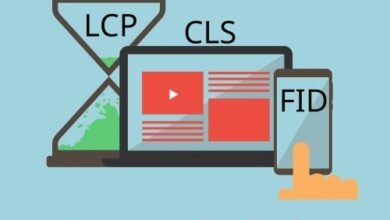
| LCP (Largest Contentful Paint) | Loading performance | ≤ 2.5 seconds |
| FID / INP | Interactivity | ≤ 100ms (FID) / ≤ 200ms (INP) |
| CLS (Cumulative Layout Shift) | Visual stability | ≤ 0.1 |
Discovery blockers I check first (the fastest wins)
If Google can’t crawl it, nothing else matters. Here is my rapid-fire check for blockers:
- Robots.txt: Is there a
Disallow: /rule left over from staging? - Meta Robots: Are key pages tagged
noindex, nofollow? - Canonicals: Do pages point to themselves (self-referencing) or accidentally to a different version?
- Redirect Chains: Are we hopping through 3+ redirects to get to the destination?
How I validate it: I paste the URL into the GSC Inspection Tool. If it says “URL is not on Google” due to a user-declared canonical or noindex, I know exactly where to look.
What technical issues most commonly block SaaS site discovery?
Missing or Broken Sitemaps
Often, the sitemap.xml isn’t updating automatically with new product pages.
Check: Submit your sitemap URL in GSC and look for “Success” status.
Orphan Pages
These are pages that exist but have no internal links pointing to them. Crawlers often miss them entirely.
Check: Compare your CMS page list against your GSC indexed pages list.
JavaScript Rendering Issues
If your content is injected via JS after the initial load, Google might just see a blank page.
Check: Use the “View Crawled Page” feature in GSC to see the HTML Google actually indexed.
JavaScript-heavy SaaS sites: how I audit rendering without overcomplicating it
You don’t need to be a coding wizard to check this. I pick one URL from each major template—Homepage, Feature Page, Pricing, and Docs. I run them through the URL Inspection Tool in GSC and click “Test Live URL.” Then I view the screenshot. If the main content is missing or the layout is broken compared to what I see in my browser, we have a rendering problem. In practice, this often happens when internal links in the navigation are hidden behind `onClick` events rather than standard `<a href>` tags.
Structured data: the minimum SaaS schema I implement
Structured data is a lever for higher Click-Through Rates (CTR)—sometimes up to 40% higher. I don’t overdo it, but I insist on the essentials:
- Organization Schema: On the homepage (logo, social profiles).
- SoftwareApplication Schema: On the product/feature pages.
- BreadcrumbList: Across the site to help Google understand structure.
- FAQPage: On any page with a legitimate Q&A section.
How I validate it: Run the URL through Google’s Rich Results Test. If it flags errors, fix them before deploying. Never mark up content that isn’t visible to the user—that’s a fast track to a manual penalty.
Content + on-page SaaS SEO audit: align intent, fix decay, and improve conversions

Technical SEO gets you to the starting line; content is what runs the race. But in SaaS, content libraries get messy fast. We have marketing blogs, help center articles, API docs, and integration pages all fighting for attention. A common issue I see is “content cannibalization”—where a blog post about “X integration” outranks the actual integration landing page.
My audit focuses on mapping intent and reversing decay. Refreshing pages that are ranking in positions 11–20 is often the highest-ROI activity you can do. It’s easier to push an existing page to page one than to rank a new one from scratch. When scaling these updates, tools like an AI article generator can help draft optimized sections quickly, but editorial judgment is what keeps the quality high.
My intent map for SaaS (so every page has a job)
Every page must have a single, clear job. I map keywords to the funnel stages:
- TOFU (Informational): “How to reduce churn.” Job: Educate and cookie the user. Best for Blog Posts.
- MOFU (Commercial): “Best churn reduction software.” Job: Compare solutions. Best for Comparison Pages.
- BOFU (Transactional): “Product X Pricing.” Job: Convert. Best for Pricing/Feature Pages.
If I find a blog post trying to sell hard on a TOFU query, I rewrite it. If I find a product page trying to rank for a definition, I create a supporting blog post instead.
What is content decay and how do I fix it?
1. Identify the Decay
Go to GSC Performance results. Click “Compare” (Last 3 months vs. Previous 3 months). Sort by “Clicks Difference” ascending to see the biggest losers.
2. Prioritize by Value
Don’t fix everything. Pick the pages that drive sign-ups or high-intent traffic.
3. Refresh the Content
Update out-of-date statistics (2021 stats look bad in 2024). Add new examples. If I can’t find a source for a claim, I remove it. Improve readability.
4. Request Reindexing
Once updated, paste the URL in GSC and click “Request Indexing.” This signals Google to recrawl immediately.
On-page essentials I check on every money page (feature, pricing, integration)
When I review a “money page,” I act like a critical user. I check:
- Title Tag: Does it include the primary keyword near the front?
- H1 Tag: Is there exactly one H1, and does it match the user’s expectation?
- Scannability: Are H2s and H3s breaking up the text? Walls of text kill conversions.
- Trust Signals: Are there logos, badges (G2/Capterra), or testimonials visible above the fold?
- Internal Links: Are we linking to this page from our high-authority blog posts?
Architecture + internal linking: fix orphan pages, index bloat, and link equity flow

Site architecture is how you tell Google which pages are important. In SaaS, we often dilute our own authority by letting thousands of low-value pages (like paginated blog archives, tag pages, or empty user profiles) get indexed. This is “index bloat,” and it eats up your crawl budget.
Effective internal linking creates a “hub and spoke” model. Your main feature page is the hub; your blog posts and docs are the spokes. If the spokes don’t link back to the hub, you’re starving your most important pages of authority.
My 15-minute internal linking check (beginner-friendly)
You don’t need a complex graph visualization to start.
- Pick 3 Priority Pages: Usually your top feature or pricing pages.
- Check the Nav: Are they linked from the main header or footer?
- Check Contextual Links: Go to Google and search
site:yourdomain.com "keyword". Open the top 3 blog results. Do they link to the priority page in the text? If not, add them. - Check Breadcrumbs: Do your sub-pages link back to their parent category?
Index bloat: what I noindex, canonicalize, or consolidate (and why)
I’ve seen sites with 5,000 indexed pages but only 200 that actually get traffic. The rest? Useless tag pages like /tag/marketing/page-4.
- Tag/Category Archives: Unless they are curated hubs, I often
noindexsub-pages of archives. - Internal Search Results: Always
noindexthese (e.g.,/?s=search-term). Google hates crawling search results. - Parameter URLs: Use canonical tags to point
?utm_source=linkedinback to the clean URL.
Caution: Never blindly bulk-noindex. Always check GSC first to ensure a page isn’t secretly driving valuable long-tail traffic.
Authority + modern visibility: backlinks, AI discovery, voice search, and product-led pages

The definition of “authority” is changing. It used to just mean backlinks. Now, it means being the reference entity for AI answers and voice assistants. If ChatGPT or Google’s AI Overviews can’t find a clear, citable answer on your site, they won’t surface your brand.
I still audit backlink profiles to ensure we aren’t accruing spam, but I spend equal time auditing for “answer readiness.” This means checking if our content is structured in a way that machines can easily parse and quote.
Backlink profile: what I look for beyond “more links”
I don’t just count links; I look at quality. I use tools to check for broken backlinks (links pointing to 404s on my site) because reclaiming those is the easiest win in SEO. I also check for “unlinked mentions”—where a blog mentions our brand but doesn’t link. A polite email often fixes that.
What makes content AI-discovery-friendly?
Structure and Clarity.
AI models love structure. I audit content to ensure it uses:
- Direct Definitions: “What is [Concept]? [Concept] is…”
- Lists and Tables: Data formatted in tables is easier for LLMs to extract.
- Facts over Fluff: Concise, fact-based sentences are more likely to be cited than long, wandering prose.
How can SaaS sites optimize for voice search?
Voice queries are conversational and longer—averaging around 29 words. To capture these, I source real questions from our sales calls or support tickets.
- “How much does [Product] cost for a small team?”
- “Does [Product] integrate with Salesforce?”
- “How do I set up [Feature]?”
I then ensure these are answered explicitly in an FAQ section or a dedicated “Q&A” block on the relevant page.
Product-led interactive pages: when I build them (and how I audit them)
Calculators, ROI estimators, and generator tools often outperform blog posts for functional intent. If I see high volume for “ROI calculator,” I don’t write a blog post about it—I build the calculator.
Audit Checklist for Interactive Pages:
- Indexable Content: Is there enough text on the page for Google to understand what the tool does?
- Load Speed: Does the tool load instantly?
- Clear CTA: Does the tool lead naturally to a free trial or demo?
Common SaaS SEO audit mistakes (and my fixes) + FAQs + next steps

To wrap up, I want to share the pitfalls I’ve stumbled into, so you don’t have to. These are the unforced errors that derail otherwise good strategies.
5–8 mistakes I see in SaaS SEO audits (and exactly how I fix them)
- Ignoring pages 11–20: We obsess over page 1 rankings and ignore the easy wins on page 2. Fix: Filter GSC for position 11–20 and refresh those first.
- Accidental Noindex: A developer leaves a noindex tag on a production page. Fix: Use an uptime monitor that checks for meta tags, not just 200 OK status.
- Obsessing over Score: Wasting weeks trying to get a 100/100 speed score instead of shipping content. Fix: Aim for “Good” (green) in GSC, not perfection.
- Cannibalization: Creating a new page for a keyword you already rank for. Fix: Google
site:yourdomain.com keywordbefore writing briefs. - Orphaned Landing Pages: Launching a PPC landing page and forgetting to block it from organic search (or vice versa). Fix: Audit the XML sitemap monthly.
- Broken Schema: Copy-pasting schema code that has syntax errors. Fix: Always validate with the Rich Results Test.
FAQ (quick answers)
What is the difference between crawlability and indexability?
Crawlability is Google’s ability to access your page (robots.txt, server status). Indexability is Google’s ability (and choice) to add that page to its database (noindex tags, canonicals, quality).
How long does a SaaS SEO audit take?
With automation, the data gathering takes 2–3 hours. The analysis and strategy part usually takes me 1–2 days. Fixing the issues can take weeks depending on dev resources.
Should I delete old blog posts?
Only if they have zero traffic, zero backlinks, and zero relevance. Otherwise, update them or redirect (301) them to a relevant, newer post to preserve link equity.
Conclusion: my 3-point recap + the next 3–5 actions I’d take this week
We’ve covered a lot, but SEO is about momentum, not perfection. If you take nothing else away, remember this:
Recap:
- Technical health is the foundation: If they can’t crawl it, they can’t rank it.
- Content needs maintenance: Decay is inevitable; a refresh strategy is your defense.
- Authority is evolving: Structure your content for AI and voice, not just keywords.
Your Next Moves (This Week):
- Run a crawl: Use GSC or a crawler to find your top 5 broken pages (404s) and redirect them.
- Check your robots.txt: Ensure you aren’t blocking your own growth.
- Refresh one page: Pick a page ranking #12 and update the stats and title tag.
- Set a calendar invite: Block out 2 hours next month for your next Health Check.
Start there. Track your baseline today, run the fixes, and watch the trend lines move.