Winning in China: The Best Tools to Track Your Rankings on Baidu
Introduction: Tracking Baidu rankings as a US-based beginner (what I’ll help you do)
I still remember the first time I tried to report on a China SEO campaign from my desk in the US. I had optimized the pages, the localized content was live, and traffic was starting to trickle in. But when I tried to pull ranking data to show my stakeholders, I hit a wall. My standard Google-centric tools showed blanks, and manual checks were impossible because Baidu’s SERP (Search Engine Results Page) looked nothing like the ten blue links I was used to.
If you are in that position right now, you know the frustration. Baidu isn’t just Google translated into Chinese; it’s a completely different ecosystem where proprietary features dominate the page and “ranking #1” doesn’t always guarantee clicks. The good news is that specialized tools exist to solve this exact measurement gap.
In this guide, I’ll walk you through the best Baidu rank tracking tools specifically for US teams. I’ll break down what makes Baidu tracking unique, compare the top contenders side-by-side, and give you a weekly workflow that I use to keep reporting accurate and actionable—without needing to be fluent in Mandarin.
Quick answer: My short list for beginners

If you need a decision fast, here is my cheat sheet based on specific business needs:
- Best overall for US teams: Dragon Metrics. It offers English translations for keywords and deep tracking of 30+ Baidu SERP features.
- Best for multi-engine simplicity: AccuRanker. Great if you already use it for Google and just need to add Baidu with real-time updates.
- Best for spot checks: GeoRanker. Their free Baidu rank checker is a solid utility for quick validation.
- Best for context only: Mainstream suites like SEMrush. Use them for broad trends, but don’t rely on them for granular Baidu reporting.
Why Baidu rank tracking is different (and what “rank” really means on Baidu)

To understand why standard tools fail, you have to look at the interface. I often tell colleagues that Baidu looks more like a portal (think Yahoo in the 90s) than a simple list of links. The page is crowded with Baidu’s own properties, which often push organic results way down the fold.
When you track a ranking on Google, position 1 usually means the top organic result. On Baidu, position 1 might be buried under a massive brand banner, a Baike (Wikipedia style) entry, and three ads. If your rank tracker doesn’t identify these features, you might report a “Top 3” ranking to your boss while wondering why you have zero traffic. That is a dangerous spot to be in.
Furthermore, the “Great Firewall” and local internet infrastructure mean that what you see from a US IP address is almost never what a user in Shanghai sees. Reliable tracking requires a tool that simulates a local user environment within China to avoid geo-blocking or personalization distortions.
Baidu SERP features I need to track (not optional)

If your tool can’t flag these, you aren’t seeing the whole picture. Here are the features that impact click-through rates the most:
- Baidu Baike: Baidu’s encyclopedia. It dominates informational queries.
- Baidu Zhidao: A Q&A platform similar to Quora. It captures high-intent “how-to” traffic.
- Baidu Wenku: A document-sharing platform that often ranks well for B2B queries.
- Baidu Tieba: A popular community forum system.
- Brand Zone: A massive, paid top-of-page feature that suppresses almost everything else.
Mobile vs desktop on Baidu: what beginners usually miss
Here is my rule of thumb: I prioritize mobile rankings if I haven’t looked at the analytics yet. China is a mobile-first market to a degree that makes the US look behind. Baidu’s mobile SERP often displays different features and layouts compared to desktop. Tools like AccuRanker support tracking both devices separately with real-time updates, which is critical because a keyword might be #3 on desktop but #15 on mobile due to app-specific integrations.
How I evaluate the best Baidu rank tracking tools (beginner criteria checklist)
When I am vetting a new tool for a client or my own team, I don’t just look at price. I look for “operational safety”—features that prevent me from looking bad in a meeting. Here is the framework I use.
| Criterion | Why it matters | Beginner Tip |
|---|---|---|
| English Interface & Translation | If you can’t read the keyword, you can’t strategize. | Look for auto-translation of keywords inside the tool. |
| SERP Feature Depth | “Blue links” are only 50% of the game on Baidu. | Must track Baike, Zhidao, and News modules at minimum. |
| Local Infrastructure | US-based checks are inaccurate due to firewalls. | Ensure the crawler originates from mainland China. |
| Device Separation | Mobile and desktop results diverge wildly. | Don’t accept a tool that blends them into one score. |
| Historical Data | You need to prove trends over time to stakeholders. | Ask how far back their database goes (Dragon Metrics offers 4+ years). |
Must-have features (for reliable Baidu reporting)
- China Locale Support: The ability to simulate a search from Beijing, Shanghai, or Guangzhou.
- Keyword & Device Segmentation: Grouping keywords by intent and tracking mobile/desktop separately.
- Stable Update Cadence: Daily updates are standard; real-time is a bonus.
- SERP Feature Detection: Knowing which Baidu property is ranking above you.
- Exportable Reporting: CSV or PDF exports that don’t require your boss to log in.
Nice-to-haves (that become critical as I scale)
Once you move past the pilot phase, you will want an API to pull data into your own warehouses. You will also want access to historical keyword trends. For example, Dragon Metrics provides over 4 years of historic Baidu search volume trends, which is invaluable when you are trying to forecast seasonality for a product launch. These features aren’t strictly necessary for day one, but they save massive headaches around day ninety.
Comparison: the best Baidu rank tracking tools (Dragon Metrics vs GeoRanker vs AccuRanker vs mainstream platforms)

Let’s get into the specifics. I’ve tested these platforms in live environments, and while they all “track rankings,” they serve very different masters. Here is how they stack up.
| Tool | Best For | Baidu SERP Features | English Support | Mobile vs Desktop |
|---|---|---|---|---|
| Dragon Metrics | Dedicated China SEO strategy | Excellent (30+ types tracked) | Native (Keyword translation included) | Yes, highly granular |
| AccuRanker | Multi-engine speed & efficiency | Good (Standard features) | Good (English UI) | Yes (Real-time updates) |
| GeoRanker | Spot checks & API scraping | Limited (Basic ranking) | Good | Yes (via settings) |
| SEMrush/Ahrefs | Broad context (Global) | Poor (Often lacks specific Baidu modules) | Native | Varies by plan |
Dragon Metrics: best dedicated option for non-Chinese speakers (feature depth + translations)
If your budget allows for a dedicated tool, this is the gold standard for US teams. Dragon Metrics isn’t just a tracker; it’s a full suite tailored to the region. The killer feature for me is the automatic English translation of Chinese keywords directly in the dashboard. It allows me to report on “hosting services” instead of copy-pasting cryptic characters into Google Translate.
It also tracks over 30 distinct Baidu SERP features. When I see a drop in traffic but my ranking stays stable, I can pop into Dragon Metrics and usually see that a new “Brand Zone” ad or a Baidu Baike entry has pushed my result down visually.
GeoRanker: free Baidu rank checker + API (good for spot checks, limited for strategy)
I use GeoRanker when a client asks, “Are we visible for this term?” and I need an answer in 30 seconds. They offer a free Baidu Rank Checker that is surprisingly robust for a free utility. It’s also a go-to if you are a developer or technical SEO who needs a high-volume API to extract ranking data for a custom dashboard. However, for ongoing strategy, it lacks the deep competitive analysis and historical trend visualization found in full platforms.
AccuRanker: practical if I need multi-engine tracking + real-time updates
AccuRanker is my recommendation for teams that are already running complex SEO operations on Google and Bing and want to integrate Baidu without learning a new UI. It supports Baidu keyword tracking with their signature “real-time” functionality. You can refresh rankings on demand—great for monitoring launch days. It also splits desktop and mobile tracking effectively. The trade-off is that it doesn’t offer the same depth of Baidu-specific competitive intelligence as Dragon Metrics, but for pure rank tracking, it is fast and reliable.
Mainstream SEO suites (e.g., SEMrush): when they’re useful—and why they’re not enough alone
I love tools like SEMrush for global strategy, but they often treat Baidu as an afterthought. While they might show you a rank position, they frequently miss the nuance of Baidu’s proprietary modules. I’ve seen cases where a general tool reports a position #1 organic ranking, failing to mention that the entire above-the-fold area is occupied by Baidu’s own products. Use them for broad trends if you must, but don’t rely on them for your primary KPIs in China.
My step-by-step workflow to track Baidu rankings (setup → reporting → action)

Tools are useless without a process. Over the years, I’ve refined a weekly workflow that keeps stakeholders happy and keeps me sane. Here is how to implement it.
Step 1–3: Choose keywords, map intent, and set a clean baseline
I keep it simple: start with 20–50 keywords, not 500. If you try to track everything immediately, you will drown in data.
- Bucket your keywords: Create groups for Brand, Product/Category, and Informational/Problem-solving.
- Translate and Validate: Use a tool or a native speaker to ensure you are tracking the vernacular Chinese terms, not just direct translations.
- Record the baseline: Before you change a single title tag, document where you stand. This is your “Day 0.”
Step 4–6: Configure locale + device, then track SERP features and competitors
This is where setup matters. In your tool settings, explicitly select “China” as the locale. If the tool allows, drill down to specific cities like Shanghai or Beijing if your business is regional.
- Split Mobile/Desktop: As mentioned, enable separate tracking for both.
- Enable SERP Features: Turn on tracking for Baike, Zhidao, and Wenku.
- Add Competitors: input 3–5 direct competitors. This helps you spot if a ranking drop is industry-wide (algorithm update) or specific to you.
Step 7–9: Build a weekly report that leads to decisions (not screenshots)
Don’t just send screenshots. I send a weekly update (usually Monday afternoon ET) that looks like this:
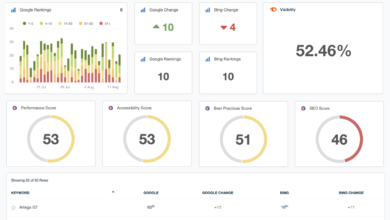
- Visibility Score: Are we trending up or down overall?
- Top 10 Movement: How many keywords entered/left the first page?
- SERP Feature Alert: Did Baidu Baike appear on any high-priority terms?
- Action Plan: “We are optimizing the About page to compete with the new Baike entry.”
| Task | Owner | Time | Output |
|---|---|---|---|
| Check Volatility | SEO Mgr | Mon 9am | Flag major drops |
| Competitor Review | SEO Mgr | Mon 10am | Identify new content wins |
| Stakeholder Update | SEO Mgr | Mon 2pm | Slack summary / PDF |
Turning ranking insights into content and page updates (where Kalema fits)
Tracking tells you what happened; content operations are how you fix it. When I see that we are losing rankings to informational content (like Baidu Zhidao), I know we need to produce better, more structured answers.
To move fast, I often use an AI SEO tool to analyze the intent gaps in our existing pages. Once I have a clear brief, I use an SEO content generator to draft the initial structure of the article. This accelerates the “blank page” phase significantly. However, I always—and I mean always—have a human review the output for cultural nuance before publishing. For high-volume support content, an AI article generator can help build out a knowledge hub quickly, but the final polish must verify that we aren’t using awkward phrasing that alienates local users.
Common Baidu rank tracking mistakes I’ve seen (and how I fix them)
I’ve made plenty of mistakes so you don’t have to. Here are the most common pitfalls that lead to misleading reports and angry stakeholders.
- Mistake: Relying on Google-first tools.
Why it happens: It’s convenient to keep everything in one dashboard.
The Fix: If Baidu is a strategic priority, audit your tool’s capabilities. If it doesn’t track Baike or distinct mobile results, switch to a dedicated tracker or add a specialized plugin. - Mistake: Ignoring Mobile.
Why it happens: We work on laptops, so we prioritize desktop views.
The Fix: Set mobile visibility as your primary KPI. It is often the leading indicator of a ranking shift. - Mistake: Panicking over daily volatility.
Why it happens: Baidu can be jumpy, especially during updates.
The Fix: Never report on a single day’s movement. Look for 7-day trends before you change your strategy. - Mistake: Translation blindness.
Why it happens: Trusting auto-translate blindly without context.
The Fix: Validate your top 20 “money keywords” with a native speaker once a quarter to ensure intent hasn’t shifted. - Mistake: Not tracking the SERP features.
Why it happens: Focusing only on organic blue links.
The Fix: Treat Baike and Brand Zone as competitors. If they are there, your CTR potential is capped—report that context.
FAQs about Baidu rank tracking tools (beginner-friendly answers)
Which tool is best suited for non-Chinese speakers to track Baidu rankings?
Dragon Metrics is the clear winner here. Its interface is English-first, and it automatically translates Chinese keywords for you. This allows US teams to manage campaigns independently, though I always recommend validating high-stakes terms with a native partner.
Are there any free tools for checking Baidu rankings?
Yes, GeoRanker offers a free Baidu Rank Checker that is excellent for quick spot checks. Just remember that free tools are great for validation but usually lack the historical data and automated reporting needed for serious weekly management.
Can general SEO tools like SEMrush reliably track Baidu rankings?
They can track basic positions, but I wouldn’t call them “reliable” for a full strategy. They often miss Baidu-specific SERP features (like Baike or Zhidao) which are critical for understanding your true visibility. If Baidu is a key channel, don’t rely solely on a generalist tool.
Is mobile vs desktop tracking supported for Baidu?
Yes, specialized tools like AccuRanker and Dragon Metrics support this. It is absolutely critical to track both because Baidu’s mobile SERP often looks completely different from desktop, and mobile is where the majority of Chinese search traffic originates.
Conclusion: How I’d choose a tool today + next actions
Winning on Baidu isn’t just about producing content; it’s about accurately measuring visibility in a crowded, feature-heavy ecosystem. To recap:
- Choose Dragon Metrics if you need deep, Baidu-native insights and English translation.
- Choose AccuRanker if you need speed and want to integrate Baidu into an existing global workflow.
- Choose GeoRanker for quick, free spot checks or API needs.
Your Next Steps:
- Select your tool and set up a trial this week.
- Input your top 20 “money keywords” (brand + core product).
- Configure the tracker for China locale and split Mobile/Desktop.
- Run a baseline report to establish your starting point.
- Set a calendar reminder for next Monday to check the 7-day trend.
If you can’t explain your tracking setup in 60 seconds, simplify it. Start small, trust the data, and build your confidence one weekly report at a time.