Introduction: Why I run a storefront audit before I “do SEO”

I’ve seen this scenario play out dozens of times: a marketing team pours resources into high-quality product descriptions and blog posts, yet traffic remains flat. They assume the content is the problem. But when I look under the hood, I usually find the real culprit isn’t what they wrote—it’s how the store is built.
Most ecommerce stores I review, whether on Shopify, BigCommerce, or Magento, aren’t failing because of bad keywords. They are failing because of technical friction: indexing bloat from faceted navigation, blocked crawl paths, or page speeds that frustrate mobile users before the first image loads. This is why I treat a storefront audit not as a checkbox, but as the foundation of growth.
In this guide, I won’t give you a theoretical encyclopedia of SEO. Instead, I’m sharing my specific workflow for a “revenue capture sprint”—a focused, 30-day audit designed to find the blockers costing you money right now and fix them fast.
What an ecommerce SEO audit is (and what it isn’t)

Let’s get the definitions straight because the term “audit” is often misused. An ecommerce SEO audit is a structured evaluation of your online store’s technical infrastructure. Its goal is to ensure your site can be crawled effectively, indexed accurately, and rendered quickly.
However, it is critical to understand what this audit is not. It is not a magic wand that guarantees #1 rankings overnight. Technical SEO is an enabler. If your content is thin or your authority is low, technical perfection won’t save you. Think of technical SEO as the plumbing; it ensures the water flows, but it doesn’t improve the quality of the water.
What’s typically included:
- Crawlability: Can bots access your links?
- Indexability: Are the right pages in Google’s index?
- Schema Markup: Is your product data structured for search engines?
- Performance: Does the site load fast enough to pass Core Web Vitals?
What’s usually excluded (in a technical audit):
- Content quality analysis (tone, voice, engagement).
- Backlink profile analysis.
- Conversion rate optimization (CRO).
I find this distinction vital because many store owners panic when they see a traffic dip after a theme update. If you launched a new theme last month and traffic plummeted, you don’t need a content strategy pivot—you need a technical audit to see if you accidentally “noindexed” your collection pages or broke your canonical tags.
My 30-day “revenue capture sprint” framework (why most audits fail at implementation)

The biggest problem with traditional SEO audits isn’t accuracy; it’s execution. I’ve watched comprehensive, 100-page audit documents die a slow death in project management tools like Asana or Jira. They act as doorstops, not roadmaps.
In one reported scenario, an ecommerce site received 127 recommended fixes from an agency. Six months later, they had implemented only 12. Why? Because when everything is a priority, nothing is. The engineering team looks at the list, sees “optimize alt tags” next to “fix critical server errors,” and gets overwhelmed.
That is why I prefer the “Revenue Capture Sprint” model. This is a time-bound, prioritized approach where we focus only on the fixes that unlock revenue or prevent traffic loss. We aim to clear the critical blockers in 30 days. Evidence suggests this focused approach works: a sprint correcting technical issues on collection pages was reported to boost rankings from position 28 to 4, driving over $280k in estimated annual revenue.
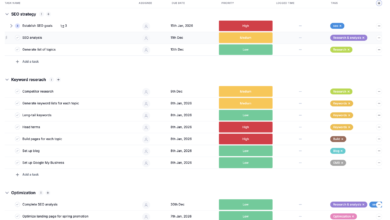
To make this work, I use a prioritization scoring system. I don’t ask developers to fix everything; I ask them to fix what matters.
Priority Scoring Framework
| Priority | Issue Type | Impact (1-10) | Effort (1-10) | Owner | Primary KPI |
|---|---|---|---|---|---|
| Critical | Crawl/Index Blockers (e.g., accidental noindex) | 10 | 2 | Dev / Tech Lead | Indexed Pages |
| High | Mobile Speed / Core Web Vitals (LCP > 4s) | 8 | 6 | Dev / Frontend | Pass CWV / Conv. Rate |
| Medium | Schema / Structured Data Gaps | 6 | 4 | SEO / Content | Rich Results / CTR |
| Low | Minor Meta Tag Optimization | 3 | 3 | Marketing / AI SEO tool | CTR |
Sprint inputs: what I need before I start
Before diving in, I gather my tools. If you are doing this yourself, ensure you have access to the following data sources. If you don’t have server log access (common for Shopify/BigCommerce users), don’t worry—GSC is usually enough for a sprint.
- Google Search Console (GSC): The single source of truth for how Google sees your site.
- GA4 (Analytics): To correlate traffic drops with technical changes.
- CMS Access: You need to know if you can actually edit the robots.txt or liquid/theme files.
- Sitemap URL: Usually
domain.com/sitemap.xml. - Recent Change Log: A list of any recent migrations, app installations, or theme updates.
Sprint outputs: what “done” looks like
We aren’t done when the audit is written; we are done when fixes are shipped. Here is what I expect to have in hand at the end of the sprint:
- Prioritized Backlog: A list of tickets ready for Jira/Linear.
- Shipped Fixes: The critical items (usually 3-5) are deployed to production.
- Benchmarks: Screenshots of GSC and Speed scores before the fixes.
- Monitoring Plan: A weekly check to ensure the fixes stick.
Step-by-step ecommerce SEO audit workflow: from crawlability to revenue pages

This workflow follows a logical funnel: Discover → Diagnose → Prioritize → Fix → Validate. Do not jump to rewriting page titles if Google cannot crawl your site. That is like painting a house that is on fire.
1) Crawl & accessibility: can bots reach the storefront?

Think of crawlers like shoppers in a physical store. If the aisles are blocked with “Do Not Enter” tape, they can’t buy anything. In technical terms, we are looking for robots.txt blocks, accidental noindex tags, and server errors.
Common Red Flags:
- Robots.txt Disallow All: I’ve seen developers accidentally leave
Disallow: /in production after a staging push. It kills traffic instantly. - Redirect Chains: Clicking a link that goes A → B → C → D wastes crawl budget and delays the user.
- Orphaned Pages: Products that exist in your database but aren’t linked anywhere on the site.
Quick checks I run in 15 minutes
- Robots.txt Fetch: Go to
yourdomain.com/robots.txt. Ensure it doesn’t block critical folders. - Site: Operator: Type
site:yourdomain.cominto Google. Are the number of results roughly equal to your product count? If you see 0, you have a major blocker. - GSC Coverage Check: Look at the “Pages” report in Search Console. Are there sudden spikes in 5xx (server) errors?
2) Indexing quality: are the right pages getting indexed (and the wrong ones kept out)?
Ecommerce sites are notorious for “index bloat.” This happens when every filter combination (Red, Size Medium, Cotton, Under $50) generates a unique URL that Google tries to index. This dilutes your authority and wastes Google’s time.
| Page Type | Should Index? | Why? | Directive Strategy |
|---|---|---|---|
| Product Page | Yes | Primary revenue driver. | Self-referencing Canonical |
| Category Page | Yes | High-volume keyword target. | Self-referencing Canonical |
| Filtered Page (e.g., ?sort=price) | No | Low value, duplicates content. | Canonical to Category or Noindex |
| Search Results | No | Infinite variations, low quality. | Robots.txt Disallow / Noindex |
First Fix I Try: Check your canonical tags on filtered pages. If /collections/shirts?color=red canonicalizes to itself, you have a problem. It should usually point back to the main /collections/shirts page unless “Red Shirts” is a specific keyword you are targeting with unique content.
3) Site architecture & internal linking: can shoppers (and Google) find your money pages?
If a customer can’t find a product within three clicks, neither can a crawler. I often see “orphaned” products that fall off the pagination simply because the category page only shows 24 items and the store has 5,000.
Checklist for Top Categories:
- Breadcrumbs: Are they present? Do they reflect the structure (Home > Men > Shoes > Boots)?
- Navigation: are top-level categories accessible from the main menu in HTML (not just JavaScript)?
- Depth: Is every product accessible within 3-4 clicks from the homepage?
Common Pitfall: Relying entirely on “Related Products” widgets that use JavaScript. If the bot doesn’t render the JS perfectly, those links might as well not exist.
4) Performance & Core Web Vitals: speed issues that quietly kill rankings and conversions

Speed is a confirmed ranking factor, but more importantly, it is a conversion factor. In the US market, mobile traffic often dominates, and a 4-second load time on 5G is unacceptable.
| Metric | Target | Common Ecommerce Cause | Typical Fix |
|---|---|---|---|
| LCP (Largest Contentful Paint) | < 2.5s | Uncompressed hero images. | Compress images; use WebP; preload LCP image. |
| INP (Interaction to Next Paint) | < 200ms | Heavy JavaScript from apps. | Defer non-essential apps; remove unused scripts. |
| CLS (Cumulative Layout Shift) | < 0.1 | Dynamic banners/popups. | Reserve space dimensions for images/banners. |
Real Talk: You often can’t just “delete all apps” because marketing needs them. The compromise is to audit the scripts. If a heatmapping tool is adding 500ms to load time but nobody has looked at the heatmaps in six months, remove it.
5) On-page template hygiene: titles, meta, headings, and thin/duplicate content at scale
Because ecommerce sites use templates, one error replicates across thousands of pages. I often see generic “Manufacturer Descriptions” that are identical to 50 other retailers. This is classic duplicate content.
Template Rules Checklist:
- H1 Tags: Ensure the Product Name is the H1. Not the logo, not the category.
- Title Tags: Automate a pattern:
[Product Name] - [Category] | [Brand]. - Empty Categories: If a collection has 0 products, set it to
noindexor redirect it. - Thin Content: Identify categories with no description.
Once you have cleaned up the technical templates, scaling unique content becomes the next lever. You might eventually use an SEO content generator to draft unique intros for your priority collections, but ensure the technical template isn’t generating duplicates first.
6) Structured data & search enhancements: product schema that helps Google (and AI shopping experiences) understand you
Structured data (Schema.org) is no longer optional. With the rise of AI-driven search (like Google SGE, ChatGPT, Gemini), bots rely on structured data to understand price, availability, and shipping details without guessing.
Essential Schema Checklist:
| Schema Type | Required Fields | Why it matters | Validation |
|---|---|---|---|
| Product | Name, Image, SKU, Brand | Base eligibility for shopping graphs. | GSC / Rich Results Test |
| Offer | Price, Currency, Availability | Shows “In Stock” & Price in SERP. | GSC Merchant Listings |
| Review | Rating value, Count | Adds stars to snippets (huge CTR boost). | Rich Results Test |
| BreadcrumbList | Position, Item, Name | Clarifies site structure to AI. | GSC Enhancements |
If you are looking to scale content production later, tools like an AI article generator can help populate blog sections, but for product pages, strict Schema validation is your best tool for visibility.
7) Trust & security basics: HTTPS, mixed content, and platform hygiene
Trust is currency. If a browser warns a user that your site is “Not Secure,” they will not enter their credit card information. While most platforms handle SSL automatically, “mixed content” errors (loading an HTTP image on an HTTPS page) still happen.
How to Confirm:
- Browser Check: Look for the padlock icon in Chrome.
- Crawler: Run a crawl specifically looking for
http://resources. - Console: Check Chrome DevTools > Console for mixed content warnings.
Prioritization checklist: what I fix first (high impact, low regret)
You have your list of issues. Now, what do you do Monday morning? I always prioritize “High Impact, Low Regret” fixes. These are changes that definitely move the needle and are unlikely to break the site.
| Issue Category | Symptoms | KPI to Watch | Typical Effort |
|---|---|---|---|
| 1. Indexing | Valid pages marked “Crawled – not indexed” | Indexed Pages | Low (Config change) |
| 2. Crawl Waste | Thousands of parameter URLs in GSC | Crawl Stats | Medium (Robots/Canonical) |
| 3. Broken Links | User hits 404s on key paths | Bounce Rate | Low (Redirects) |
| 4. Speed (LCP) | Mobile LCP > 4s | Conversion Rate | High (Dev required) |
My 4-Week Sprint Plan:
- Week 1: Fix critical blocks (Robots.txt, Noindex) and 404s.
- Week 2: Resolve duplicate content (Canonicals on filters) and sitemap cleanup.
- Week 3: Implement or fix Product Schema and basic Core Web Vitals (image compression).
- Week 4: Template hygiene (H1s, Titles) and monitoring.
Once the technical blockers are removed, you can shift focus to growth. This is where you might look at a Bulk article generator to scale your supporting content, knowing the technical foundation can support the traffic.
Common technical issues I see in ecommerce SEO audits (and how I fix them)
Here are the specific patterns I encounter almost every week. If you only check five things, check these.
- Symptom: Faceted Navigation Bloat
Why it matters: Creates near-infinite duplicate pages (Blue Shirt, Red Shirt, Red Shirt Size M).
How to confirm: Check GSC “Excluded” tab for “Duplicate without user-selected canonical.”
Fix: Implement self-referencing canonicals on the main category and canonicalize all filtered views to that main category. - Symptom: Orphaned Products
Why it matters: Great products get no traffic because Google can’t find them.
How to confirm: Compare your database product count to your crawled URL count.
Fix: Improve pagination limits or add “View All” links; ensure sitemaps are auto-updating. - Symptom: Slow Mobile LCP
Why it matters: High bounce rates on mobile devices.
How to confirm: PageSpeed Insights (Mobile tab).
Fix: Lazy load off-screen images and defer third-party apps (chat widgets, reviews) until after the main content loads. - Symptom: Soft 404s on Out-of-Stock Items
Why it matters: Frustrates users and confuses bots.
How to confirm: GSC “Soft 404” errors.
Fix: If permanently out of stock, 301 redirect to the nearest category. If temporarily out, keep page live but mark schema asOutOfStock.
How often I run a technical ecommerce SEO audit (audit cadence for US stores)
The cadence depends on your velocity of change. If you deploy code daily, you need frequent checks. If you are a stable catalog that rarely changes, you can audit less often. However, for most US-based retailers, I follow this schedule:
| Trigger / Event | Audit Type | What to Check |
|---|---|---|
| Quarterly | Health Check (Light) | GSC errors, broken links, high-level speed metrics. |
| Pre-Holiday (August) | Stability Audit | Load testing, freeze code, check promo landing pages. |
| Migration / Redesign | Deep Technical Audit | Full crawl, redirect mapping, schema validation. |
| Annually | Full Strategy Audit | Complete review of tech, content, and authority. |
I always schedule a deep dive right before Q4 (around August/September) for my clients. You do not want to be fixing robots.txt errors on Black Friday.
FAQs about ecommerce SEO audits
How often should I conduct a technical ecommerce SEO audit?
I recommend a light “sanity check” every quarter and a deep technical audit once a year, or immediately after any major site redesign or platform migration.
What are the most critical technical issues in ecommerce SEO?
In my experience, the big three are: Index bloat (too many low-value pages indexed), poor crawlability (bots trapped in loops or blocked), and slow mobile performance (Core Web Vitals failures).
Why do traditional SEO audits often fail to deliver results?
They fail because they prioritize perfection over revenue. A 100-page document is overwhelming. A focused 30-day sprint that fixes the top 5 revenue-blocking issues gets implemented and drives ROI.
How does structured data impact my visibility beyond Google?
Structured data reduces ambiguity. It helps Google, but also powers answers in AI tools like ChatGPT or Gemini, which rely on semantic data to recommend products. It future-proofs your content.
Can technical SEO alone make my ecommerce store rank better?
It enables ranking, but it doesn’t guarantee it. Technical SEO removes the brakes; content and authority step on the gas. You need both to win.
Conclusion: My 3-point recap + next steps for your ecommerce SEO audit

We’ve covered a lot, but successful SEO isn’t about knowing everything—it’s about doing the right things. Here is your recap:
- Control the Index: Don’t let parameters and filters dilute your site quality. Canonicalize aggressively.
- Speed is Revenue: Focus on Mobile LCP. Audit your apps and scripts ruthlessly.
- Structure Your Data: Schema is your direct line of communication to Google and future AI search engines.
Your Next Steps:
- Open Google Search Console and check the “Index Coverage” report for spikes in errors.
- Run a crawl of your site to identify broken links and unintentional redirects.
- Prioritize your top 5 fixes based on impact (not just what is easiest).
- Ship the fixes in a 30-day sprint and measure the results.
Progress comes from shipping a few high-impact fixes consistently, not from chasing a perfect score on a tool. Good luck with your sprint.