The Creator’s Toolkit: AI tools for content creators (AI search tools for bloggers and influencers)
Introduction: building a Creator’s Toolkit for AI search (without the hype)

When I’m choosing what to write next, I don’t start with a blank document anymore. I start by checking what AI search engines are already summarizing. I look at the tabs I have open—usually a mix of competitor blogs, a keyword tool, and now, an AI answer engine like Perplexity or ChatGPT. The problem for most of us isn’t a lack of tools; it’s the sheer noise of information overload and the anxiety that our content won’t be found in a world where AI answers are replacing traditional clicks.
If you are a solo creator, blogger, or influencer, you need a system, not just a list of logins. This guide builds a cohesive “Creator’s Toolkit” designed for the current reality: optimizing for Generative Engine Optimization (GEO), conducting deep research with citations, and streamlining production. We will move beyond the hype to look at a practical, step-by-step workflow covering research, creative assets, planning, and monitoring—so you can publish consistent, high-quality work that actually gets seen.
What “AI tools for content creators” actually means (and what it doesn’t)

When I say “AI tools for content creators,” I’m not just talking about asking a chatbot to write a generic blog post. In fact, relying solely on AI for drafting is the fastest way to lose your audience’s trust. A true creator’s toolkit covers the entire lifecycle of a piece of content: AI search and research to find verifiable facts, GEO monitoring to see how machines view your brand, creative production (design, video, voice), and planning assistants to keep you consistent.
Here is what this toolkit achieves when used correctly:
- Faster Research: Cutting down the time it takes to find primary sources and validate claims.
- Better Briefs: Creating structured outlines that reduce writer’s block.
- Consistent Publishing: using automation for the repetitive tasks so you can focus on the creative ones.
- Improved Discoverability: Structuring content so it gets cited by AI answer engines.
However, I want to be clear about the boundaries. I never delegate the final opinion, sensitive topics, or the brand voice to AI. If I’m giving advice on something that impacts a reader’s wallet or health, a human verifies every word. I learned this the hard way after trusting a hallucinated statistic early in my experiments—now, my rule is: if I didn’t see the primary source, I don’t publish it.
Quick glossary (beginner-friendly)
Before we dive into the tools, let’s define the terms we will use. These concepts are essential for modern content strategy:
- Generative Engine Optimization (GEO): Like SEO, but for optimizing your content to be cited and summarized accurately by AI answer engines.
- LLM (Large Language Model): The technology behind tools like ChatGPT and Claude that generates text based on patterns.
- Citations: Links or footnotes provided by AI search engines (like Perplexity) that prove where the information came from.
- Schema Markup: Code you add to your website to help search engines understand exactly what your content is (e.g., “this is a recipe” or “this is a FAQ”).
- Topical Authority: Proving to search engines that you are an expert by covering a subject comprehensively across multiple articles.
GEO basics: how creators show up in AI-generated answers (and why it matters)

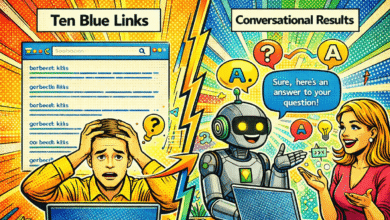
You might be used to optimizing for Google’s “10 blue links,” but the game is changing. AI answer engines—like Google’s AI Overviews, Perplexity, and ChatGPT Search—don’t just list pages; they read them, summarize them, and (hopefully) cite them. This is where AI SEO tool workflows come into play. It’s not just about keywords anymore; it’s about being the most lucid, authoritative source that an AI can understand.
When I write now, I write for “quotability.” If an AI scans my page, can it easily extract the who, what, and when? If your content is vague, the AI will skip it for a source that is structured better. Here is a practical example of how I rewrite content for GEO:
Before (Hard for AI to cite):
“We think that these new tools are really going to change things up for people making videos soon, and lots of companies are releasing updates.”
After (Citation-ready):
“As of late 2024, AI tools like Sora and HeyGen are shifting video production workflows. Analysts predict that generative video features will reduce production time by 40% for creators using these platforms.”
The second version has clear entities (Sora, HeyGen), a timeframe (late 2024), and a specific claim. That is what gets cited.
What is Generative Engine Optimization (GEO)?
GEO focuses on influencing how your content appears in AI summaries. It prioritizes accuracy, citation, and representation. In a standard search, you want a click. In an AI search, you want to be the primary source used to answer the user’s question. This changes your workflow by forcing you to prioritize direct answers, clear data formatting, and high-authority sourcing over fluff.
Beginner GEO checklist: make your content easier to cite
Here is the checklist I use to ensure my content is “machine-readable” while still being great for humans:
- Use clear headings: Structure your H2s and H3s as questions or clear statements.
- Define terms early: Start sections with direct definitions (e.g., “GEO is…”).
- Include data context: Always add dates, locations, and specific names to your claims.
- Cite primary sources: Link out to the original study or news, not just a secondary blog.
- Add a ‘Key Takeaways’ box: Summarize your main points at the top or bottom for easy extraction.
- Use FAQ sections: Dedicate a section to answering specific questions (Who, What, Where, Why).
GEO-focused monitoring tools to know where you appear
This is a very new category of tools. While traditional SEO tools track rankings, these tools track “mentions” and visibility in AI answers. Please note: these platforms are evolving rapidly.
| Tool | Best For | What it Tracks | Beginner Friendliness |
|---|---|---|---|
| Writesonic (SEO Agent) | Integrated workflows | Content gaps and strategy based on search trends. | High |
| Profound | Brand visibility | How brands appear across multiple AI engines (ChatGPT, Gemini, etc.). | Intermediate |
| Otterly.ai | Monitoring AI Search | AI-generated search visibility (partnered with Semrush). | Intermediate |
*Note: Pricing and specific feature sets for these tools change frequently. Always check their official pricing pages.
AI search & research tools: finding angles, sources, and proof fast

The biggest bottleneck in creating high-quality content isn’t typing; it’s research. This is where I lean heavily on tools like Perplexity AI. Unlike a standard chatbot that might hallucinate a fact, Perplexity is designed to search the live web and provide citations. It processes millions of queries daily, and for creators, it’s a goldmine for finding angles that others miss.
When I’m researching, I don’t just ask, “Give me ideas.” I treat the AI like a research assistant. I ask it to find conflicting viewpoints, primary data sources, and recent developments. But here is the critical part: I always click the citation numbers. AI is a tool for discovery, not a replacement for verification. If a link looks weak or leads to a generic SEO farm, I discard it.
Why use Perplexity AI instead of ChatGPT for research?
I use ChatGPT for ideation and structure, but I use Perplexity for facts. Perplexity’s primary function is to act as a conversational search engine with real-time access to the web. It provides direct footnotes (citations) to the sources it used. While ChatGPT has improved with its browsing capabilities, Perplexity’s “Deep Research” focus makes it superior for building a bibliography for your articles.
How I use Deep Research Mode + Comet browser to build a publishable brief
Here is my exact process for turning a vague idea into a solid brief:
- Define the Intent: I start with a clear goal (e.g., “Explain GEO to beginners”).
- Run Deep Research: I use Perplexity’s Deep Research mode to scan for sub-topics. I look for the questions people are asking that haven’t been answered well.
- Extract Claims: I pull out 5–8 key claims or statistics.
- Verify Sources: I click through to ensure the data is real and recent.
- Use Comet Browser: If I’m using the Comet browser, I use it to summarize long PDFs or technical documents instantly to see if they are worth reading in full.
- Build the Outline: I organize these verified facts into logical headers.
Creative production tools: turning research into scroll-stopping assets

Once the writing is done, the battle for attention begins. Bloggers and influencers today need visuals, video, and sometimes audio to compete. Tools like Canva Magic Studio, HeyGen, and ElevenLabs allow those of us who aren’t professional designers to create assets that look expensive.
For example, I might write a blog post, but I know half my audience will only see the Instagram Reel about it. I use these tools to repurpose my core idea. However, ethical usage is paramount—especially with voice and avatars. Always disclose when an avatar is AI-generated, and never clone a voice without explicit consent.
| Tool | Best For | Input Needed | Output |
|---|---|---|---|
| Canva Magic Studio | Visuals & Social Graphics | Text prompt or uploaded image | Resized social posts, edited images. |
| HeyGen | AI Avatars & Video | Script or audio file | Lip-synced video with realistic avatars. |
| ElevenLabs | Voiceovers & Dubbing | Text script | High-quality human-like audio in 30+ languages. |
How can AI tools like HeyGen and ElevenLabs enhance content creation?
If you are camera-shy or lack a quiet recording studio, these tools are game-changers. HeyGen can generate a video of an avatar delivering your blog’s intro, which is perfect for social teasers. ElevenLabs allows you to turn your written article into an audio version (like a podcast) for accessibility. This increases the time users spend engaging with your brand without requiring you to set up a microphone every time.
Canva Magic Studio for fast, on-brand design systems
I don’t start from scratch in Canva anymore. I use Magic Switch to instantly resize a blog header into an Instagram Story and a Pinterest Pin. I stick to a strict brand kit (fonts and colors) so that even when I use AI generation for images, the final output looks like me, not a generic template. Consistency creates memory structures for your audience.
Planning and polish: tools that keep me consistent

The difference between a hobbyist and a professional creator usually isn’t talent; it’s consistency. I rely on tools like Notion AI and GrammarlyGO to keep my editorial calendar full and my prose clean. It’s easy to get excited about a new idea, but it’s hard to execute it three weeks later when the inspiration has faded.
I use Notion not just to store ideas, but to prompt me. I have a database where I drop a raw idea, and I use Notion AI to “Expand this into a 5-bullet outline.” It reduces the friction of starting. Similarly, GrammarlyGO helps me shift tone. If I’m writing for a LinkedIn audience, I ask it to “make this more professional.” If it’s for a newsletter, I ask for “more conversational.”
What tools help plan and refine content?
Notion AI is my command center; it helps organize research, track status, and draft initial thoughts. GrammarlyGO is my editor; it catches not just typos, but tonal inconsistencies. If you are just starting, don’t overcomplicate it: start with a simple calendar in Notion and use the free version of Grammarly to catch the basics.
My beginner workflow for using AI tools for content creators (research → write → publish → measure)

This is the framework I use. It moves from idea to published piece in a logical flow. The goal is to move the heavy lifting to the tools while keeping the strategy human.
Step 1: pick an intent + angle that AI answers are already surfacing
I don’t guess what people want. I look for the “informational intent.” I search for my topic in Perplexity or Google to see what questions are popping up. I look for the angle that is missing—usually, it’s the “how-to” or the personal experience angle that AI summaries often lack.
Step 2: research with citations, then write a one-page brief
I create a simple document that lists: Target Audience, Primary Keyword, and 5 Key Facts (with links). I strictly define what I will not say. This “minimum viable brief” keeps me focused. I verify every citation at this stage so I don’t have to stop writing later to check a fact.
Step 3: draft fast, then add structure for SEO + GEO
This is where I might use an AI article generator to turn my brief into a first draft. But I don’t stop there. I go in and break up the text. I add bold definitions for key terms (great for GEO). I ensure H2s and H3s are clear. I look for long paragraphs and break them into bullets.
Step 4: create 3–5 supporting assets (images, short video, audio)
Once the text is solid, I open Canva. I make a Featured Image, a Pinterest Pin, and a graph or chart if there is data. If I’m feeling ambitious, I grab the intro text and put it into HeyGen for a 15-second video teaser. I try to stick to one visual style so my feed looks cohesive.
Step 5: publish, interlink, and automate what’s safe to automate
When publishing, I use tools to automate the metadata, but I manually check the internal links. I use an Automated blog generator workflow for sites where I need high volume, but I always have a “human in the loop” for the final quality assurance (QA). I check that every internal link works and that the formatting didn’t break.
Step 6: measure visibility in search and AI answers (what I track weekly)
I don’t obsess over daily stats. Weekly, I check Google Search Console for impressions and clicks. Qualitatively, I search for my brand or my key terms in Perplexity to see if I’m showing up in the citations. In the first 4 weeks, “good” looks like getting indexed and seeing impressions start to climb.
Common mistakes (and fixes) + FAQs + next steps
As you build this system, you will hit bumps. Here are the most common ones I see:
5–8 mistakes I see beginners make with AI search tools (and what I do instead)
- Mistake: Pasting a prompt and publishing the raw output.
Fix: I always rewrite the introduction and conclusion in my own voice to hook the reader. - Mistake: Trusting every citation the AI gives.
Fix: I open every link. If it’s a 404 or a spam site, I find a better source. - Mistake: Ignoring internal links.
Fix: I ensure every new post links to at least 2 older posts to build authority. - Mistake: Over-polishing the plan but never publishing.
Fix: I stick to a “good enough” deadline. Published is better than perfect. - Mistake: Forgetting to check mobile formatting.
Fix: I preview every post on my phone before sharing. - Mistake: Using AI for sensitive/YMYL (Your Money Your Life) topics without expert review.
Fix: I add a disclaimer and personally verify all safety-related claims.
FAQs
What is Generative Engine Optimization (GEO)?
GEO is the practice of optimizing content specifically to be discovered, understood, and cited by AI search engines and answer bots. It focuses on authority, structure, and direct answers rather than just keywords.
Why use Perplexity AI instead of ChatGPT for research?
Perplexity is built for search first; it crawls the live web and prioritizes citations. ChatGPT is a generative model first. For accurate, sourced research, Perplexity’s “Deep Research” capabilities generally offer better verification, though I always double-check the links.
How can AI tools like HeyGen and ElevenLabs enhance content creation?
They allow solo creators to produce high-value assets like multilingual videos and audio versions of articles without a production team. This helps repurpose one idea into many formats. Always remember to use these tools ethically with proper disclosure.
What tools help plan and refine content?
Notion AI is excellent for organizing editorial calendars and brainstorming, while GrammarlyGO helps refine tone and clarity. I recommend starting with these two to build a consistent publishing habit.
If you are ready to take your content strategy to the next level with advanced AI content writer capabilities, integrating these tools is your first step toward a more efficient, high-visibility future.
Conclusion recap: what I’d do this week (3 takeaways + 3–5 actions)
To wrap up, remember these three things: Adopt a toolkit mindset (it’s a system, not a magic button), structure wins (make it easy for AI to cite you), and consistency beats novelty.
Your Action Plan for this week:
- Pick one niche topic that answers a specific question.
- Run a research sprint using Perplexity to find 5 verified facts.
- Draft a structured post with clear headings and an FAQ section.
- Publish and Repurpose it into one social asset (image or short video).