The Audit Calendar: How Often Should I Audit My Website Based on Growth Rate?
Introduction: why an audit calendar matters when my site is growing

When I first started managing a small business site, I treated SEO audits like a yearly dental checkup: I dreaded them, procrastinated, and only did them when something hurt. It worked fine until a site migration went wrong. We launched a new design, and for three weeks, our lead forms were submitting to a void. No one noticed until the monthly sales report came in empty.
That was my wake-up call. I realized that relying on a random “once a year” schedule is a recipe for silent failure. But on the flip side, I’ve also fallen into the trap of over-auditing—running deep crawls every week and drowning in technical minutiae that didn’t move the revenue needle.
For US-based business sites—whether you’re running a local service business, a SaaS marketing team, or an e-commerce brand—the answer isn’t a generic timeframe. It’s a schedule based on your growth rate. In this article, I’ll walk you through the system I use now: a layered audit calendar that adjusts based on how fast you’re moving, complete with a template you can actually stick to.
How often should I audit my website? A quick answer (then I’ll help you choose the right cadence)

If you need a number right now to tell your boss or client, here is the industry standard baseline based on site size and complexity. Think of this like financial check-ins: you check cash flow monthly, but you only file taxes annually. SEO audits require a similar layered approach.
Quick Answer: General Guidelines
- Small, Stable Sites (<50 pages): Full audit every 6–12 months. (Local businesses, portfolio sites).
- Medium, Growing Sites (50–500 pages): Full audit every 3–6 months. (SaaS blogs, mid-sized agencies).
- Large, Fast-Moving Sites (500+ pages): Full audit every 1–3 months. (E-commerce, news publishers, marketplaces).
However, frequency isn’t just about size; it’s about results. One source reports that companies following high-frequency audit schedules can experience roughly 37.8% higher organic traffic growth compared to those auditing less often . Conversely, a Reddit survey of content managers revealed that 35% audit weekly while 25% only audit annually—a split that usually reflects resource constraints rather than strategy .
The goal is to find the sweet spot: frequent enough to catch issues before they kill your traffic, but spaced out enough that you actually have time to fix what you find.
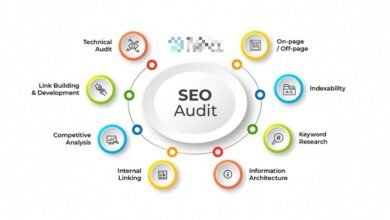
What I mean by “audit” (technical, on-page, content, backlinks, full review)
Before we build the calendar, let’s clarify what we are actually checking. I don’t do a “full site audit” every time I open a tool. I break it down:
- Technical SEO Audit: Checks if search engines can crawl and index your pages. This covers robots.txt, sitemaps, 404 errors, and Core Web Vitals (speed/UX).
- On-Page SEO Audit: Reviews individual pages for optimization. Are title tags correct? Is the header structure (H1, H2) logical? Is the schema markup valid?
- Content Audit: Evaluates the quality and performance of your library. Is content outdated? Is it thin? Is it cannibalizing other pages?
- Backlink Audit: Analyzes your site’s authority and health. Are you gaining good links? Are there spammy links (toxic patterns) appearing?
- Comprehensive SEO Audit: The “Big One.” This combines all the above plus a strategic review of competitors and business goals.
Pick my audit frequency using growth signals (not guesswork)

This is where most advice fails—it treats a static brochure site the same as a Shopify store adding 50 products a week. To build a calendar that works, I score sites based on three specific growth signals. This takes about 10 minutes to assess.
Signal 1: site size and “page inventory” (what Google has to crawl)
The more pages you have, the more places things can break. It’s simple math.
- If you have <50 pages: You likely don’t have “crawl budget” issues. Your risk is low unless you change themes. An annual or bi-annual check is usually safe.
- If you have 50–500 pages: You are in the growth zone. You likely have a blog or a service catalog. Complexity increases here—orphan pages and internal linking issues start to creep in.
- If you have 500+ pages: You are managing an ecosystem. You need frequent checks because a single template error could deindex thousands of URLs overnight.
Signal 2: growth velocity (new pages, new products, new campaigns)
Velocity introduces chaos. If you are a SaaS company publishing 2–4 new detailed guides per month, your risk profile is moderate. If you are an e-commerce manager uploading 50+ SKUs every Friday, your risk is high.
Fast-growing sites suffer from cannibalization (new pages eating the traffic of old ones) and orphaned content (new pages with no internal links). If your velocity is high, your content audit frequency needs to match it.
Signal 3: volatility indicators (traffic swings, rankings, conversions)
I don’t panic when I see a graph dip, but I do verify. Volatility is a major signal that your current cadence isn’t working. If you consistently notice traffic drops before you notice the technical issue that caused them, you are auditing too slowly.
Watch your KPIs. If organic conversions drop suddenly while traffic stays flat, you might have a broken form or a layout shift—things a technical or UX audit would catch.
The layered audit calendar: what to check monthly vs quarterly vs annually

Instead of trying to do everything at once, I use a layered approach. This keeps the workload manageable and ensures critical systems are checked often. Here is how I structure it:
| Audit Type | What I Check | Stable Site Cadence | Growing Site Cadence | Fast-Moving Site Cadence | Typical Time Cost |
|---|---|---|---|---|---|
| Technical | Crawl errors, Indexing, 404s, Core Web Vitals | Quarterly | Monthly | Weekly / Monthly | 30–60 mins |
| On-Page | Titles, H-tags, Internal Links, Schema | Semi-Annual | Quarterly | Monthly | 2–4 hours |
| Content | Quality, decay, cannibalization, updates | Annually | Quarterly | Monthly | 3–8 hours |
| Backlinks | New/Lost links, toxic patterns, anchors | Annually | Semi-Annual | Quarterly | 1–2 hours |
| Comprehensive | Full strategy + all above | Annually | Semi-Annual | Quarterly | 10+ hours |
Monthly: technical health checks (crawlability, indexability, CWV)
For most businesses, this is the heartbeat of your SEO operations. I block out 45 minutes on the first Monday of the month for this. Many technical issues are “silent”—they don’t trigger an error message in your inbox, they just slowly kill your rankings.
- Google Search Console (GSC): Check the “Pages” report. Are valid pages marked “Crawled – currently not indexed”?
- Sitemaps: Is your sitemap updating correctly?
- Robots.txt: Did a dev accidentally block a folder?
- Redirects: Check for chains or loops on key pages.
- Core Web Vitals: Look for sudden spikes in “Poor” URLs in GSC.
Quarterly: on-page and internal linking reviews (what users and Google see)
Every quarter, I look at the “human” side of the site. This is when I verify that our intent is still matching what users want. I specifically validate schema markup for our key templates (homepage, product pages, article layout) to ensure rich snippets haven’t broken.
I also check internal linking. It’s common for blog posts to get buried. I use this time to link from high-authority older posts to our newer content.
Quarterly to semi-annual: content performance audits (keep winners winning)
Content decay is real. I review my top 20 traffic drivers every quarter to ensure they are still accurate and competitive. For the rest of the site, I look for underperforming pages that need to be pruned or merged.
If you are managing a large volume of content, scaling these updates can be daunting. I often use tools like an AI article generator to help draft refreshed sections or generate new angles for decaying posts, which I then fact-check and edit to match our brand voice. The goal isn’t just to publish more, but to keep the existing library healthy.
Quarterly: backlink and reputation checks (risk + opportunity)
I don’t subscribe to the fear-based “toxic link” panic that some agencies sell. However, I do look for unusual patterns. If I see 500 links from a sketchy domain farm in one week, I investigate. Mostly, this audit is about opportunity: seeing who linked to us and reaching out to build a relationship, or finding broken backlinks to reclaim.
Semi-annual or annual: the comprehensive audit (strategy alignment)
This is the boardroom-ready review. Even for stable sites, I recommend this at least bi-annually. This captures algorithm shifts (like Google’s Helpful Content updates) that might require a pivot in strategy. This is where we look at competitors: have they launched a new cluster that is outranking us? Do we need to shift budget?
My step-by-step workflow to build (and maintain) an audit calendar

Knowing what to do is easy; actually doing it is where things fall apart. To make this work, you need a workflow that integrates with your publishing cycle. If you are using an Automated blog generator to scale your content production, your audit workflow becomes even more critical—you need a reliable queue to check those new URLs.
Step 1: define my ‘critical pages’ list (the 20% that drives results)
You cannot audit every page with the same intensity. I maintain a “Critical Pages” list. These are the URLs that pay the bills: the homepage, the top 3 service pages, and the top 10 blog posts that drive leads. I found these by filtering GA4 for conversions and GSC for high-impression queries. These get checked first, every single time.
Step 2: set recurring checks (monthly/quarterly) and batch them
Batching saves my sanity. I don’t check SEO every day. I set recurring tasks in my project management tool (Asana/ClickUp):
- Week 1: Technical Health (Monthly)
- Week 2: Content/On-Page (Quarterly focus)
- Week 3: Backlinks (Quarterly focus)
- Week 4: Reporting & Strategy Adjustment
I usually schedule these for a Tuesday or Wednesday—never a Friday, just in case I find something that requires a developer.
Step 3: create a mini-audit routine for new/updated pages
This is the secret to staying ahead. Whenever we publish a new URL, it goes through a 5-minute mini-audit before we consider it “done.”
- URL structure: Is it clean and readable?
- Title/Meta: Are they within pixel limits?
- Internal links: Did we link to this page from existing content?
- Canonicals: Is the self-referencing canonical correct?
- Indexability: Is the noindex tag removed? (You’d be surprised how often this is missed).
- Mobile check: Does it look good on a phone?
Step 4: log findings, prioritize fixes, and measure impact
I keep a simple changelog. When I fix a title tag or 301 redirect a broken page, I write down the date and the expected outcome. Then, I set a reminder to check that specific page in 14 to 30 days. Did traffic go up? Did the error clear in GSC? If you don’t measure the fix, you’re just busy work, not SEO.
How I scale frequent audits with limited time (automation + “quick audits”)

I run lean teams, often as a solo operator or with one junior marketer. I can’t spend 20 hours a week crawling websites. The only way to handle a “Growth” cadence is to lean on systems. Tools like Kalema can act as an AI SEO tool to streamline the research and drafting phases, but for auditing, I rely on automated alerts.
I set up automated crawls to run weekly in the background. If a major issue pops up (like a 20% spike in 404s), I get an email. If everything is stable, I don’t waste time looking. This is “Continuous Auditing”—monitoring by exception.
When scaling content production using a Bulk article generator, I treat automation as a force multiplier, not a replacement for judgment. The automation handles the volume; I handle the quality assurance.
What I can automate safely vs what I should always spot-check
Automate this:
- Broken link checks (internal and external).
- Uptime monitoring.
- Sitemap validation.
- Rank tracking and volatility alerts.
Always spot-check this (Human Review):
- Search Intent: Does the article actually answer the user’s question, or just use the keyword?
- Tone/Voice: Does it sound like our brand?
- Accuracy: Are the claims true?
- UX/Design: Does the page feel cluttered?
Common audit calendar mistakes I see (and how I fix them)
I’ve made all of these mistakes, so no judgment here. But if you want to save time, avoid these traps:
- The “One-and-Done” Annual Audit: I used to do this. I’d audit in January, fix a bunch of stuff, and ignore it until next year. By March, a plugin update had broken our schema, and we lost rich snippets for 9 months. Fix: Switch to monthly technical checks.
- Auditing Everything Equally: Spending 3 hours optimizing meta descriptions on a blog post from 2018 with zero traffic is a waste. Fix: Prioritize your “Critical Pages” list.
- Ignoring Event-Based Triggers: Sticking to the schedule when the house is on fire. If traffic drops, the calendar goes out the window. Fix: Adopt the trigger list below.
- Fixing Low-Impact Issues First: It feels good to fix 100 missing alt tags, but it won’t save your quarter. Fix: Use the prioritization rule below.
- Not Logging Changes: “I think we changed that title last month?” is a dangerous phrase. Fix: Keep a shared spreadsheet or changelog.
A simple prioritization rule: fix what blocks crawling/indexing before polishing titles
If you are overwhelmed by a 100-page audit report, use this triage order:
- Crawling/Indexing (Critical): Robots.txt blocks, noindex tags, server errors (5xx). If Google can’t see it, nothing else matters.
- User Experience (High): Broken links (404s), slow load times, mobile layout shifts.
- Content Relevance (Medium): Thin content, keyword targeting, header tags.
- Optimization (Low): Meta descriptions, alt text, URL structure tweaks.
How often should I audit my website after changes? Event-based triggers + FAQs
Sometimes, the calendar doesn’t matter. Certain events demand an immediate audit, regardless of whether you checked the site yesterday. If any of the following happen, I initiate a specific review immediately.
Event-based triggers checklist (printable)
| Trigger Event | First Checks (Immediate) | Tools Needed |
|---|---|---|
| Site Migration / Redesign | Redirects (301s), Canonical tags, Robots.txt | Screaming Frog, GSC |
| CMS or Theme Update | Core Web Vitals, Structured Data, Mobile display | PageSpeed Insights, Mobile-Friendly Test |
| Sudden Traffic Drop | Manual Actions (GSC), Indexing status, Analytics code | GSC, GA4, Panguin Tool |
| Google Algorithm Update | Winners vs Losers analysis, Content quality review | GSC, Semrush/Ahrefs |
| Security Incident (Hack) | Injected links, new admin users, search console alerts | Security Plugin, GSC |
Pro tip: Whenever I see a scary traffic drop, the first thing I check is our analytics tracking code. You’d be amazed how often a developer accidentally deletes the GA4 tag during a deployment.
FAQs
How often should I audit my website?
For most growing businesses, a monthly technical check combined with a quarterly content review is the best balance. If you are a large e-commerce site, increase technical checks to weekly. If you are a small local brochure site, every 6 months is acceptable.
What types of audits should I include?
Don’t just do “SEO audits.” Break them down into Technical (crawling/indexing), On-Page (content/headers), and Off-Page (backlinks). This separation keeps the tasks manageable and allows you to assign them to different team members.
Can I manage frequent audits with limited resources?
Yes, by using automation for the technical side (alerts for 404s and uptime) and focusing your manual efforts only on your top 20% of “money pages.” You don’t need to manually review every single blog post every month.
Conclusion: my 3-point audit calendar recap + next actions
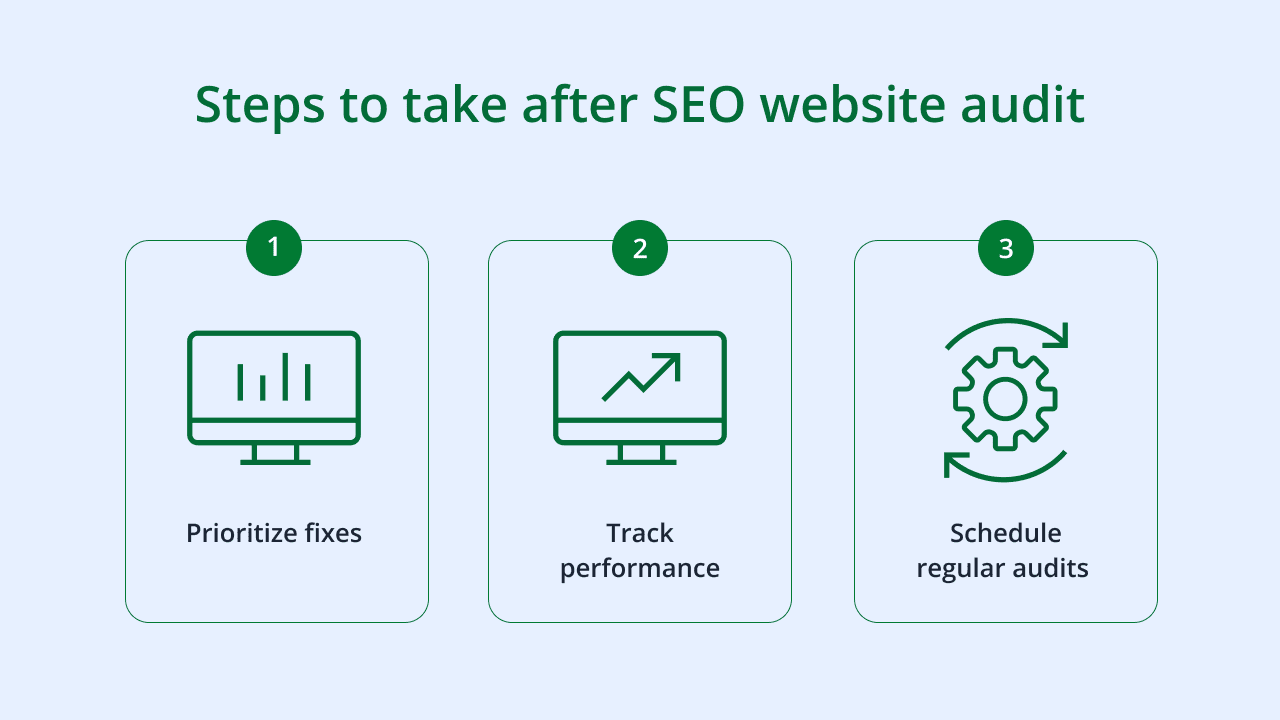
SEO isn’t a set-it-and-forget-it channel, but it shouldn’t be a source of constant anxiety either. By shifting from a random schedule to a growth-based calendar, you gain control over your site’s performance.
Here is the recap:
- Match frequency to growth: Fast-growing sites need monthly attention; stable sites can handle quarterly or semi-annual reviews.
- Layer your audits: Don’t try to check everything at once. Technical monthly, Content quarterly, Strategy annually.
- Respect the triggers: If you migrate, redesign, or see a traffic drop, audit immediately.
Your next actions for this week:
- Identify your “Critical Pages” list (start with your top 10 URLs).
- Put a recurring “Technical Health Check” on your calendar for the first Tuesday of next month.
- Run a quick 30-minute mini-audit on your homepage right now—just check for broken links and mobile responsiveness.
Start small, document what you find, and build the habit. Your future self (and your revenue graph) will thank you.