Fix Duplicate Title Tags at Scale: Managing Large-Scale Title Tag Duplication via Automation
Introduction: why I’m focusing on how to fix duplicate title tags at scale

I recently ran a crawl for a client’s e-commerce site and the result was a classic “audit nightmare”: nearly 4,000 URLs sharing just 12 unique title tags. This wasn’t because the content team was lazy. It was because a single variable in their product template was broken, and their faceted navigation was generating thousands of indexable filter pages.
If you manage a large site, you know that manual editing is impossible in this scenario. You can’t hand-rewrite 4,000 titles without losing your entire month. I’ve seen teams try, and they usually burn out or create new errors in the process.
The only sane path forward is automation and structural repair. In this guide, I’ll walk you through the exact workflow I use to fix duplicate title tags at scale. We’ll cover how to distinguish real duplicates from technical ghosts, the tools that actually work for detection, and a prioritized automation workflow to clean up your site without manual data entry. Whether you’re dealing with messy templates or URL parameter bloat, this is how you fix it permanently.
What duplicate title tags are (and why they make SEO harder than it looks)
At its core, a duplicate title tag issue means that multiple pages on your website tell search engines they are exactly the same thing. If I search for a specific book in a library catalog and find ten cards all labeled “Introduction to Physics” with no other distinguishing details (like volume, author, or edition), I have no idea which one I need. I’ll likely walk away or just grab the first one at random.
Search engines behave similarly. When Google sees five URLs with the exact same title tag, it struggles to decide which one is the “canonical” or most relevant version. This confusion dilutes your relevance signals.
But the business impact is what really matters. Duplicate title tags often lead to:
- Diluted Click-Through Rates (CTR): If your product category and a filtered view of that category look identical in the SERP, users won’t click the specific one they need.
- Wasted Crawl Budget: Search engines spend resources crawling low-value duplicates instead of your new, high-value content.
- Reporting Chaos: It becomes incredibly difficult to track performance when traffic splits across four different versions of the same page.
My rule of thumb is simple: One page equals one clear promise in the search results. If the title doesn’t make a unique promise, the page shouldn’t be indexed, or the title needs to change.
Why are duplicate title tags a problem?
Duplicate title tags confuse search engines about page relevance, often leading them to ignore one or more of your pages or split ranking equity between them. This weakens your overall ranking performance and lowers user engagement because searchers can’t distinguish between your pages in the results. I often see high-impression pages with abysmal CTR in Search Console simply because the snippet looked generic and identical to ten other pages on the site.
A quick ‘good vs. bad’ title example for beginners
Here is a practical look at how this plays out for a standard US-based HVAC business:
- Duplicate (Bad): Services | Acme HVAC (Used on 5 different service pages)
- Unique (Good): Emergency AC Repair in Phoenix | Acme HVAC
- Duplicate (Bad): Men’s Shoes | RetailStore (Used on pagination pages 2, 3, and 4)
- Unique (Good): Men’s Running Shoes – Page 2 | RetailStore
Why large sites get duplicate titles: templates, scaling, and URL variations

When I audit a site with thousands of errors, I almost never blame the copywriter. In enterprise SEO, duplicate titles are rarely a human error—they are a system error. If you are seeing massive duplication numbers, stop looking at individual pages and start looking at your templates.
Here are the three places I check first when diagnosing a spike in duplicates:
- CMS Templates & Empty Variables: Most dynamic sites use a pattern like
{Service Name} in {City} | {Brand}. If the{City}variable is empty in your database, you suddenly have hundreds of pages that just say{Service Name} | {Brand}, creating instant duplicates. - Faceted Navigation & Parameters: If your e-commerce site allows users to filter by color, size, or price, and those filters generate new URLs (e.g.,
?color=red) without changing the title tag, you can generate thousands of duplicate title tags overnight. - Pagination: Blog archives or product categories often fail to include “Page 2”, “Page 3” in the title tag, making every page in the sequence look identical to the root category.
Content-driven duplicates vs. technical duplicates (how I tell them apart)
Before you start fixing, you need to know what you are fighting. I use a simple heuristic: check the body content.
If the body content on the pages is basically the same, you have a technical duplicate issue (URL variants, parameters, http/https). You solve this with canonicals or redirects.
If the body content is different (e.g., different products or services) but the titles are the same, you have a content/template duplicate issue. You solve this by rewriting titles or fixing the template logic.
Step 1 — Detect duplicate title tags across a large site (without losing your weekend)

You cannot fix what you can’t see. For small sites, you might spot check manually, but for business sites with thousands of URLs, you need automated crawlers. I don’t care which crawler you use—what matters is consistent scheduled audits and a repeatable export format.
My detection process is straightforward:
- Run a Full Crawl: I typically use tools like Semrush Site Audit or Netpeak Spider. I configure them to crawl subdomains and follow internal links but exclude obvious trash (like admin pages).
- Export the Data: I export a report containing URL, Title Tag, Status Code, Canonical URL, and Indexability status.
- Cluster the Findings: I open this in a spreadsheet and sort by “Title Tag”. This instantly visually groups the duplicates. Seeing 50 rows with the exact same title helps me identify the pattern immediately.
How can I detect duplicate title tags across a large site?
The most efficient way to detect duplicate title tags is to use automated crawling tools like Semrush Site Audit or Netpeak Spider. These tools scan your entire website structure, flag pages sharing identical title tags, and allow you to export the data for analysis. For ongoing maintenance, I schedule these audits to run weekly so I get an email notification the moment a new batch of duplicates appears.
Table: duplicate title tag detection tools (features, pros/cons, best for)
| Tool | Best For | Duplicate Detection Features | My Notes |
|---|---|---|---|
| Semrush Site Audit | Marketing teams needing automated alerts | Visual dashboard, historical tracking, “Errors” report tab. | Great for scheduling. Note that the free tier only crawls 100 URLs, so you’ll need a paid plan for real scale. |
| Netpeak Spider | Technical SEOs & large audits | Deep inspection of H1/Title duplicates, parameter detection. | Excellent for spotting the “why” (like URL parameters) behind the duplicate. |
| Screaming Frog | Deep-dive desktop analysis | Industry standard for ad-hoc crawling and visualizing clusters. | The best tool for one-off deep dives, but harder to automate for weekly monitoring without a server setup. |
| ClickRank | Automated fix workflows | Combines detection with AI-assisted rewriting capabilities. | Good if you want to move straight from “finding” to “fixing” in one dashboard. |
Step 2–4 — My automation workflow to fix duplicate title tags (prioritize → generate → deploy → QA)

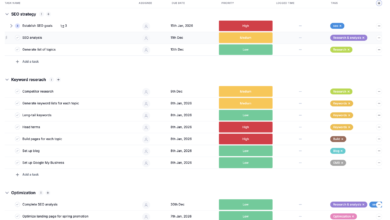
Once you have your spreadsheet of doom (the export with thousands of duplicates), don’t panic. Here is the exact workflow I use to tackle it efficiently. The goal isn’t to fix every single URL today; it’s to fix the ones that are costing you money.
Step 2: Prioritize duplicate clusters (what I fix first)
I never start at the top of the alphabet. I prioritize based on business risk. If you only have two hours, do these three things:
- Filter by “Indexable”: Hide any row where the page is non-indexable (canonicalized or noindexed). Duplicates on non-indexed pages don’t hurt your rankings directly.
- Sort by Traffic/Impressions: Cross-reference with GSC data. If a cluster of duplicate pages is getting impressions, fix those first. Confusion there is hurting your CTR.
- Identify “Money Page” Clusters: Look for service pages or product categories. Ignore the blog archives for now—revenue pages take precedence.
Step 3: Generate unique titles with rules first, AI second
For the pages that truly need unique titles (content-driven duplicates), consistency beats creativity at scale. I start by defining a rule or pattern. If I have 500 location pages, I don’t write them. I apply a formula:
{Service Name} services in {City}, {State} | {Brand}
However, when patterns fail—or when you need nuance for blog posts and distinct articles—automation tools are essential. This is where an AI SEO tool can save you dozens of hours. Instead of manual rewriting, you can use AI to analyze the page content and generate a unique, intent-matched title.
If you are dealing with a backlog of content gaps, using an AI article generator can help ensure new content is created with unique, optimized meta tags from day one. But for existing duplicates, I typically generate titles in batches, review a 10% sample to ensure the brand voice is safe, and then approve them.
Step 4: Deploy changes safely (template updates, bulk edits, and rollback thinking)
Deployment depends on your CMS. For WordPress, I often use bulk editing plugins or export/import functionality. For custom sites, I might hand a logic ticket to developers (e.g., “Update the H1 and Title tag logic for the Product Detail Page template”).
Crucial QA Checklist:
- Backup: Always keep your original export.
- Recrawl: Immediately crawl the affected URLs after deployment.
- Check Status Codes: Ensure you didn’t accidentally 404 the pages.
- Spot Check: Manually Google
site:yourdomain.com "new title"to see if the index is updating (this takes time, but check for instant reversion).
Table: duplicate cluster → best fix (rewrite vs consolidate vs noindex)
| Scenario | Best Fix Action | Effort / Risk |
|---|---|---|
| Distinct pages, same template title | Rewrite Title: Update template logic or bulk rewrite. | Med / Low |
| Parameter URLs (e.g., ?sort=price) | Technical: Self-referencing canonical to main URL or parameterized canonical. | Low / High (Dev needed) |
| Paginated pages (Page 2, 3) | Template Update: Add ” – Page {x}” to title tag logic. | Low / Low |
| Near-identical location pages | Consolidate/Redirect: 301 redirect to a main location hub if value is low. | High / Med |
| Internal Search / Tag pages | Noindex: Add noindex, follow tag. |
Low / Low |
Step 5 — Prevent duplicates from coming back (CMS rules, publishing guardrails, and automation)

I treat titles like a system, not a one-time task. The fastest way to create new duplicates is changing a template without checking empty fields or letting a content team loose without guardrails. To stop duplicates from returning, you need governance.
I recommend setting one strict rule per content type in your CMS. For example, blog posts must always append the category, or product pages must always include the SKU if the name is generic. Modern content operations often rely on a Bulk article generator that includes built-in SEO safeguards, automatically ensuring every new piece of content has a unique title before it ever hits the database.
My Title Governance Checklist:
- Weekly: Automated crawl of the “New Pages” segment.
- Pre-Publish: CMS validation that rejects duplicate titles (available in many SEO plugins).
- Quarterly: Full site audit to catch “drift” from new templates or plugin updates.
WordPress-specific automation: Duplicate Title Validator and Squirrly SEO patterns
If you are on WordPress, you have an advantage. Plugins like Duplicate Title Validator are life-savers for large teams. It integrates directly into the editor and warns users—or prevents them from publishing—if a title already exists. It’s a simple guardrail that forces uniqueness at the creation stage.
For more complex pattern management, Squirrly SEO offers automation patterns where you can define the sequence for custom post types (e.g., forcing a date or custom field into the title). This is often better than trusting writers to remember the format manually. Just remember: plugins help enforce uniqueness, but they can’t fix messy URL variants alone.
Technical causes of title duplication: canonical tags, redirects, noindex, and URL parameter control

Sometimes, the title tag itself isn’t the problem—the URL is. I’ve seen cases where a marketing team spent weeks rewriting titles, only to realize that UTM parameters from a Facebook campaign were creating thousands of indexable URLs like page-a?utm_source=fb. The title was “duplicate” because the page was being indexed five hundred times.
This is where your technical toolkit comes in:
- Canonical Tags: This is your primary defense. It tells Google, “Yes, these 10 URLs look similar, but this one is the master version.” Ensure every page has a self-referencing canonical or points to its master version.
- 301 Redirects: Use these when you are cleaning up old messes—like moving from
/services/plumbingto/plumbing-services. Don’t leave the old one live; redirect it to merge the equity. - Noindex: Use this for low-value pages that provide no unique search value, like internal search results or specific filter combinations that have no search volume.
What about technical causes like URL variations causing duplication?
If your duplication is caused by URL variations (like www vs non-www, trailing slashes, or tracking parameters), you don’t need to rewrite titles. You need to implement canonical tags to point all variants to a single preferred URL, set up 301 redirects for structural changes, or use noindex directives for low-value parameter pages. This consolidates your ranking signals rather than splitting them.
Common mistakes, FAQs, and next steps to fix duplicate title tags with confidence

Fixing duplicate titles can feel like playing whack-a-mole if you don’t stick to the process. If this feels big, start with just one page type (e.g., your blog) and perfect that workflow before tackling the product catalog.
Common mistakes I see when teams try to fix duplicate title tags
- Fixing titles manually without fixing the template: You rewrite 100 titles, and next week the template overwrites them again. Always check the root cause.
- Blocking crawlers instead of fixing: Blocking a duplicate URL in robots.txt doesn’t remove it from the index; it just prevents crawling. Use noindex instead.
- Over-optimizing: Making titles unique by just adding random numbers or keywords. Uniqueness must serve user intent.
- Ignoring Canonicals: Changing the title on a page that canonicals to somewhere else is a waste of time. Check the canonical tag first.
- Forgetting Pagination: Leaving pages 2, 3, and 4 with the same title as Page 1 is the most common, easy-to-fix error I see.
FAQ: Can I fix title duplication without manually editing every page?
Yes, absolutely. You can use automation workflows to fix duplicates at scale. This involves using pattern-based rules in your CMS (e.g., Squirrly SEO patterns), leveraging AI-assisted tools like ClickRank to generate unique titles in bulk, or implementing technical fixes like canonical tags to consolidate variants. Manual editing should be reserved for your top-tier money pages only.
Quick recap: the workflow I’d follow this week
Here is your Monday morning game plan:
- Crawl & Export: Run a full site crawl and export the list of duplicates.
- Cluster & Prioritize: Group by title and identify the high-traffic/revenue clusters.
- Choose the Fix: Decide if it’s a template rewrite (technical) or a content rewrite (editorial).
- Deploy via Rules: Update your CMS templates or use bulk editing tools to apply the fixes.
- QA & Monitor: Recrawl to verify the fix and check GSC next week for improved CTR.