Shopify SEO keyword placement: A Technical Guide to Keyword Placement for Store Owners
I’ve seen incredible products sit invisible on page five of Google simply because the store owner wrote for humans but forgot the signposts for search engines. It’s a common frustration: you have the inventory, the photography is stunning, but the traffic just isn’t there.
The solution isn’t magic; it’s mechanical. In this guide, I will walk you through exactly where to place keywords in your Shopify store to bridge that gap. We aren’t going to focus on “hacking” the algorithm. Instead, we will focus on clarity—placing the right phrase in the right field so Google understands your relevance immediately.
This guide is for the intermediate store owner or marketing generalist who is tired of guessing. We will cover the specific fields in the Shopify admin, how to handle images and schema, and how to scale this across hundreds of SKUs without losing your mind.
Quick Answer: The Highest-Impact Placements
If you only have 5 minutes, verify these three spots first:
- Title Tag: Place your primary keyword at the very beginning.
- URL Handle: Keep it short and clean (e.g.,
/products/primary-keyword). - H1 Heading: Ensure your product title contains the keyword.
Warning: Do not stuff keywords. If it sounds robotic to you, it looks spammy to Google.
What Shopify SEO keyword placement really means (and why it still works in AI-driven search)

When I audit Shopify stores, I often find owners treating keyword placement like a game of Bingo—trying to fit a specific word into the page as many times as possible. That is the wrong approach. Keyword placement in 2024 and beyond is about signal clarity.
It means putting the right phrase in the specific metadata fields that search engine bots prioritize to understand what a page is about. While AI-driven search (like Google’s SGE or SearchGPT) and voice search are changing how results are displayed, they still rely on these core technical signals to identify the best answer. In fact, clarity is more important now than ever because AI needs to confidently match your content to user intent.
What keyword placement can (and can’t) do

- It CAN: Help Google index your product for the correct search terms.
- It CAN: Increase your Click-Through Rate (CTR) by up to ~33% when title tags are optimized.
- It CAN’T: Fix a page that has thin content or no unique value.
- It CAN’T: Overcome technical issues like slow load times (Core Web Vitals).
The average top-10 Google result contains roughly 1,447 words, but for an ecommerce product page, word count matters less than relevance. Your goal is to map your “primary keyword” (the main thing you sell) to the strongest signal areas, and your “secondary keywords” (variations, questions) to the supporting content. If you prioritize intent first, the placement becomes a logical roadmap rather than a math problem.
The Shopify SEO keyword placement map: where keywords should go on every page type

To make this actionable, let’s look at the specific assets you control in the Shopify Admin. Most of these edits happen in the Search engine listing preview section at the bottom of your product or collection pages.
I always recommend “front-loading” your primary keyword. This means placing it as early as possible in the Title Tag and H1. Below is the checklist I use when evaluating a page. We will use a consistent example: a Blue Organic Cotton T-Shirt.
| Page Element | What to Include | Best Practice | Example (The T-Shirt) |
|---|---|---|---|
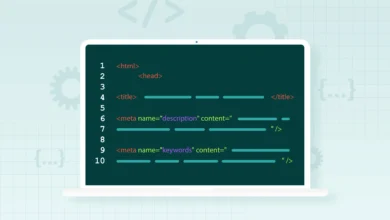
| Page Title (Title Tag) | Primary Keyword | Front-load keyword | Differentiator | Brand | Blue Organic Cotton T-Shirt | Soft Fit | [Brand] |
| URL Handle | Primary Keyword | Clean, short, lowercase, hyphens only | /products/blue-organic-cotton-t-shirt |
| H1 Heading | Primary Keyword | Match the product name, keep it natural | Men’s Blue Organic Cotton T-Shirt |
| Meta Description | Primary + Variation | Sell the click. Include a benefit. | Shop our durable blue organic cotton t-shirt. Breathable, eco-friendly fabric perfect for daily wear. Fast shipping. |
| First 100 Words | Primary Keyword | Use in the first sentence naturally | “This blue organic cotton t-shirt is designed for…” |
| H2/H3 Subheading | Secondary Keyword | Address a feature or question |
Why choose organic cotton? |
| Image Alt Text | Descriptive + Keyword | Describe the image to a blind user | Man wearing a blue organic cotton t-shirt standing in a studio |
| Internal Link | Contextual Anchor | Link to this product from a blog post | “…check out our blue organic cotton t-shirt for summer.” |
If you only do one thing today: Go to your top 5 best-selling products in Shopify Admin, scroll down to “Search engine listing preview,” and ensure your primary keyword is the very first thing in the Page Title.
Step-by-step: Shopify SEO keyword placement on product pages (from keyword choice to publish)

Having a map is great, but a workflow is better. When I’m optimizing a product page, I follow these exact steps to ensure nothing is missed. This process works whether you are launching a new product or fixing an old one.
- Select your intent-matched keywords: Don’t just guess. Pick one primary keyword (e.g., “organic cotton t-shirt”) and 3-6 secondary, long-tail variations (e.g., “sustainable men’s tees,” “soft cotton t-shirt”). Note: Long-tail optimized pages can convert ~30% better than broad match pages.
- Draft the Title Tag (Shopify Admin -> Search engine listing): Use the formula: Primary Keyword + Key Benefit/Differentiator + Brand Name. Keep it under 60 characters to avoid truncation in SERPs.
- Craft the Meta Description: This doesn’t directly impact ranking, but it impacts clicks. Write a 155-character ad. Start with a verb, include the keyword, and end with a reason to buy.
- Clean the URL Handle: In the SEO preview section, edit the URL handle. If your default is
/products/shirt-blue-v2-final, change it to/products/blue-organic-cotton-t-shirt.
Caution: If the product is already live and has traffic, remember to check the “Create a URL redirect” box to avoid 404 errors. - Write the First Sentence: In the main description editor, make sure your opening sentence includes the primary keyword naturally. Don’t force it, but make sure it’s there.
- Structure the Body Copy: Use bullet points for features. This breaks up the text for mobile users. Sprinkle your secondary keywords here naturally (e.g., “Made from sustainable materials…”).
- Optimize Images: Before uploading, rename the file on your computer from
IMG_5920.jpgtoblue-organic-cotton-t-shirt.jpg. Once uploaded, add the Alt Text in Shopify. - Add Internal Links: Link out to a related collection (e.g., “See all Men’s Tees”) or a size guide.
- Check Schema: Verify that your theme is outputting product schema (price, availability).
- QA on Mobile: Preview the page on your phone. If the keyword-rich text is pushed too far down by huge images, Google might devalue it.
- [ ] Title Tag starts with primary keyword
- [ ] URL handle is clean and descriptive
- [ ] Meta description includes keyword + CTA
- [ ] H1 matches product name
- [ ] Image filenames and Alt Text are descriptive
- [ ] Mobile view checked
Scaling Shopify SEO keyword placement across collections, homepage, and blog content

Once you master product pages, the challenge becomes scale. How do you handle collections and blogs without competing with yourself? This is where intent mapping saves you from keyword cannibalization—where two pages fight for the same ranking.
In my experience, you should assign keywords based on user journey stages:
- Homepage: Brand name + Broadest Category (e.g., “Sustainable Clothing Brand”).
- Collection Pages: Category terms (e.g., “Men’s Organic T-Shirts”). These are often your highest-volume pages.
- Product Pages: Specific transactional terms (e.g., “Blue Organic Cotton T-Shirt”).
- Blog Posts: Informational and question-based terms (e.g., “How to care for organic cotton”).
This is where an AI SEO tool can be invaluable for analyzing gaps in your content strategy. By clustering your topics, you create a “pillar” (the collection page) supported by “spokes” (blog posts and products). Use your blog posts to answer questions that customers ask before they buy, and link those posts back to the relevant collection.
Internal linking is the glue here. By linking a high-traffic blog post to a product page using descriptive anchor text, you can pass authority and relevance. If you are struggling to produce these supporting articles at scale, a high-quality SEO content generator can help you build out these topic clusters efficiently without sacrificing quality.
Technical boosters that make keyword placement stronger: schema, Core Web Vitals, and Shopify-specific controls

You can have perfect keyword placement, but if your technical foundation is shaky, it won’t matter. Think of keywords as the fuel and technical SEO as the engine.
Structured Data (Schema) is code that helps Google understand entities. On Shopify, your theme usually handles this, but you need to verify it. You want Product Schema (triggers rich snippets with price/availability) and Breadcrumb Schema (helps Google understand site structure).
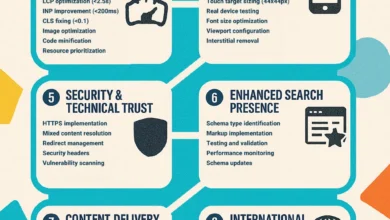
Core Web Vitals are non-negotiable. 73% of Shopify stores load slower than Google’s recommended threshold. Slow pages frustrate users and bots alike.
| Signal | Target | How to Improve on Shopify |
|---|---|---|
| LCP (Loading Speed) | Under 2.5s | Compress hero images; use lazy loading for below-fold images. |
| CLS (Visual Stability) | Under 0.1 | Reserve space for images in CSS so text doesn’t jump while loading. |
| INP (Interactivity) | Under 200ms | Remove unused apps; minimize heavy JavaScript in the theme. |
How I verify: I don’t guess. I run pages through PageSpeed Insights for speed and Google’s Rich Results Test for schema validation. You don’t have to code everything yourself to make progress, but you do need to validate that your theme isn’t breaking these rules.
Common Shopify SEO keyword placement mistakes I see (and how I fix them)

In my audits, I see the same patterns repeat. Here are the most common pitfalls and how I fix them quickly.
1. Keyword Stuffing in Descriptions
Why it hurts: It reads terribly for humans and looks spammy to Google.
The Fix: Read your description aloud. If you stumble or it sounds unnatural, rewrite it. Use synonyms. Instead of saying “blue t-shirt” five times, use “tee,” “top,” “shirt,” or “garment.”
2. Leaving Default URL Handles
Why it hurts: Shopify creates handles based on your initial product title. If you title a product “New Summer v2,” your URL becomes /products/new-summer-v2.
The Fix: Always edit the “Search engine listing preview” before publishing. Make the URL descriptive: /products/mens-summer-linen-shirt.
3. Multiple H1 Tags
Why it hurts: Some Shopify themes wrap the logo in an H1 tag and the product title in an H1. This confuses search engines about the page’s main topic.
The Fix: Use a simple browser extension like SEO Minion to check headings. If you see multiple H1s, you may need a developer to tweak your theme code (specifically header.liquid).
4. Manufacturer Descriptions
Why it hurts: Using the same copy as the supplier means you are duplicate content. You offer no unique value.
The Fix: Even if you have thousands of SKUs, rewrite the first 50-100 words. Focus on the benefits to the user, not just the specs.
5. Vague Internal Links
Why it hurts: Linking with the text “click here” tells Google nothing about the destination.
The Fix: Use descriptive anchors. Instead of “Click here for size guide,” use “Check our detailed size guide.”
FAQs + recap: Shopify SEO keyword placement next steps for store owners
Optimizing your Shopify store for SEO is a process, not a one-time event. By focusing on intent and technical placement, you build a store that is resilient to algorithm changes.
Where should I place my primary keyword on Shopify product pages?
Prioritize these five locations for the maximum impact:
- The start of the Title Tag.
- The URL Handle (slug).
- The H1 Heading (Product Title).
- The First Sentence of the description.
- Image Alt Text (for the main product image).
How can I optimize my product images for SEO?
Images drive traffic, too—Google Images can account for ~10% of traffic. Rename your image files before uploading them (e.g., blue-organic-cotton-t-shirt.jpg). Once uploaded, add Alt Text that describes the image naturally, like you were describing it to a customer over the phone.
What structured data should be included?
At a minimum, ensure your store has Product Schema. This pushes price, availability (In Stock), and review ratings to the search results. I also recommend FAQ schema for product pages that answer common customer questions, as this takes up more visual space in SERPs.
Should I focus on long-tail or generic keywords?
For product pages, focus on long-tail keywords (e.g., “men’s lightweight rain jacket”) rather than generic ones (e.g., “jackets”). Long-tail keywords signal higher intent; people searching for them are closer to buying. Save the generic terms for your Collection pages.
How important is site speed for Shopify SEO?
It is critical. Core Web Vitals are a ranking factor. I treat speed fixes like plugging a leak in a boat—there is no point rowing harder (creating content) if you are taking on water. Aim for an LCP under 2.5 seconds.
Recap: Your Action Plan
- Audit your top 10 products: Ensure titles and URLs are optimized for their primary keyword.
- Fix your images: Compress them and add descriptive alt text.
- Build authority: Create supporting content that links back to your products using an AI article generator to scale your knowledge base efficiently.
Next Steps: Open Shopify Admin today. Pick one collection. Rewrite the title tags and descriptions using the map provided above. Watch the results in Search Console over the next 30 days, then scale what works.