Introduction: a simple channel health check before I chase more views

I used to stare at my YouTube analytics dashboard, wondering why a video I spent 20 hours editing flatlined while a quick vlog took off. I would randomly tweak titles or swap thumbnails in a panic, hoping to reverse a downward trend. I learned the hard way that reactive tweaking isn’t a strategy—it’s just guessing. Before you film your next video or worry about the algorithm “hating” you, you need a baseline. You need a channel health check.
This isn’t about chasing viral hacks or tricking the system. It is about running a structured YouTube channel SEO audit to identify exactly where your funnel is leaking. Whether you are a small business marketer or a solo creator, this guide cuts through the noise. I’ll walk you through the exact tools I use—from industry staples like TubeBuddy to newer disruptors like ViewStats—and show you a repeatable workflow to fix your discoverability gaps without wasting hours on data you don’t need.
Search intent & who this guide is for
If you are looking for a magic button to explode your subscriber count, this isn’t it. This article is a practical, informational guide designed for intermediate operators who want to treat their channel like a business. An “audit,” in this context, is a systematic review of your channel’s technical foundation, content packaging, and performance metrics. You don’t need to be a data scientist to follow along; you just need the willingness to look at what the numbers are actually telling you, not what you hope they say.
What a YouTube channel SEO audit actually checks (and what it doesn’t)

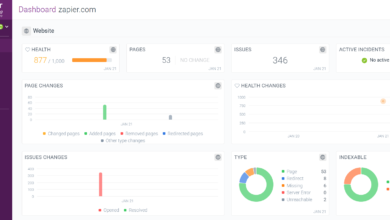
When I run a channel health check, I’m looking for friction points. A proper audit evaluates three core layers: your inputs (topics, keywords, metadata), your packaging (thumbnails, titles), and your audience signals (retention, click-through rate). It checks if your content is technically discoverable and, more importantly, if it is psychologically attractive to human viewers.
However, it is crucial to understand what an audit cannot fix. SEO tools can tell you that people are searching for “sourdough bread recipes,” and they can tell you that your retention drops at the 30-second mark. But they cannot fix a boring personality or a fundamentally weak video idea. The audit identifies the leaks; your creativity has to patch them. I look for specific symptoms: high impressions but low CTR usually means a packaging mismatch. High CTR but low retention means the video didn’t deliver on the promise. Understanding these distinctions is the difference between data and insight.
Channel-level vs video-level audits (so I don’t mix them up)
I like to think of the channel as the library and the videos as the books. A channel-level audit looks at the library’s organization: Is the branding consistent? Do the playlists guide viewers from one shelf to another? Is the overall topic authority clear to YouTube? A video-level audit looks at the individual book: Is the title catchy? Are the chapter markers (timestamps) accurate? Are the tags relevant? You need both, but if your library is a mess, optimizing a single book won’t help you build a loyal audience.
The 5 signals I prioritize for a fast health check

If I only have 15 minutes to gauge a channel’s health, I ignore the vanity metrics and look at these five signals:
- Impressions Trend: Is YouTube actually showing your content? A flatline here means a relevance or authority issue.
- Click-Through Rate (CTR) Trend: Are people interested when they see it? I look for stability or growth over 90 days, not just spikes.
- Average Percentage Viewed (Retention): This is the quality signal. If you aren’t holding attention, YouTube stops suggesting you.
- Returning Viewers: The most underrated metric. This proves you are building an audience, not just getting traffic.
- Traffic Sources: I check the balance between YouTube Search (intent-based) and Browse/Suggested (interest-based).
The best YouTube channel SEO audit tools for a 2026 channel health check (free + paid)

The tool landscape has shifted. For years, the conversation started and ended with TubeBuddy and vidIQ. While those platforms remain powerhouses in 2026, we have seen the rise of creator-led analytics platforms like ViewStats and lightweight browser-based YouTube channel audit tools that handle quick triage. The goal isn’t to buy every tool; it’s to find the one that fits your workflow.
For a comprehensive audit, you generally need a mix: something for keyword research (to validate demand), something for on-page optimization (to fix metadata), and something for deep analytics (to understand retention). Tools like Keywordtool.io have become essential for finding long-tail opportunities, while Google Trends remains the best free source for macro-level interest checks.
My selection criteria (what I test before trusting a tool)
I don’t care about pretty dashboards; I care about actionable data. Here is what I test:
- Data Accuracy: Does the data match what I see in YouTube Studio, or is it a wild estimate?
- YouTube Integration: Can I see the data on the YouTube page (via extension), or do I have to log into a separate portal?
- Workflow Speed: How many clicks does it take to get an answer?
- Keyword Quality: Does it provide search volume estimates that feel realistic for my niche?
- Competitor Insights: Can it show me what tags or packaging strategies my competitors are using?
- Privacy & Security: Does the tool require permissions that feel excessive? (I’m always cautious with login credentials).
Comparison table: which tool helps with keywords, audits, analytics, thumbnails, and reporting
If I had to choose just one tool, the answer depends entirely on whether you are trying to rank in search (TubeBuddy/Keywordtool.io) or dominate the homepage (ViewStats/vidIQ).
| Tool | Best For | Key Features | Free Tier? | Typical Cost | Ideal Beginner Use-Case |
|---|---|---|---|---|---|
| TubeBuddy | Search SEO & Workflow | Keyword Explorer, A/B Testing, Bulk Processing | Yes (limited) | $6 – $26/mo | Optimizing metadata and bulk updating cards/screens. |
| vidIQ | Growth & Competitors | Competitor Views, Trend Alerts, Daily Ideas | Yes (limited) | $10 – $40/mo | Tracking competitor velocity and identifying rising trends. |
| ViewStats | Creator-Led Analytics | Thumbnails, Outliers, Forecasting | Yes | Free / Pro ($20+) | Analyzing thumbnail performance and benchmarking growth. |
| Google Trends | Topic Validation | YouTube Search Filter, Regional Interest | Yes | Free | Checking if a topic is dying or rising before filming. |
| Keywordtool.io | Long-Tail Research | Autocomplete scraping, Question finding | Yes (no volume) | ~$25/mo+ [Pro] | Finding 50+ video ideas from one seed keyword. |
| Browser Audit Tools | Instant Triage | One-click health scores, Tag analysis | Yes | Free | Getting a quick “second opinion” without logging in. |
Free tools I start with (before I pay for anything)
Before you pull out a credit card, exhaust the free options. They are often more accurate because the data comes straight from the source.
- YouTube Studio: It’s obvious, but deep diving into the “Research” tab in Studio gives you data on what your specific audience is searching for. I check the “Content Gaps” filter first.
- Google Trends: I set the filter to “YouTube Search” and the region to “United States” (or your target). It’s the only tool that reliably tells you if interest is seasonal.
- One-Click Browser Audits: There are several free extensions that grade a video’s optimization score instantly. I use these to spot-check if I forgot to add end screens or if my description is too short.
Paid tools that are still worth it (TubeBuddy, vidIQ, and beyond)
Are they still worth it in 2026? Yes, but mostly for the time they save. TubeBuddy remains my go-to for bulk processing—if you need to update a link in 50 video descriptions, it pays for itself in one hour. vidIQ excels at competitor intelligence; its ability to show you “views per hour” (VPH) on competitor videos is invaluable for spotting viral topics in real-time. While user reported lifts vary , the structure they provide is the real value for intermediate creators.
Newer analytics to watch: ViewStats (creator-led insights)
ViewStats, co-founded by MrBeast, brings a different flavor to the market. Launched publicly in late 2023 with a Pro tier arriving in mid-2024 , it focuses less on “SEO keywords” and more on “performance packaging.” What felt different to me using ViewStats was the focus on outliers—identifying which videos on a competitor’s channel outperformed their average. It’s a tool for understanding human psychology and thumbnail research rather than just search algorithms.
Browser-based one-click channel audit tools (fast triage)
These are great for a quick pulse check. Tools like the “YouTube Channel Audit” browser extensions can analyze 12+ metrics instantly. I look for the “posting frequency score” and the “view-to-like ratio.” However, a word of caution: I avoid entering credentials into unknown browser tools. I prefer tools that can analyze the public-facing channel data without requiring me to log in via OAuth.
My YouTube channel SEO audit tools workflow: a monthly health-check checklist I can repeat
This is the exact workflow I use. I run this monthly for active channels and quarterly for slower ones. It usually takes me 45–90 minutes. Don’t try to do this daily—you’ll just drive yourself crazy with noise.
Step 1: Pull baseline metrics from YouTube Studio (so I don’t optimize blind)
I start in YouTube Studio because you can’t improve what you don’t measure. I avoid the “Realtime” (last 48 hours) tab because it’s too volatile. Instead, I look at the last 28 and 90 days.
- Reach Tab: I record my overall Impressions and CTR. If impressions are up but CTR is down, my topics are good but my packaging (thumbnails) is fatigue.
- Audience Tab: I check “Returning Viewers.” If this line is flat or dropping, I’m not building loyalty.
- Top Search Terms: I check what keywords are actually driving traffic. Often, it’s not what I thought I optimized for.
Step 2: Validate demand with trends + keywords (Google Trends, Keyword Planner, Keywordtool.io)
Next, I verify if my future topics have demand. I use Google Trends to ensure I’m not making a video on a dying trend. Then, I use Keywordtool.io or the free version of Ahrefs’ YouTube tool to find long-tail variations. For example, instead of just “coffee,” I’m looking for “how to make pour over coffee at home for beginners.” This specific intent is easier to rank for.
Step 3: Audit “packaging” (titles + thumbnails) with A/B testing where possible

This is where the biggest wins happen. I use TubeBuddy or vidIQ to run A/B tests on my top 10 performing videos. I have a personal rule: I test one variable at a time. If I change the title AND the thumbnail, I won’t know what caused the change. I typically run a test for 2–4 weeks to get statistical significance.
A beginner-friendly thumbnail checklist (5–7 checks)
- Clarity: Can I understand the subject if I squint or look at it on a phone screen?
- Contrast: Does the subject pop against the background?
- Text: Is there less than 4 words of text? (Less is usually more).
- Emotion: Is there a clear human emotion (if a face is shown)?
- Consistency: Does it look like my brand, or could it be anyone’s?
Step 4: Metadata & channel structure quick audit (descriptions, playlists, channel keywords)
I check my “library.” Are my playlists up to date? YouTube playlists are excellent for SEO because they keep viewers watching (increasing Session Time). I also check my default upload descriptions. Am I linking to relevant, newer videos? Internal linking via end screens and cards is the easiest way to revive older content.
Step 5: Competitor benchmark (what I compare, not what I copy)
I look at 3–5 competitors in my niche. I’m not there to steal their ideas; I’m there to find the “content gap.” If everyone is making 20-minute tutorials, is there room for a 5-minute condensed version? I use the competitor analysis features in my tools to see their posting cadence and their top-performing outliers. This helps me calibrate my own expectations.
Step 6: Turn findings into a 30-day action plan (priorities + tracking)
I finish by creating a prioritized list. I score potential fixes by Impact (1–5) and Effort (1–5). I always start with High Impact / Low Effort tasks—usually updating thumbnails on videos that have high impressions but low CTR. I write down the “Before” metrics so I can verify if my changes actually worked 30 days later.
Free vs paid tool stack: how I choose YouTube audit tools for a business (without overspending)

If I am starting a channel for a business from zero, I am not buying the most expensive enterprise suite immediately. I scale my stack as the channel revenue or lead volume scales. For businesses, the goal is often efficiency—how can we produce high-quality, AI SEO tool optimized content without burning out the marketing team? Here is how I budget for it.
Recommended stacks (Free-only, Budget, Pro)
- The “Bootstrap” Stack (Free): YouTube Studio + Google Trends + Canva (free) + ChatGPT (for brainstorming). Best for: Solo creators just starting.
- The “Growth” Stack ($20–$50/mo): YouTube Studio + TubeBuddy/vidIQ (Mid-tier) + Keywordtool.io (Basic). Best for: Monetized creators looking to optimize workflow.
- The “Pro Business” Stack ($100+/mo): YouTube Studio + ViewStats Pro + Ahrefs + SEO content generator tools for scaling production. Best for: Agencies and media companies.
Where content intelligence fits after the audit (turning insights into publish-ready briefs)
Once the audit gives you a list of missing topics and keyword clusters, you have to actually create the content. This is where many businesses fail—they have the strategy but lack the execution bandwidth. Integrating a sophisticated AI content writer into your workflow allows you to take those audit insights and turn them into structured, high-quality content briefs and scripts quickly, ensuring that you maintain topical authority without sacrificing quality.
Common mistakes I see in YouTube SEO audits (and how I fix them)
I’ve seen dozens of creators run an audit, panic, and ruin their channel’s momentum. The most common error is changing too much, too fast. I learned this the hard way when I rewrote titles for 50 videos in one night and tanked my search traffic because I removed the keywords that were actually ranking. Here is how to avoid that mess.
Mistake 1–3: Keyword and topic errors (too broad, mismatched intent, ignoring trends)
Many beginners target broad terms like “fitness” and wonder why they get zero views. That is a topic, not a keyword. The fix is to validate YouTube search intent using the autocomplete method. Another error is creating content for a trend that died three months ago. Always check the date range in Google Trends.
Mistake 4–6: Packaging and testing errors (random thumbnails, no A/B tests, changing everything)
If you change your thumbnail, title, and description all at once, you learned nothing. You must isolate the variable. Also, be careful with AI thumbnail tools. While they are great for ideation, purely AI-generated thumbnails can sometimes look uncanny or “soulless,” leading to lower CTR. I use AI to generate the concept, but I polish it manually to keep the brand human.
Mistake 7–8: Measurement and workflow errors (no baseline, no documentation)
If you don’t write down what the CTR was before you changed the thumbnail, you are flying blind. I keep a simple spreadsheet: Date, Video ID, Change Made, Metric Before, Metric After (30 days). This simple documentation is often more valuable than any automated AI article generator or report because it tracks your specific history.
FAQs: quick answers beginners ask about YouTube channel SEO audits
Which free tools are most effective for auditing a YouTube channel’s SEO?
For pure data, YouTube Studio is unbeatable. For trend discovery, Google Trends (filtered to YouTube) is the best free resource. For quick on-page checks, browser extensions from TubeBuddy or vidIQ (free tiers) offer excellent instant feedback.
Are TubeBuddy and vidIQ still worth using in 2026?
Yes, primarily for their workflow integrations. While native YouTube analytics have improved, these tools save massive amounts of time with keyword scoring and bulk processing directly inside the upload screen.
What unique value does ViewStats bring?
ViewStats offers a creator-first perspective, focusing heavily on packaging and outlier performance. It allows you to see the “AB tests” of top creators by tracking their thumbnail and title changes over time, which is invaluable for learning high-level strategy.
Can AI tools optimize thumbnails or content effectively?
AI tools are excellent for generating variations and analyzing patterns, but they struggle with “brand voice.” Use them to generate 10 ideas, but pick and polish the best one manually to ensure it resonates emotionally with your human audience.
How often should I perform a channel SEO audit?
If you are a full-time creator or business, a monthly YouTube audit is ideal to catch trends early. for casual creators, a quarterly check-up is sufficient to ensure your overall strategy is still aligned with audience interests.
Conclusion: my 3-point recap and the next actions I’d take this week

To wrap this up, remember that tools are just the compass—you are still the captain. Here is the recap: 1) Baselines matter more than hacks; know your numbers first. 2) Use free tools for data and paid tools for workflow efficiency. 3) Prioritize packaging (CTR) and retention over metadata.
Your next actions for this week:
- Open YouTube Studio and write down your 90-day baseline for CTR and Retention.
- Install one browser-based tool (TubeBuddy, vidIQ, or a free audit extension) and audit your last 5 videos.
- Pick your top-performing video and run a controlled thumbnail test (if you have the tools) or create a “Part 2” content plan based on that topic.