Digital Signage Content Strategy: Beyond the Web (Practical Guide for Screens, Kiosks, and Directories)
Introduction: Why “web content thinking” breaks on screens (and what I’ll do differently)

I still remember the first digital signage network I audited. Walking into the corporate lobby, I saw a beautiful 4K screen displaying a repurposed blog graphic. It had a headline, a subhead, three paragraphs of text, and a QR code in the bottom corner. From five feet away, it looked fine. But nobody stood five feet away. They walked past it at three miles per hour, twenty feet away. The result? A confusing blur of text that zero people read.
This is the trap most businesses fall into. We treat screens like big iPads or static posters, but the context is entirely different. Whether you manage screens for a retail chain, a hospital, or a corporate campus, a successful digital signage content strategy isn’t about filling space; it’s about respecting the viewer’s time and physical environment.
I’m going to skip the fluff about “digital transformation” and give you the newsroom-style framework I use. We’ll cover how to define a screen’s job, build a repeatable workflow, and measure success without needing a data science degree. This is about building a system that works on day one and scales to day ninety.
What a digital signage content strategy is (and why personalization matters)

It sounds simple, but the execution is where it gets messy. A strategy moves you from “playing a loop of JPEGs” to using a Content Management System (CMS) that automates relevance. This is where personalization enters the chat.
Personalization in digital signage doesn’t have to mean Minority Report-style scanning. It means context-awareness. It’s the difference between showing a generic “Visit our Café” ad all day versus showing steaming coffee at 8:00 AM and iced smoothies at 2:00 PM. That simple shift—matching content to the audience’s immediate mindset—can significantly improve engagement. When we stop treating screens as dumb players and start using data triggers (weather, time, occupancy), the ROI becomes much easier to prove.
My newsroom-style digital signage content strategy framework (Plan → Create → Schedule → Measure → Improve)

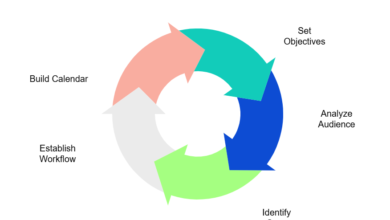
When I’m overwhelmed by a request to “fix the screens,” I go back to basics. I treat the signage network like a newsroom. In a newsroom, you don’t just print whatever is available; you have a beat, a deadline, and an editor. For signage, I use a five-step cycle: Plan, Create, Schedule, Measure, Improve.
If I were starting a new network today, I wouldn’t touch a pixel until I filled out this table for every screen type:
| Business Goal | Screen Job-to-be-Done | Primary Content Type | Primary KPI |
|---|---|---|---|
| Reduce patient anxiety | Distract and inform during wait | Trivia, weather, queue status | Reduced perceived wait time (survey) |
| Increase cafeteria sales | Trigger impulse hunger | High-res food visuals (Time-based) | Sales lift during promo hours |
| Improve internal comms | Highlight company wins | Employee spotlights, safety stats | Internal survey awareness scores |
| Reduce reception load | Direct visitors to rooms | Interactive directory/Map | Fewer questions to front desk |
Step 1: Define the screen’s job (not the department’s wish list)
The fastest way to fail is to let every department put their flyer on the lobby screen. A screen cannot be a directory, a safety warning, and a birthday announcement all at once—at least not effectively. You must define the primary purpose. Ask these five questions:
- Who is the viewer? (Visitor, employee, patient, shopper?)
- What are they doing right now? (Rushing to a meeting, waiting in line, browsing?)
- What is the one thing they need to know?
- How much time do they have? (3 seconds vs. 3 minutes?)
- What action should they take?
Step 2: Map context and constraints (distance, dwell time, lighting, audio)
Context dictates design. I have a simple rule of thumb for distance: 1 inch of text height for every 10 feet of viewing distance. If your screen is behind a counter 20 feet away, your headline text needs to be at least 2 inches tall. If it’s smaller, it’s invisible.
Here is how I test it: I load the content, step back to where the viewer actually stands (not where the installer stands), and squint. If I can’t understand the message in less than three seconds, I cut the word count in half. Remember, 90% of digital signage runs with the sound off. If your video relies on a voiceover to explain the point, it’s useless in a noisy retail environment.
Step 3: Build message hierarchy (headline → proof → action)
Good signage copy is punchy. It follows a strict hierarchy. For a standard promo, I use this template:
- Headline: 5 words max. High contrast. (e.g., “Free Flu Shots Today”)
- Proof/Detail: 10 words max. Smaller text. (e.g., “Room 302. No appointment needed.”)
- Visual: One high-quality image or icon. No collages.
- Call to Action (CTA): Big and directive. (e.g., “Walk In Now” or a large QR code).
- Action Cue: “Scan for details” text near the QR code.
Step 4: Governance and QA (so content stays accurate at scale)
Nothing kills credibility faster than a “Happy New Year” message playing in March. I’ve seen it happen. To prevent this, you need a lightweight governance model. It doesn’t need to be bureaucratic; it just needs to be consistent.
My QA Checklist before publishing:
- Spelling & Grammar: No typos in 100pt font.
- Legibility: High contrast (dark text on light background or vice versa).
- Expiration Date Set: Critical. The content must auto-expire.
- Link Check: Does the QR code actually work?
- Orientation: Is this formatted for the specific screen (Portrait vs. Landscape)?
Content playlists and templates for screens + directories (what to show, where, and how often)

A playlist is just a loop of content. But a smart playlist is segmented by location. You wouldn’t put a 30-second corporate video on an elevator screen where people only stay for 10 seconds. Here is a starter kit for structuring your playlists:
| Location | Audience Mindset | Ideal Content Types | Rotation Speed |
|---|---|---|---|
| Lobby / Entrance | Transitional, Rushing | Welcome, Wayfinding, Event Headlines | Fast (6-8 sec per slide) |
| Elevator / Hallway | Captive for short time | News snippets, Trivia, Quick Announcements | Medium (10-15 sec per slide) |
| Breakroom / Waiting Area | Dwell, Bored, Resting | Long-form videos, Social feeds, Company Culture | Slow (30-60 sec videos okay) |
| POS / Checkout | Transactional | Upsells, Loyalty Promos, Payment Options | Static or very slow motion |
The 5 core content types (and the mistake I see most often in each)
- Promotional: Driving sales or adoption. Mistake: Too many offers on one slide. Fix: One offer per screen.
- Wayfinding/Directory: Helping people navigate. Mistake: “Search” buttons that are too small to touch. Fix: huge touch targets.
- Operational: Hours, wait times, safety. Mistake: Being vague. Fix: Use real-time data integrations.
- Brand/Story: Building affinity. Mistake: Using audio-dependent storytelling. Fix: Subtitles or purely visual storytelling.
- Emergency: Fire, weather alerts. Mistake: Not having a “takeover” trigger pre-configured. Fix: Set up emergency templates on day one.
Directory-specific UX: search, categories, ADA/readability, and multilingual basics
Directories are different—they are tools, not TVs. When designing for interactive directories, I coach teams to think “Mobile App,” not “Website.” The user is standing, likely holding a bag or a coffee, and using one finger. Search tolerance is huge here. If someone types “Cardiology” but spells it “Cardology,” the system needs to find it.
Multilingual support is increasingly critical in US business contexts. I recommend a simple toggle on the home screen: “English / Español.” Don’t bury it in a settings menu. Accessibility (ADA) also means ensuring buttons are within reach height-wise (usually between 15” and 48” off the ground) for wheelchair users.
Personalization, triggers, and touchless interaction: making signage feel timely (without being creepy)

We’ve all walked past a screen that felt “dead”—showing static ads that haven’t changed in weeks. The antidote is triggered content. Using an AI article generator can help marketing teams rapidly produce text variations for these triggers, but the logic starts with strategy. Here is what I automate first vs. what I keep manual:
| Trigger | Example Content Swap | Best-Fit Locations | Risk/Notes |
|---|---|---|---|
| Time of Day | Morning Coffee → Happy Hour | Cafeteria, Lobby | Low Risk. High Utility. |
| Weather | Umbrella Sale (Rain) → Sunscreen (Sun) | Retail Entry, Travel Hubs | Moderate. Needs reliable data feed. |
| Occupancy Sensors | “Please Wait” (Full) → “Come In” (Empty) | Restrooms, Meeting Rooms | High Utility. Privacy-safe. |
| Demographic Camera | Ad targeting by age/gender estimation | Retail Endcaps | High Risk. Can feel intrusive (“creepy”). |
I draw a hard line on privacy: I avoid anything that feels like surveillance. Aggregate signals (like “it’s raining outside”) are helpful. Individual tracking is a reputation risk I don’t take.
Do we really need interactive or touchless tech post‑pandemic?
Touchless tech was the buzzword of 2021, but does it hold up? My take: Use touchless if it speeds up the task. Scanning a QR code to take a map away on your phone is brilliant—it’s hygienic and useful. Waving your hands in the air to control a cursor (gesture control) often frustrates users more than it helps. If I’d start with one interactive element, it’s the “mobile handoff” via QR code.
Cloud-based CMS operations for multi-location networks (how I keep content consistent without slowing teams down)

Managing one screen is easy with a USB stick. Managing 50 screens across three states requires a cloud-based Content Management System (CMS). The goal is centralized control with local flexibility. If you’re managing a blog network, you might use a Bulk article generator to scale content; similarly, in signage, you use templates to scale visuals across locations without redesigning them manually.
Here is the workflow I use to keep my sanity:
- Brief: Local manager requests a promo (e.g., “Spring Sale”).
- Draft: HQ designer (or automated tool) populates the global template.
- QA: Central admin checks for brand compliance and sets expiration.
- Schedule: Push to “North East Region” group.
- Monitor: Check “Proof of Play” reports weekly.
A lightweight governance model: global templates + local inserts
I keep local teams fast by using “Lock and Key” templates. I lock the logo, font, and layout at the HQ level. I give the local store manager the “key” to edit only the text field for the daily special or price. This way, they can update their screens in seconds without breaking the brand guidelines. It’s a RACI model where HQ is Accountable for the brand, and Local is Responsible for the specifics.
Hardware and sustainability decisions that shape your content (LED vs e‑paper, kiosks, brightness, mobility)

You might think hardware is an IT problem, but it dictates your content strategy. If you buy a standard TV for a sun-drenched window, your content will look washed out. If I had to pick one upgrade first, I’d choose high-brightness displays (700+ nits) for any window-facing screen. It ensures your message actually lands.
| Display Type | Best Use | Content Implications | Sustainability Note |
|---|---|---|---|
| Standard LED/LCD | Indoor, controlled light | Full video, rich color | Moderate energy use. |
| E-Paper | Menu boards, transit schedules | Static images, simple text | Ultra-low power. Great for ESG goals. |
| Battery Kiosks | Events, pop-ups, temporary queues | Interactive, adaptable | Rechargeable. Zero cabling waste. |
| MicroLED Wall | Premium lobbies, “Wow” factor | High-res immersive video | High energy, but durable. |
Sustainability is becoming a massive factor. E-paper displays (like Kindles, but color) are incredible for menus or schedules because they draw zero power to hold an image. If your company has strict ESG targets, swapping static menu boards for e-paper is a strategic win.
Accessibility and readability basics (the fastest wins most teams miss)
If I can’t read it while walking by, it fails. That’s my self-test. Accessibility (ADA) isn’t just about compliance; it’s about usability. The checklist is simple:
- Contrast: Is there enough difference between text and background?
- Time: Does the slide stay up long enough to be read? (Rule: 1 sec per line of text + 2 sec buffer).
- Motion: Avoid flashing lights (seizure risk) and overly chaotic transitions.
Measurement and ROI: the metrics I track to prove a digital signage content strategy works

Stakeholders love to ask, “What is the ROI of that screen?” It’s a tough question if you don’t have a plan. I break measurement down into three buckets: Operational, Engagement, and Financial.
| Metric | What it indicates | How to measure | Common Pitfall |
|---|---|---|---|
| Proof of Play | Was it shown? | CMS Logs | Confusing output with outcome. |
| Dwell Time / Gaze | Was it seen? | Camera sensors / WiFi analytics | Assuming a glance = understanding. |
| Interaction Rate | Was it touched/scanned? | Touch logs, QR scans | Poor attribution (did they scan the poster or the screen?). |
| Conversion Lift | Did it sell? | POS sales during promo window | Ignoring other variables (seasonality). |
Here is what I report monthly to stakeholders: “We ran the ‘Free Coffee’ promo on the lobby screens from 8-10 AM. During those hours, café transactions increased by 14% compared to the previous month.” That is language they understand.
A/B testing on screens (simple experiments beginners can run)
You don’t need a lab to run A/B tests. Start small:
- Headline vs. Headline: Run “Free Coffee” on Monday/Wednesday and “Wake Up with Java” on Tuesday/Thursday. Compare sales.
- Color Pop: Test a yellow background vs. a white background. Does high contrast drive more QR scans?
- Placement: Does the screen by the door get more interaction than the one by the elevator?
Common mistakes (and fixes) I see in digital signage content strategy
- Mistake: Treating screens like websites.
Why it hurts: Text is too small; people ignore it.
Fix: Use the “10-foot rule.” Large text, single focus. - Mistake: No expiration dates.
Why it hurts: Showing Christmas ads in January destroys trust.
Fix: Set an “end date” at the moment of upload. Mandatory. - Mistake: The “Set it and Forget it” mentality.
Why it hurts: Viewers tune out static loops (banner blindness).
Fix: Refresh the playlist order or themes every 2 weeks. - Mistake: Over-reliance on video audio.
Why it hurts: No one hears it.
Fix: Use subtitles or kinetic typography (moving text). - Mistake: Ignoring the “Black Screen of Death.”
Why it hurts: A broken screen looks worse than no screen.
Fix: Use monitoring software that alerts IT immediately when a player goes offline.
I’ve made the “expired promo” mistake myself early in my career. It was embarrassing, but it taught me that governance is just as important as creativity.
FAQs: beginner questions about digital signage content strategy (answered plainly)
What is digital signage content strategy and why is personalization important?
It is the plan for managing what appears on your screens to achieve business goals. Personalization matters because relevance drives attention. If you show a weather-dependent promo (like “Umbrellas 50% off” when it rains), you are far more likely to get a conversion than with a generic loop.
How does cloud-based CMS benefit multi-location signage networks?
Cloud CMS allows you to control thousands of screens from one laptop. You can update pricing, fix typos, or launch campaigns across 30 locations in minutes without needing to be physically present. It also ensures brand consistency by preventing local staff from using unauthorized clip art.
Are interactive or touchless technologies really necessary post‑pandemic?
They aren’t mandatory, but they solve specific problems. Touchless tech (like QR codes) is excellent for reducing friction and hygiene concerns. Interactive screens are great for complex tasks like wayfinding in a hospital. However, for simple advertising, a passive display is often more effective and cheaper.
How do sustainable signage technologies impact business operations?
Technologies like e-paper and energy-efficient LEDs lower your electricity bill and reduce heat output, which can lower AC costs. Beyond operations, they align with ESG goals, giving you a tangible story to tell stakeholders about reducing the company’s carbon footprint.
What advantages do portable, battery-powered kiosks offer?
They offer flexibility. You can wheel a battery-powered kiosk to a trade show entrance, a pop-up retail event, or an overflow waiting area without worrying about power outlets or tripping hazards. They are perfect for temporary, high-traffic situations.
Summary and next steps: a simple 30-day rollout plan I’d follow
If I were starting from zero today, I wouldn’t try to build the perfect network overnight. I would focus on getting one playlist right. Here is my recap:
- Define the job: One screen, one purpose.
- Respect the context: Big text, high contrast, short dwell time.
- Automate the easy stuff: Use templates and simple scheduling triggers.
Your 30-Day Launch Plan:
- Week 1: Audit your screens. Turn off the ones that aren’t working. Define the goal for the rest.
- Week 2: Create global templates. Lock the branding.
- Week 3: Build your first playlist using the “Plan → Create → Schedule” framework.
- Week 4: Launch and measure the first week of data. Look at proof-of-play and simple engagement metrics.
If you need help scaling the content creation side of this strategy, tools like Kalema’s SEO content generator and AI content writer can help streamline the production of supporting web assets and documentation. But remember, the screen is a unique medium—treat it with respect, and your audience will reward you with their attention.