On-page technical SEO — the technical layer in your page code (and why it matters)
When I audit a website, I don’t start with backlinks. I start by viewing the page source. While off-page authority is critical, I’ve found that on-page technical improvements are often the fastest lever to pull for ranking gains. You can have the best content in your niche, but if your HTML structure confuses crawlers or your load time frustrates users, Google simply won’t prioritize you.
This article isn’t about server-side technical SEO or complex log file analysis. It is about the code-level elements living on your pages right now—titles, schema, headings, and core web vitals—that dictate how search engines understand and rank your work. Whether you are a marketing lead at a growing SMB or a founder wearing the SEO hat, this guide cuts through the noise. We will focus on practical, high-impact fixes you can implement to secure your visibility in 2025, especially as AI Overviews begin to reshape the SERP landscape.
Quick answer: What counts as on-page technical SEO elements (2025 checklist)

On-page technical SEO is the optimization of the elements within a page’s code and structure. It ensures that search engines can crawl, index, and interpret your content correctly while providing a fast, accessible experience for users. Neglect here is common; industry data suggests over 80% of websites are missing basic attributes like image alt text.
The core elements you need to manage in 2025:
- HTML Tags: Title tags, meta descriptions, and header tags (H1–H6).
- Indexing Controls: Canonical tags, robots meta tags, and hreflang (if international).
- Structured Data: Schema markup (JSON-LD) to help AI and bots understand context.
- Performance Signals: Core Web Vitals (LCP, INP, CLS).
- Internal Architecture: Internal linking structure, anchor text, and breadcrumbs.
- Assets & Accessibility: Image alt text, file sizing, and mobile responsiveness.
Modern on-page SEO has evolved. It’s no longer just about keywords; it’s about providing clear, structured data that Generative Engine Optimization (GEO) models can easily extract and reference.
What it is (in plain English)
Think of on-page technical SEO as the labeling system on a file folder. If the content is the papers inside the folder, on-page technical SEO is the tab, the color coding, and the summary written on the front that tells the filing clerk (Google) exactly where to put it so it can be found instantly.
What it isn’t (so beginners don’t confuse it)
It helps to draw a line in the sand. This is not off-page SEO, which involves building authority through backlinks and PR. It is also distinct from site-wide technical SEO, which deals with server configurations, SSL certificates, and sitemap.xml files. While there is overlap, on-page technical SEO focuses strictly on the page-level code you can often edit directly in your CMS.
Mini checklist: the on-page technical signals I look for first
When I open a page for a quick audit, this is my mental priority list:
- Check Indexability: Is the page accidentally noindexed?
- Verify Canonical: Does the canonical tag point to itself (self-referencing)?
- Review Title Tag: Is it unique and under 60 characters?
- Scan Headings: Is there exactly one H1, followed by logical H2s?
- Test Schema: Is there valid JSON-LD markup present?
- Check CWV: Does the page load visually within 2.5 seconds (LCP)?
- Audit Internal Links: Are there links pointing to related service or hub pages?
- Inspect Images: Do meaningful images have alt text?
- Mobile Check: are clickable elements spaced far enough apart?
- Duplicate Check: Is this content unique to this URL?
A practical workflow for on-page technical SEO (audit → fix → verify)

The biggest mistake I see teams make is trying to fix everything at once. A better approach is to run a “sprint” on your most valuable pages—your homepage, core service pages, or high-intent blog posts. Here is a repeatable workflow you can use.
Step 1: Pick the page + clarify search intent
Before touching code, confirm the goal. If it’s a “how-to” article, your structure should use Step-by-Step schema and clear numbered lists. If it’s a product page, you need Product schema and high-quality image attributes. Matching the technical setup to the user’s intent is half the battle.
Step 2: Confirm indexability (robots meta, canonical, HTTP status)
I’ve seen this happen more times than I care to admit: a client launches a beautiful new landing page, but traffic is zero because a developer accidentally left a noindex tag from the staging environment. Always view the page source and search for robots. You want to see index, follow (or no tag at all, which defaults to index). Also, ensure the canonical tag points to the current URL to prevent duplicate content issues.
Step 3: Fix your HTML signals
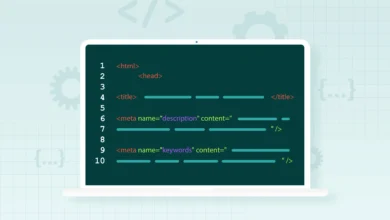
Clean up the signals search engines rely on. Rewrite the title tag to move the primary keyword to the front. Ensure your meta description includes a call to action to boost CTR. Check that your H1 matches the title’s intent, and that H2s break up the content logically. This structure is critical for AI Overviews, which scrape these headings to generate answers.
Step 4: Add structured data (JSON-LD) where it matches the content
Schema is like a translation layer for your page. It takes your human-readable content and serves it to Google in a machine-readable format. If you have FAQs, add FAQSchema. If you are a local business, ensure LocalBusiness schema is present. Tools like Kalema can help teams scale this by producing structured, intent-matched content drafts that are ready for schema implementation.
Step 5: Improve performance + Core Web Vitals, then re-test
You don’t need perfection—get the biggest wins first. Use PageSpeed Insights to identify the largest element (LCP). Often, simply compressing the hero image or deferring non-critical JavaScript can move you from “Poor” to “Needs Improvement” or “Good.” Studies suggest that performance-compliant pages can see up to 20% higher conversion rates .
Step 6: Monitor in Search Console
Once fixes are live, go to Google Search Console. Use the “URL Inspection” tool to request indexing. Then, set a reminder to check the Page Experience and Enhancements reports in 7 days to verify that Google has validated your changes.
| Check | Tool | Pass Threshold |
|---|---|---|
| Indexability | Search Console / Source Code | “Index, Follow” present |
| Schema Validity | Rich Results Test | 0 Errors, 0 Warnings |
| Load Speed (LCP) | PageSpeed Insights | ≤ 2.5 seconds |
HTML and meta elements: the on-page technical SEO signals search engines read first

These are the foundational elements of on-page SEO. Despite being “basic,” they are often where the biggest opportunities lie. Estimates suggest duplicate content comprises roughly 60% of the web , often due to poor canonicalization.
Title tags & meta descriptions: relevance + clicks (without clickbait)
Your title tag remains one of the strongest ranking signals. A common rule of thumb I follow for service businesses is strictly formatting the title to capture location and intent.
Template for Service Page:
[Primary Service Keyword] in [City], [State] | [Brand Name] - [Trust Signal]
Example:
Emergency HVAC Repair in Austin, TX | CoolAir Pros - 24/7 Service
For meta descriptions, avoid stuffing keywords. Write a two-sentence ad copy that encourages a click. If you don’t, Google will just pick random text from your page.
Headings (H1–H3): turning content into a readable outline for bots and humans
If you only fix one thing in your HTML, fix your heading hierarchy. Your H1 is the headline. Your H2s are the main chapters. Your H3s are the sub-points. Never skip from H1 to H3 just because you like the font size better. This semantic structure is exactly what AI models use to parse and summarize your content for featured snippets.
Indexing controls: canonical tags, robots meta, and pagination basics
Canonical tags tell Google, “This is the main version of this page.” If you have a URL with tracking parameters (e.g., ?utm_source=email), the canonical tag on that page should point back to the clean URL. Without this, Google might index five versions of the same page, diluting your ranking power.
Images & accessibility: alt text, dimensions, and why 80%+ missing is a problem
Missing alt text is a massive accessibility fail and an SEO missed opportunity. Verified data shows 80.4% of websites lack image alt attributes. Writing good alt text is simple: describe the image to someone who can’t see it.
- Bad:
alt="image1" - Okay:
alt="HVAC repair" - Good:
alt="Technician installing new HVAC ductwork in a residential attic in Austin"
Also, always specify width and height attributes in your image tags to prevent the layout from shifting as the image loads (a key fix for Core Web Vitals).
Structured data (schema): a high-leverage on-page technical SEO upgrade

Structured data is a game-changer for winning rich results (stars, pricing, FAQs) in the SERPs. Despite its value, over 23% of sites use no structured data at all. In one case study, implementing FAQ schema resulted in click increases of up to 9,210% .
Google prefers JSON-LD format. This is a block of script placed in the <head> or <body> of your page. It doesn’t affect what the user sees, but it gives Google a “cheat sheet” about your content.
| Schema Type | Best Use Case | Key Properties |
|---|---|---|
| Organization | Homepage | Logo, URL, Social Profiles, Contact Point |
| LocalBusiness | Contact / Locations | Address, Opening Hours, Map URL, Phone |
| Article / BlogPosting | Blog Posts | Headline, Author, DatePublished, Image |
| FAQPage | Service / Support | Question, Answer (must match visible text) |
How to implement JSON-LD safely (and validate it)
Here is a basic example of JSON-LD for a Local Business. I copy, validate, then ship this behind a small QA checklist.
Example JSON-LD Snippet:
<script type="application/ld+json">
{
  "@context": "https://schema.org",
  "@type": "LocalBusiness",
  "name": "Elite Plumbing",
  "image": "https://example.com/logo.jpg",
  "telephone": "555-0100",
  "address": {
    "@type": "PostalAddress",
    "streetAddress": "123 Main St",
    "addressLocality": "Denver",
    "addressRegion": "CO",
    "postalCode": "80202"
  }
}
</script>
Always run your code through Google’s Rich Results Test before publishing. One missing comma can break the entire block.
Performance & Core Web Vitals: on-page technical SEO that users feel

Performance isn’t just for developers; it’s a business metric. Slow sites bleed money. To improve this, I give my developers specific requests based on Core Web Vitals.
Core Web Vitals, explained for beginners
- LCP (Largest Contentful Paint): How fast the main content loads. Target: ≤2.5s.
- INP (Interaction to Next Paint): How fast the page responds when you click something (replaced FID). Target: ≤200ms.
- CLS (Cumulative Layout Shift): How stable the layout is. Does text jump around? Target: ≤0.1.
High-ROI fixes: images, JavaScript, fonts, and layout stability
When I troubleshoot a slow page, I start with these prioritized checks:
- Compress Images: Use WebP format. Image optimization alone can improve load time by 30–50% .
- Defer JavaScript: Identify non-critical scripts (like chat widgets) and set them to load after the main content.
- Preload Fonts: Ensure text appears immediately rather than waiting for a custom font file.
- Reserve Image Space: Hard-code width and height dimensions so the browser knows how much space to leave, solving CLS issues.
How I verify improvements (field vs lab data)
Don’t panic if your Lighthouse score (lab data) fluctuates. The real truth is in the Field Data (CrUX) shown in Search Console. This data comes from real Chrome users. Watch the trend lines in Search Console’s “Core Web Vitals” report to see if your fixes are actually helping real people.
Internal linking, topic clusters, and crawl paths: the on-page technical SEO structure that scales

Internal links are the hallways of your website. If you don’t build them, Google’s crawlers (and your users) can’t find the rooms. An effective strategy is the “Hub and Spoke” model. You create a central “Hub” page (e.g., “Technical SEO Guide”) and link out to supporting “Spoke” pages (e.g., “Schema Markup,” “Core Web Vitals”).
A simple clustering method I use for business sites
- Identify the Hub: Pick your high-value keyword topic.
- Map the Spokes: Write 3–5 supporting articles that answer specific questions.
- Link Down: Link from the Hub to every Spoke.
- Link Up: Link from every Spoke back to the Hub using descriptive anchor text (e.g., “back to Technical SEO Guide”).
- Link Across: Link Spoke-to-Spoke where relevant.
This structure concentrates authority and helps crawlers index your site faster. Shockingly, up to 82% of internal linking opportunities are missed on average sites .
Common on-page technical SEO mistakes (and how I fix them)

Even pros make mistakes. Here are the most common technical blunders I encounter in audits.
Mistake 1–3: Indexing + duplication issues
- Accidental Noindex: Often left over from development. Fix: Check robots meta tag.
- Missing Canonical: Causes self-competition. Fix: Add self-referencing canonicals to all master pages.
- Broken Redirects: 66% of sites have broken backlinks. Fix: Crawl your site to find 404s and 301 redirect them to relevant pages.
Mistake 4–6: UX/performance problems
- Huge Hero Images: The #1 cause of poor LCP. Fix: Resize to exact display dimensions and compress.
- Layout Shifts (CLS): Ads or images loading late and pushing text down. Fix: Set CSS aspect ratios.
- Slow Server Response: Cheap hosting. Fix: Use a CDN or upgrade hosting.
Mistake 7–8: Weak structure
- Vague Headings: Using “Services” instead of “Commercial Plumbing Services.” Fix: Be descriptive.
- Orphan Pages: Pages with zero internal links. Fix: Add links from your footer or category pages.
FAQs: on-page technical SEO questions beginners ask

What exactly are on-page technical SEO elements?
These are elements within the page’s HTML code: Title tags, headings, meta descriptions, image alt text, schema markup, and internal links. They also include performance factors like Core Web Vitals.
How do AI-generated search results (AI Overviews) change on-page SEO?
AI Overviews now appear in up to 74% of problem-solving queries . To survive, your on-page SEO must focus on clear, structured answers (using Headings and Lists) and valid Schema markup so AI models can easily extract your facts.
Why is E‑E‑A‑T important for on-page SEO?
E-E-A-T (Experience, Expertise, Authoritativeness, Trust) signals help Google trust your content. Improving these signals—like adding author bios, citations, and “Last Updated” dates—can boost generative search rankings significantly (studies show 89%–134% lifts) .
Why should I prioritize Core Web Vitals?
Beyond ranking, it’s about user retention. A 100ms delay in load time can drop conversion rates by 7% . Fixing LCP and CLS makes your site feel professional and trustworthy.
Conclusion: what I’d do next on your site (a 7-day on-page technical SEO action plan)

If I were prioritizing this week for your business, I wouldn’t try to fix the whole site at once. I would focus on the pages that drive revenue. Here is my 7-day sprint plan:
- Day 1: Audit your Top 10 pages. Check titles, canonicals, and index status.
- Day 2: Fix “silent killers.” Remove accidental noindex tags and fix broken links.
- Day 3: Optimize HTML. Rewrite titles for intent and fix heading hierarchies.
- Day 4: Implement Schema. Add Organization and Breadcrumb JSON-LD.
- Day 5: Speed wins. Compress images and defer non-critical JS.
- Day 6: Build internal links. Connect your best blog posts to your service pages.
- Day 7: Verify. Submit URLs in Search Console and check for validation errors.
Consistency beats intensity. Start small, verify your work, and watch your organic visibility stabilize. If you need to scale this process, using an SEO content generator can help you produce properly structured drafts that are ready for these technical best practices from day one.