The Single-Page Challenge: Maximizing SEO Potential on One-Page Designs (one page website SEO)
Introduction: I built a one-page site—can it actually win at one page website SEO?

When I audit small business sites, one-page designs are the most misunderstood assets on the web. I constantly see business owners who chose a single-page layout for its sleek aesthetic or budget-friendly speed, only to panic six months later when they realize they are invisible on Google.
The reality is nuanced. A one-page website—a single URL containing all content without separate service or about pages—is not inherently “bad” for SEO. But it is restrictive. Unlike a landing page (designed for paid ads) or a multi-page corporate site, a one-page business site forces you to place every bet on a single URL.
In this guide, I’m cutting through the theory to give you a newsroom-grade operational plan. We will cover exactly what works, the hard limitations you must accept, and a step-by-step workflow to optimize your single-page site for both traditional Google rankings and the new wave of AI-driven search in 2026.
Quick answer: Can a one-page website rank well for SEO (and when should I choose it)?

The short answer is: Yes, but with strict conditions. A one-page website can rank exceptionally well for branded terms and highly specific local intent (e.g., “mobile dog groomer in North Austin”). However, it will struggle to compete for broad keywords or multiple distinct services because you lack the content depth to convince Google you are the authority on all of them.
If I were launching a new local service today, I would only stick to a one-page design if I had a single core offer and a limited budget. If I planned to expand into three different cities or offer five distinct services, I’d move to a multi-page structure immediately. One-page sites are a game of focus; if you dilute that focus, you lose.
Here is a breakdown of when to stick with it versus when to expand, based on what I see working in the wild:
| Business Type | Recommended? | Why? | SEO Risk Level |
|---|---|---|---|
| Local Single-Service (e.g., Mobile Detailer) |
Yes | High relevance for one core keyword set; easy to maintain. | Low |
| Portfolio / Freelancer (e.g., Photographer) |
Yes | Visuals matter more than text depth; intent is usually branded. | Low to Medium |
| SaaS / App Landing | Maybe | Works for MVP launch; needs blog/docs later for organic growth. | Medium |
| Multi-Service Local (e.g., HVAC & Plumbing) |
No | Conflicting keywords dilute relevance; you can’t optimize one H1 for both. | High |
| Content Marketing / Blog | No | Impossible to target long-tail keywords (which drive ~70% of traffic). | Critical |
What “ranking well” really means in 2026 (traffic vs leads vs visibility)
We need to redefine success. In 2026, ranking #1 doesn’t guarantee traffic. With AI Overviews appearing in over 13% of US desktop searches and zero-click searches accounting for nearly 60% of queries , the game has changed. Users might get their answer directly from the search result without ever visiting your site.
For a one-page site, this means we aren’t just optimizing for a blue link click. We are optimizing for visibility and conversion. Even if I don’t get the click, I want my phone number, pricing tier, or service area to appear in the AI summary so the user calls me directly. That is the new win condition.
Decision checklist: keep one page vs expand into a simple multi-page site
Before you invest time optimizing, run through this quick diagnostic. If you answer “Yes” to more than two of these, you have likely outgrown your one-page structure.
- Do you offer more than one distinct service (e.g., landscaping and hardscaping)?
- Do you serve multiple distinct cities that are far apart?
- Is your sales cycle long, requiring educational articles to convince buyers?
- Do you rely heavily on organic search traffic rather than referrals or ads?
- Is your page currently taking more than 3 seconds to load on mobile?
- Are you struggling to rank for anything other than your business name?
Why one-page websites struggle in SEO: the real limitations (and what I can still control)

I want to be transparent: one-page sites are fighting with one hand tied behind their back. This isn’t a dealbreaker, but you need to understand the mechanics of why Google struggles with them so we can mitigate the damage. It usually comes down to confusion—bots don’t know which topic your page is actually about because it’s about everything at once.
- Keyword Dilution: A single URL can really only be perfectly relevant for one main topic. If you try to rank for “wedding cakes,” “birthday cupcakes,” and “corporate catering” on one page, Google sees a diluted signal. You end up ranking for none of them.
- Thin Content Risk: You can’t write 1,000 words on every service without destroying the user experience. This limits your “topical authority,” making you look less expert than a competitor with 50 pages of content.
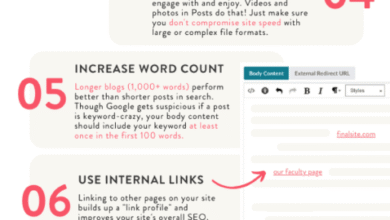
- Weak Internal Linking: Internal links are pathways for crawlers. On a one-page site, you lose this entire lever. Anchor links (jump links) improve user experience, but they do not pass “link equity” the way distinct pages do.
- Crawlability & Rendering: Many one-page sites rely heavily on JavaScript frameworks (React, Vue) or builders like Wix/Webflow. If the content loads dynamically as the user scrolls, Googlebot might not even “see” your footer content.
Keyword dilution: one URL can’t be ‘the best answer’ for everything
Think of your website like a storefront sign. A multi-page site has a different sign for every aisle. A one-page site has one sign out front. If you write “Plumber, Electrician, and Roofer” on that one sign, search engines (and humans) get confused about your specialty.
For example, if someone searches “emergency plumber in Dallas,” Google wants to return a page 100% dedicated to emergency plumbing—not a generic page where emergency plumbing is mentioned in a small paragraph halfway down. This is the search intent mismatch that kills one-page performance.
Thin content and weak internal linking: fewer pathways for crawlers and humans
When I audit one-page sites, they often feel “flat” to search engines. There is no hierarchy. On a standard site, the homepage links to a service page, which links to a case study. This tells Google which pages are most important.
On a one-page site, everything is flattened onto the root domain. You lose the ability to signal priority. While anchor links (e.g., #pricing) help users jump around, Google generally treats the entire page as one unit of content. This makes it incredibly hard to target long-tail keywords, which are often the highest-converting queries.
My one page website SEO workflow: a step-by-step blueprint that’s actually implementable

Enough theory. If you are committed to the one-page route, you need a disciplined workflow to make it work. Here is the exact process I follow when optimizing a single-page site for a client. We focus on structure, clarity, and technical hygiene.
Step 1: Choose one core keyword + one core outcome (lead, call, booking)
If I can’t say what the page is “for” in one sentence, I refocus. You must pick one primary keyword that represents the entire business. Everything else is secondary.
- Good Focus: “Private personal trainer in Chicago” (Intent: Service)
- Good Focus: “SaaS pricing for ProjectTool” (Intent: Information/Conversion)
- Bad Focus: “Health, wellness, nutrition, and gym equipment” (Too broad)
Your primary outcome should be singular too. Don’t ask them to subscribe to a newsletter, buy a product, and book a demo. Pick one. SEO works best when the user journey is linear.
Step 2: Turn sections into “mini-pages” with clear H2s and scannable depth
Since we don’t have separate URLs, we treat <section> blocks as mini-pages. I recommend 6–10 main sections maximum. Each section needs a specific purpose and a descriptive H2 heading that includes a secondary keyword.
Template: Local Service Business One-Page Layout
- Hero: H1 (Primary Keyword) + Call to Action.
- Problem/Agitation: H2 focused on the customer pain point.
- Services: H2 “Our [City] [Service] Offerings” – Use H3s for specific sub-services.
- About/Trust: H2 “Why [Business Name]?” + H3s for credentials/team.
- Social Proof: H2 “Reviews from [City] Clients”.
- Pricing: H2 “Simple Pricing for [Service]”.
- FAQ: H2 “Frequently Asked Questions about [Topic]”.
- Footer: NAP (Name, Address, Phone) + Contact Form.
Write your headings first. This ensures you cover the sub-topics a user expects without wandering off-topic.
Step 3: On-page basics that matter most on a single URL (title tag, meta, H1, images)
You only have one Title Tag—make it count. It is the single most important on-page ranking factor. It should follow this formula: Primary Keyword | Secondary Benefit or Location | Brand Name.
Example: “Emergency Plumber in Austin, TX | 24/7 Repairs | SpeedyPlumb”
For the H1 tag, ensure there is strictly one per page. It should closely match your title tag but can be more conversational. For images, compress everything. A one-page site loads all assets at once; if you have five uncompressed 4MB PNGs, you will fail Core Web Vitals, and mobile users will bounce.
Step 4: Anchor navigation that helps users and crawlers understand the page
If I can’t get to the pricing section in one click, I’m losing impatient visitors. Use a “sticky” header navigation that links to sections on the page using ID anchors (e.g., <a href="#pricing">Pricing</a>).
Ensure your IDs are clean and descriptive (id="services"), not auto-generated gibberish like id="div-block-74". This helps search engines understand the structure of your content, even if they view it as one page.
Step 5: Add schema strategically (FAQ + LocalBusiness/Organization)
This is where you can punch above your weight. Schema markup is code that helps Google understand your content. You don’t need to be a developer to get this right—you can use free generators and validate with Google’s Rich Results Test.
- LocalBusiness Schema: Essential for local SEO. Defines your address, hours, and service area.
- FAQ Schema: This is my secret weapon for one-page sites. It allows your Q&A section to potentially appear directly in search results, taking up more screen real estate. Caution: Ensure the text in the schema matches the text visible on the page exactly.
Step 6: Build credibility signals (reviews, author info, policies, contact clarity)
Google evaluates E-E-A-T (Experience, Expertise, Authoritativeness, and Trustworthiness). On a one-page site, you need to cram these signals into limited space.
I include real numbers and specific details: “Serving Austin since 2014,” “Licensed Contractor #12345,” or “Rated 4.9/5 on Google.” Don’t hide your contact info. Put your phone number and physical address (if applicable) clearly in the footer. These are trust anchors that tell Google you are a real business, not a lead-gen spam site.
Technical SEO for one-page designs: speed, JavaScript, and crawlability without breaking the layout

Technical issues on one-page sites are often binary: the site either works perfectly or it doesn’t rank at all. The culprit is usually heavy code. Here are the common issues I diagnose and how to fix them.
| Issue | Symptom | The Fix |
|---|---|---|
| Heavy JavaScript | Page is blank when Javascript is disabled; Google sees empty page. | Server-Side Rendering (SSR) or Dynamic Rendering. |
| Lazy Loading Errors | Content near the bottom isn’t indexed. | Ensure text content is loaded in the DOM initially, not just on scroll. |
| Huge Hero Video | Slow LCP (Largest Contentful Paint); high bounce rate on mobile. | Use a static image for mobile; defer video loading. |
| Broken Anchors | Clicking nav links does nothing or jumps to wrong spot. | Check ID naming; ensure fixed header doesn’t cover section tops. |
If my site is built on a JS-heavy builder, what changes first?
If you are on a platform like Wix or a heavy React template, you might feel stuck. Here is my triage list:
- Run a URL Inspection in Search Console: Click “View Crawled Page” to see exactly what Google sees. If your text is missing, you have a rendering problem.
- Reduce external scripts: Chat widgets, tracking pixels, and social feeds slow down single-page sites significantly. Remove what you don’t strictly need.
- Manual Image resizing: Don’t rely on the builder to do it. Resize images to the exact display dimensions before uploading.
One-page SEO in the age of AI: GEO/AEO tactics to earn visibility when clicks drop

We are entering the era of Generative Engine Optimization (GEO). Search engines are becoming answer engines. If a user asks, “How much does a mobile detailer cost in Austin?”, an AI Overview might scrape your pricing section and serve the answer without a click.
To survive this, your content must be structured for machines. While an AI SEO tool can help identify gaps, and a robust SEO content generator can draft initial outlines, the final polish on a one-page site needs a human touch to ensure accuracy and tone. I use AI to help me structure my data, but I verify every claim myself.
Industry data suggests AI summaries appear in roughly 13.14% of US desktop searches , and organic CTR for position #1 has dropped by nearly 32% . To stay visible, we need to optimize for the “summary box.”
Make my one-page content “AI-citable”: format patterns that get summarized
If I want my answer pulled into a summary, I lead with the sentence I’d quote. Use the “Answer-first, then explain” structure:
- Direct Answer: “The average cost for X is $100-$200.”
- Conditions: “This depends on vehicle size and condition.”
- Context: “Extra fees apply for pet hair removal.”
This structure is gold for AI agents. They can easily extract the fact without parsing three paragraphs of fluff.
Track visibility beyond rankings: what I measure on one-page sites now
Rankings are a lagging indicator. I watch leads and engagement weekly. On a one-page site, I configure GA4 to track “scroll depth” (25%, 50%, 75%, 90%) and specific button clicks (e.g., “Call Now” or “Get Quote”).
If I see high traffic but 10% scroll depth, I know my hero section is failing. If I see high scroll depth but no clicks, my pricing or offer is the problem. These metrics tell me the truth about visibility faster than a rank tracker can.
Common one-page website SEO mistakes (and the fixes I use)

If you are guilty of these, you aren’t alone. I see them in almost every audit.
- Targeting too many keywords: Symptom: You rank for nothing. Fix: Pick one primary keyword and delete the rest or move them to a blog.
- Using H1s for styling: Symptom: You have five H1 tags. Fix: Use CSS for font size; keep strictly one H1 for the main title.
- Generic Headings: Symptom: H2s say “About Us” or “Services.” Fix: Rename to “About [Brand] – Expert [Service] in [City].”
- Hidden Content in Tabs: Symptom: Text inside “read more” accordions isn’t indexed. Fix: Use standard open text for critical SEO content.
- Slow Media Loading: Symptom: High mobile bounce rate. Fix: Lazy load images below the fold.
- Missing Meta Description: Symptom: Google generates a random snippet. Fix: Write a compelling 155-character pitch to improve CTR.
- No Social Proof near CTAs: Symptom: Low conversion. Fix: Place a testimonial directly next to your contact form.
Backlinks and “linkable assets” on a one-page site: how I earn authority with limited URLs

One-page sites suffer from a lack of “linkable assets.” It is hard to ask a blogger to link to your commercial homepage. To fix this, you need to create a specific section that offers value beyond just selling.
When drafting outreach emails or creating these resource sections, you can use an AI article generator to speed up the creation of guest post drafts or local resource lists, but always review the output to ensure it matches your local expertise.
| Business Type | Asset Idea | Outreach Target | Why It Works |
|---|---|---|---|
| Local Service | “Local Guide to [City] Maintenance” | HOAs, Real Estate Agents | Helpful resource for their clients. |
| Consultant | Original Industry Survey/Data | Industry Blogs, Journalists | Data is highly citable. |
| SaaS/Tool | Free Calculator Section | Review sites, “Best of” lists | Tools attract links naturally. |
A simple linkable section template I can add without turning the site into a blog
Copy this structure, customize the details, and publish. It gives you a reason to reach out to partners.
- The “Local Resource” Section: A curated list of non-competing businesses in your area (e.g., a plumber listing good local tile shops).
- The “Process Checklist”: A downloadable or printable checklist for your customers (e.g., “10 things to check before hiring a roofer”).
- The “Pricing Guide”: Transparent averages of costs in your industry. Journalists love linking to pricing data.
FAQs + conclusion: what I’d do next (a realistic plan for the next 30 days)
One-page website SEO is about constraints. You are trading breadth for focus. If I only had one weekend to fix a site, here is what I would ship first:
- Week 1: Rewrite H1 and Title Tag for one primary keyword. Compress all images.
- Week 2: Add clear H2 sections for each sub-topic. Implement Anchor Navigation.
- Week 3: Add FAQ Schema and LocalBusiness Schema. Validate with Google.
Ultimately, if you find yourself needing to target a second distinct audience or service, treat that as your trigger to graduate to a multi-page site. Until then, master the single page with structure and speed.
FAQ: Can a one-page website rank well for SEO?
Yes, but primarily for branded searches and specific local keywords. They perform best when the business has a single, clear focus. They struggle with broad or multiple intent queries.
FAQ: What are the most critical SEO limitations of one-page designs?
In my experience, the big three are keyword dilution (too many topics), lack of content depth (thin content), and limited internal linking (no site structure). These factors limit your ability to build broad topical authority.
FAQ: How does AI-driven search affect one-page SEO?
AI search prioritizes direct answers and structured data. With zero-click searches rising, your one-page site must use clear headings and FAQ schema to appear in AI summaries (AEO), rather than just hoping for a traditional click.
FAQ: What optimizations can enhance SEO for one-page websites?
Do this next:
- Implement descriptive Anchor Links for navigation.
- Use FAQ Schema markup.
- Optimize page speed (lazy load images).
- Focus the H1 on a single core keyword.
- Build local citations and backlinks.