AI Article Outline Generator: Plan with AI Agents Fast
It’s 4 PM on a Thursday. The content calendar says “publish tomorrow,” but the Google Doc in front of me is blinking white, completely empty. I have a primary keyword, a vague idea of the audience, and absolutely no structure. In the past, this was where the panic set in—scrambling to open ten tabs of competitors, manually copying headings, and hoping I didn’t miss a crucial subtopic.
Today, my process looks different. I don’t stare at a blank page; I consult an AI agent. I treat these tools not as magic buttons that do the work for me, but as tireless research assistants that hand me a structured plan. They handle the pattern recognition so I can focus on the editorial judgment.
In this guide, I’m going to walk you through exactly how I use an AI article outline generator to build newsroom-grade content briefs. We will move beyond simple templates into “agentic” workflows—using specific roles like a Researcher, Strategist, and Editor—to produce outlines that are SEO-strong, intent-matched, and ready for a writer to execute.
Search intent & what I’m optimizing for
If you are reading this, your goal is likely informational with a practical edge. You don’t just want to know what these tools are; you want a repeatable method to use them without producing generic AI fluff.
By the end of this article, you will have a step-by-step workflow, a lightweight “sanity check” for your outlines, and a clear understanding of how to evaluate the tools on the market. We aren’t just looking for speed; we are looking for a reliable process that scales.
What exactly is an AI article outline generator (and what it isn’t)?

At its simplest level, an AI article outline generator is a tool—or a configured AI agent—that takes raw inputs like a topic, keyword, and audience, and structures them into a coherent hierarchy of headings (H2s) and subheadings (H3s).
However, when I’m planning content for a business site, I treat the outline as a contract with the reader. It promises exactly what value they will get and in what order. An AI content writer or outline generator drafts that contract for me to review.
It is crucial to define what this tool is NOT:
- It is not a ranking guarantee. Just because an AI found a pattern in the top 10 results doesn’t mean copying it will rank you #1.
- It is not a replacement for subject matter expertise. The AI can suggest what to talk about, but it often struggles with the nuance of how to talk about it authoritatively.
- It is not an excuse to skip fact-checking. AI outlines can and will hallucinate data points or suggest sections that are factually incorrect.
Inputs → outputs: what I feed the tool vs what I expect back
Garbage in, garbage out applies heavily here. If I give the agent a generic prompt, I get a generic outline. Here is the standard exchange:
What I input (The Brief):
- Primary Keyword: e.g., “AI article outline generator”
- Target Audience: e.g., “US-based Content Managers in B2B SaaS”
- Search Intent: e.g., “Informational/How-to”
- Unique Angle/Promise: e.g., “Focus on agentic workflows and team operations”
What I expect back (The Structure):
- Logical Heading Hierarchy: H2s that cover the main topics, broken down into H3s.
- Key Talking Points: Bullet points under each header explaining what to cover.
- Internal Linking Opportunities: Suggestions on where to link to existing content.
- Content Gaps: Identification of questions competitors are missing.
How AI agents change outlining vs traditional outline tools

For years, “outline generators” were simple templates. You entered a keyword, and they scraped the H2s from the top 5 Google results and mashed them together. The result was often a Frankenstein outline—repetitive and lacking flow.
Agentic AI changes this dynamic. Instead of just scraping, an agent can “reason” about the structure. It can simulate a user’s journey, critique its own work, and adapt to specific constraints (like “sound professional, not salesy”).
The business world is catching on fast. Enterprise adoption of agentic AI is accelerating, with 79% of organizations reporting some level of AI agent deployment as of 2025, and ROI projections averaging 171% . This isn’t just about writing blogs faster; it’s about fundamentally changing content operations.
A beginner-friendly mental model: agent = role, not magic
When I explain this to stakeholders, I avoid sci-fi terms. I tell them: Imagine I have a junior researcher and a strict editor sitting next to me.
I tell the researcher (the AI agent), “Go find out what people are asking about X.” It comes back with a list. Then I tell the editor (another agent or the next step in the prompt), “Organize this list into a logical flow for a beginner.” They propose a plan; I approve or tweak it. That is the workflow. It’s a role, not magic.
My step-by-step workflow to use an AI article outline generator (from prompt to publish-ready plan)

I used to make the mistake of asking ChatGPT to “write an outline for X” and accepting the first result. It was usually mediocre—too broad, missing specific examples, or organized like a college essay rather than a helpful guide.
Now, I use a specific 5-step workflow to ensure quality.
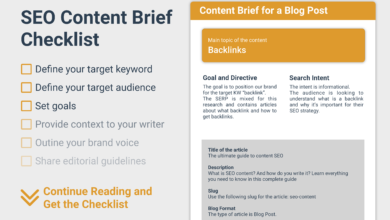
Step 1: start with a tight brief (topic, audience, promise, constraints)
Before I even open an AI tool, I write down exactly who I am serving. If I don’t know the destination, the AI can’t map the route.
My Content Brief Template:
- Topic: [Keyword]
- Audience: [Who are they? What is their job title? What are they stressed about?]
- User Intent: [What problem are they trying to solve right now?]
- Key Promise: [By the end of this article, the reader will be able to…]
- Constraints: [No fluff, US English, authoritative tone, no sales pitch until the end]
Step 2: ask the agent for 2–3 outline options (not one)
I never ask for just one outline. I ask for options to test different angles. One might be a “Deep Dive Guide,” another might be a “Checklist Style,” and a third might be a “Case Study Approach.”
Copy/Paste Prompt:
“Act as a Senior Content Strategist. Based on the brief above, generate 3 distinct outline variations for an article about [Topic].
Option 1: A comprehensive ‘Ultimate Guide’ structure.
Option 2: A ‘Step-by-Step’ actionable workflow structure.
Option 3: A ‘Mistakes & Solutions’ structure.
For each, include H2s and H3s. Do not write the full article, just the structure.”
I usually end up mixing Option 1 and Option 2—taking the actionable steps from the second and the depth from the first.
Step 3: validate against SERP patterns (quick sanity check)
Once I have a draft outline, I do a manual “sanity check” against the Search Engine Results Page (SERP). I’m not looking to copy; I’m looking for consensus. If every ranking article includes a section on “Pricing,” and my outline doesn’t, I need a very good reason why.
My “Sanity Check” List:
- Does the SERP favor listicles (10 Best X) or how-to guides? (Match the format).
- Are there recurring definitions or FAQs that appear in “People Also Ask”?
- Is there a specific gap? (e.g., Everyone explains ‘what’ it is, but nobody explains ‘how’ to integrate it).
Step 4: add editorial guardrails (accuracy, scope, voice, compliance)
This is where I put my editor hat on. I explicitly note where the AI is likely to hallucinate. If the outline suggests a section on “Statistics for 2025,” I mark that as [Verify Source]. If it suggests “Legal Implications,” I mark it [Check with Legal/Compliance].
I also cut scope aggressively. AI loves to add a “History of [Topic]” section. Does a busy marketing manager need the history of the algorithm? Probably not. Cut it.
Step 5: turn the outline into a production checklist (handoff-ready)
The final step is converting the outline into a task list. If I’m handing this off to a writer, I don’t just send a document; I send a checklist in our project management tool.
- [ ] Write Intro (Hook the reader immediately)
- [ ] Draft Section 1 (Include the example about X)
- [ ] Draft Section 2 (Insert the comparison table here)
- [ ] Add Internal Links to [Related Post A] and [Related Post B]
- [ ] Verify all statistics
SEO-first outlining: what I bake into the structure before drafting

SEO isn’t something you sprinkle on at the end like fairy dust. It has to be in the bones of the article. When I build an outline, I am mapping the structure directly to user intent and search engine crawler expectations.
Here is how I map outline elements to SEO goals:
| Outline Element | SEO Purpose | How I Write It (The Human Touch) |
|---|---|---|
| H1 (Title) | Primary Keyword Targeting | Include the main keyword but make it a compelling promise (e.g., “…Plan Fast” vs just “Guide”). |
| H2 Headings | Broad Subtopic Coverage | Phrase them as clear benefits or steps. Avoid clever puns; Google needs to understand the topic. |
| H3 Headings | Specific Long-Tail Keywords | Use exact phrasing from “People Also Ask” where natural (e.g., “Is X free?” as a subheading). |
| FAQ Section | Capture Voice Search / Snippets | Direct Q&A format. Question as the header, concise 40-word answer immediately following. |
Search intent mapping: which questions must my headings answer?
I constantly ask myself: “If I were searching for this, what would frustrate me if it were missing?”
If the intent is transactional (e.g., “best AI outline tool”), the outline must include pricing, pros/cons, and a comparison table. If I only give definitions, I will fail the intent. If the intent is informational (e.g., “how to create an outline”), I need steps and examples. I ensure my H2s cover the “What,” “Why,” and “How,” usually in that order.
On-page elements I plan during outlining (not at the end)
I plan my internal links right in the outline document. I’ll write: [Internal Link: Add link to our ‘Content Strategy Guide’ on the phrase ‘strategic planning’]. Doing this now saves 20 minutes of hunting for links later.
I also draft the Meta Title and Meta Description during the outline phase. Why? because it forces me to crystallize the “hook” of the article before I write a single word of the body content.
Multi-agent orchestration for content planning: researcher, strategist, editor (a simple setup)

If you want to get advanced, you don’t just use one prompt. You use a “multi-agent” approach. This is the concept behind tools like CrewAI, but you can simulate it manually in ChatGPT or Claude.
The idea is to split the work into specialized roles to prevent the AI from getting overwhelmed and producing generic output. When I split the work, I catch weak logic much earlier in the process.
Role prompts I actually use (copy/paste templates)
Agent 1: The Researcher
“You are an expert Content Researcher. Research the topic ‘[Topic]’. Identify the top 5 questions users are asking on forums like Reddit and Quora. List 3 key statistics (with sources) relevant to this topic. Do not write the article; just provide the raw research data.”
Agent 2: The Strategist
“You are a Content Strategist. Using the research provided above, create a detailed article outline. Ensure it addresses the user questions identified. Structure it for an intermediate audience. Tone: Professional and actionable.”
Agent 3: The Editor (The Critique)
“You are a strict Managing Editor. Review the outline above. Identify any logical gaps, redundancy, or sections that feel ‘fluff’. Suggest specific cuts or additions to improve authority.”
I recently had my “Editor Agent” tell me: “Section 3 repeats the same point as Section 2. Merge them and add a concrete example instead.” That is the kind of feedback that saves a draft.
Tools and frameworks: from STORM & TreeWriter to SEO-first outline generators (what I’d pick and why)
The landscape here is split between academic research tools and practical business SaaS. Understanding the difference helps you choose the right tool for the job. Eventually, you want to move from outlining to drafting efficiently, using an AI article generator that understands these structures.
On the academic side, we see frameworks like STORM (Stanford, early 2024), which uses LLMs and web retrieval to build cited outlines . Then there is TreeWriter (Jan 2026), which treats documents as hierarchical trees to improve long-form coherence . These are powerful but often require technical know-how to run.
On the business side, we have tools like ClickUp Brain, Tars, and SEO-heavyweights like Surfer SEO, Frase, and Ahrefs. These are user-friendly and built for marketers.
Comparison table: which option fits my use case?
| Tool / Type | Best For | Key Strength | Limitation |
|---|---|---|---|
| SEO Tools (Surfer, Frase) | Ranking existing demand | SERP data integration; keyword scoring | Can over-optimize or copy competitors too closely |
| Workflow AI (ClickUp, Notion) | Team collaboration | Embedded in your project management | Less “SEO awareness” out of the box |
| Academic/Open Source (STORM) | Deep research papers | Citations and complex reasoning | High technical barrier; not user-friendly yet |
| LLMs (Claude/ChatGPT) | Creative brainstorming | Flexibility and conversational iteration | Requires heavy prompting; hallucinates facts |
Embedding outline agents into a business workflow (collaboration, publishing, and control)
An outline is useless if it sits in a chat window. It needs to move into your production pipeline. This is where most teams fail—they have great AI chats but messy Google Docs.
In my team, the outline serves as the “source of truth.” We don’t start drafting until the outline is approved. This saves hours of rewriting later. Once the outline is locked, we move to the drafting phase, often using an Automated blog generator for the heavy lifting, before a human does the final polish.
We use a simple status tag in our project management tool: [Outline: In Review] -> [Outline: Approved]. Only when it hits “Approved” does the writer (or the AI writer) begin.
Lightweight governance: how I keep quality high at scale
You need a quality gate. I use a simple 4-point rubric to approve outlines:
- Intent Match: Does this solve the user’s specific problem?
- Uniqueness: Is there at least one section (data, story, opinion) that competitors don’t have?
- Evidence Plan: Are placeholders for stats/examples included?
- Scannability: Are the H3s clear and distinct?
Common mistakes I see with AI-generated outlines (and how I fix them)

I’ve reviewed hundreds of AI-generated outlines. Here are the most common ways they fail, and how I correct them.
Mistake-to-fix checklist (5–8 items)
- Mistake: Generic Headings. The AI suggests “Introduction” and “Conclusion” as H2s.
Fix: Rewrite them to be descriptive. Change “Introduction” to “Why [Topic] Matters for [Audience].” - Mistake: The “History Lesson”. The AI wants to write 500 words on the background of the topic.
Fix: Cut it. Unless it’s a history essay, move the context to 2 sentences in the intro. - Mistake: Missing Examples. The outline lists concepts but no applications.
Fix: Add a bracketed note to every section: [Add real-world example of X here]. - Mistake: Ignoring Internal Links. The outline treats the article as an island.
Fix: Add specific “Related Reading” placeholders in the structure. - Mistake: Hallucinated Stats. The AI invents a “recent study”.
Fix: Flag every statistic with [NEEDS SOURCE]. If I can’t find it in 2 minutes, I cut it.
FAQs + my next steps checklist for planning your next article
To wrap up, here are answers to the most frequent questions I get about this process, followed by your immediate next steps.
FAQ: What exactly is an AI article outline generator?
It is a software tool or AI workflow that automates the creation of a structured article plan (headings, subheadings, key points) based on your inputs like keywords and audience. Think of it as a digital architect drawing the blueprints before you build the house.
FAQ: How do AI agents differ from traditional outline tools?
Traditional tools act like templates—they scrape and paste existing headers. AI agents act like assistants—they can research, reason, critique their own work, and adapt the structure based on specific instructions (like tone or reading level).
FAQ: Are these tools useful for SEO-focused content?
Yes, absolutely. They are excellent for ensuring you cover the “table stakes” topics that Google expects. However, use them for structure, not for unique insights. SEO support helps structure, not truth or differentiation.
FAQ: Can teams collaborate on outlines using AI agents?
Yes. Many modern platforms (like ClickUp or specialized content tools) allow you to generate an outline and then have team members comment on or edit it directly in the workspace. A practical tip: assign one single person to own the final “approval” decision to avoid endless revisions.
FAQ: What is multi-agent orchestration in content planning?
This is a fancy way of saying “using different AI personas for different steps.” One agent acts as a researcher, another as a writer, and another as an editor. This separation of duties reduces errors and improves the logical flow of the outline.
FAQ: Are there emerging academic frameworks in this space?
Yes. Frameworks like STORM and TreeWriter are pushing the boundaries of how AI plans long-form content, moving toward systems that can perform deep research and citations. This is where the field is going, though these tools are often more complex to use than standard SEO software.
Your Next Steps (The 30-Minute Plan)
If I were starting today with a keyword and a deadline, here is exactly what I would do:
- Write a 5-minute brief: Define your audience and the one specific problem you are solving.
- Run the “3 Options” Prompt: Ask your AI agent for three distinct outline variations.
- Merge & Sanity Check: Pick the best parts, check against Google’s top results, and fill in any gaps.
- Add Guardrails: Mark sections that need fact-checking and add your internal link placeholders.
- Start Drafting: Now that you have a roadmap, the writing will flow much faster.