How to become a technical SEO expert in 2026: my technical lead blueprint

I still vividly remember the first time I accidentally de-indexed a client’s checkout page. I thought I was being clever with a “temporary” X-Robots-Tag during a staging push. It took me four hours to realize why revenue had flatlined. That mistake taught me more about technical SEO than any certification ever could: indexing is a product feature, not just a marketing checkbox.
If you are reading this, you likely know the basics of crawling and ranking. But the landscape has shifted violently. By 2026, we aren’t just fighting for ten blue links; we are fighting to be the source of truth for AI overviews and zero-click answers. The rules of engagement have changed.
This isn’t a list of trends. This is the exact roadmap I would give a new hire on their first day to turn them into a technical lead. We’re going to cover the hard skills you need, the new reality of Generative Engine Optimization (GEO), and a step-by-step workflow to audit, prioritize, and ship fixes that actually move the needle.
What changed by 2026: technical SEO vs GEO/AEO (and why businesses feel it)

For years, our job was to help search engines find and rank pages. That is still true, but the goalpost has moved. Think of it this way: we used to optimize for rankings; now we also optimize for being the source.
With zero-click searches now hovering around 64% of sessions [Industry Research], users are getting their answers directly on the results page. This is where Answer Engine Optimization (AEO) and Generative Engine Optimization (GEO) come in.
Technical SEO is the foundation: ensuring a bot can crawl, render, and index your content efficiently.
GEO/AEO is the translation layer: structuring that content so an AI model (like Google’s Gemini or ChatGPT) can confidently extract, summarize, and cite it as a fact.
Businesses feel this shift painfully. I’ve seen traffic dip for informational queries while brand visibility actually increased via AI citations—but only if the technical foundation was solid enough for the AI to parse the entity relationships correctly.
Traditional technical SEO: what I’m still responsible for
- Crawl Budget Hygiene: ensuring bots spend time on revenue pages, not faceted navigation parameters.
- Index Control: making sure ‘published’ actually means ‘indexed’ (they are not the same).
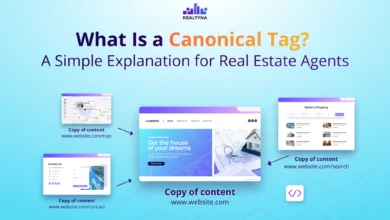
- Canonicalization: preventing duplicate content signals from diluting authority.
- XML Sitemaps & Robots.txt: the basic map and instructions for the crawler.
- HTTPS & Security: non-negotiable trust signals.
- Log File Analysis: the only way to see what bots are actually doing, not just what they say they are doing.
- Lead Principle: If you only remember one thing—Google can’t rank what it can’t render.
GEO/AEO: visibility when the click doesn’t happen
When an AI engine constructs an answer, it looks for structured, unambiguous data. If your page is a wall of unstructured text with slow load times, the AI might skip it for a competitor who uses clear headings and schema markup. My job now involves feeding these engines “cite-worthy” chunks of information. If the technical architecture makes the content hard to retrieve, you lose the citation.
The 2026 technical SEO skill set: what I’d hire for (skills matrix)

Titles in this industry are messy. A “Specialist” at one agency might be a “Lead” at another. But when I’m reviewing a resume or portfolio, I look for competencies, not years of experience. I want to know if you can identify a problem, prove it with data, and get engineering to fix it.
Here is the breakdown of skills I expect to see in 2026:
| Skill Area | Required (To get hired) | Helpful (To grow) | Advanced (Technical Lead) |
|---|---|---|---|
| Crawling & Indexing | Understand status codes (200, 301, 404, 5xx), robots.txt, and sitemaps. | Log file analysis; identifying crawl traps in faceted nav. | Programmatic SEO architecture; handling millions of URLs via API indexing. |
| Rendering | Knows the difference between HTML and the DOM. | Can debug basic JS rendering issues in GSC. | Architecting Dynamic Rendering or Edge SEO solutions for JS frameworks. |
| Performance (CWV) | Can run PageSpeed Insights; understands LCP & CLS. | Optimization of images/fonts; understands INP/TTFB. | Performance budgeting; working with dev ops on CDN/Caching strategies. |
| Structured Data | Basic JSON-LD implementation (Article, Product). | Nesting schemas; troubleshooting validation errors. | Dynamic schema injection; Knowledge Graph entity optimization. |
| Communication | Can write a clear Jira ticket. | Can prioritize based on effort vs. impact. | Can justify technical debt reduction to C-suite with revenue data. |
Roadmap: how to become a technical SEO expert (step-by-step workflow)

You can’t learn this just by reading documentation. You need a system. Here is the exact workflow I use when taking over a new site or auditing an existing one. If you can replicate this, you are employable.
Step 1 — Crawl & index baseline (what’s accessible vs what’s actually indexed)
I never assume a site is healthy. I start with a full crawl (using Screaming Frog or similar) and compare it to Google Search Console (GSC).
- Check the “Not Indexed” bucket in GSC: Are valid product pages stuck in “Crawled – currently not indexed”? That’s usually a quality or internal linking issue.
- Robots.txt & Meta Robots: I once saw a site de-indexed because a dev accidentally pushed a
noindextag to production. Always check the source code. - Orphan Pages: If it’s not linked internally, it doesn’t exist to the bot.
Step 2 — Architecture & internal linking (make importance obvious)
Site architecture is how you tell Google which pages matter most. I try to visualize the site as a tree. If your best content is buried five clicks deep, you are telling search engines it’s unimportant.
Action: Map out the top navigation and footer. Do they point to your revenue drivers? If I see a local service business with a blog structure that buries the service pages, I know the architecture needs a rethink. Internal linking isn’t just navigation; it’s about using descriptive anchor text in the body content to connect related topics.
Step 3 — Implement safely (dev-ready tickets, QA, and rollout)
This is where most SEOs fail. They send a PDF audit to developers and wonder why nothing gets fixed. You need to speak their language. Here is a mini-template for a ticket that actually gets prioritized:
Ticket Title: [SEO] Fix Canonical Tags on Product Category Pages
User Story: As a search bot, I need correct canonicals to understand which URL is the primary version, so we don’t dilute ranking signals.
Current Behavior: Category pages with filters (e.g., ?color=red) self-canonicalize.
Expected Behavior: All filtered category pages should canonicalize to the root category URL (/category/shoes).
Acceptance Criteria:
1. View source on /category/shoes?color=red shows rel="canonical" href=".../category/shoes".
2. Validated across Desktop and Mobile user agents.
Lead note: Always negotiate. If engineering says “we can’t do that for 3 months,” ask what can be done now. Incremental progress beats a perfect backlog that never ships.
Step 4 — Validate & monitor (so fixes stick)
Shipping the fix is only half the job. I have a recurring calendar invite: “Post-Release SEO QA.”
- Weekly: Check GSC “Coverage” report for spikes in 404s or 5xx errors.
- Monthly: Spot check Core Web Vitals field data.
- Quarterly: Full technical crawl to catch silent regressions (like broken redirects).
Performance that ranks (and gets quoted): Core Web Vitals 2.0, INP, and TTFB

Speed isn’t just about ranking; it’s about user trust. In 2026, the metrics have evolved. We moved past just loading speed (LCP) to interactivity (INP). If a user clicks and the page freezes, they leave. AI agents are similar; if the Time to First Byte (TTFB) is too slow, the crawler might time out before extracting your answer.
Metrics table: what each signal means + the fastest levers to pull
| Metric | What it means (Plain English) | Target | Common Fixes |
|---|---|---|---|
| INP (Interaction to Next Paint) | How “laggy” the page feels when I click a button. | < 200ms | Break up long JavaScript tasks; yield to main thread; optimize event listeners. |
| TTFB (Time to First Byte) | How long the server thinks before sending data. | < 800ms | Server-side caching; CDN implementation; database query optimization. |
| LCP (Largest Contentful Paint) | When the main content is visible. | < 2.5s | Preload hero images; compress images; eliminate render-blocking CSS/JS. |
| CLS (Cumulative Layout Shift) | Does stuff jump around while loading? | < 0.1 | Set explicit width/height on images; reserve space for ads/embeds. |
Measurement workflow: lab vs field data (and how I decide what to trust)
This confuses everyone. “Lighthouse says I’m 90/100, but GSC says I’m failing.”
- Lab Data (Lighthouse): A simulation. Good for debugging during development.
- Field Data (CrUX/GSC): Real user experiences. This is the only one that impacts ranking.
My rule: If Lab improves but Field doesn’t, I check my audience. Are they on old Android phones on 3G networks? You can’t optimize code to fix bad hardware, but you can strip out heavy JS for those users.
Modern rendering & edge SEO: SSR, hybrid rendering, and JavaScript crawlability

JavaScript is the silent killer of SEO campaigns. I once audited a SaaS site where the entire navigation menu loaded via client-side JavaScript after a 3-second delay. Googlebot simply didn’t wait around to see the links. The result? 80% of their deep pages were orphaned.
SSR vs CSR vs hybrid: which one I recommend and when
- Server-Side Rendering (SSR): The server sends fully formed HTML.
Pros: Bots see content immediately.
Cons: Higher server load. - Client-Side Rendering (CSR): The browser builds the page using JS.
Pros: Cheap for server.
Cons: risky for SEO; relies on Google’s rendering queue. - Hybrid/Dynamic Rendering: Sending static HTML to bots and JS to users.
Pros: Best of both worlds.
Cons: Complexity in maintenance.
My recommendation: For 2026, if you are running a large content site or ecommerce store, push for SSR or Static Site Generation (SSG). Don’t gamble on the client’s device.
Edge SEO basics: CDNs, caching, headers, and routing that impact indexing
You might not control the server, but you can control the Edge. Using Cloudflare or Akamai to modify headers or implement redirects at the CDN level is faster and reduces server load. Ask your DevOps team: “Can we handle redirects at the edge instead of the server?” It saves milliseconds, and in our world, milliseconds equal money.
Structured data + answer-ready content: making pages cite-worthy for AI (AEO/GEO)

To win in AEO, you need to hand-feed the bots. I use a specific format for informational content that mirrors how AI extracts data.
The Answer Block Strategy:
Immediately after an H2 question (e.g., “What is Technical SEO?”), provide a direct, concise 40-60 word definition. No fluff. Follow it with a bulleted list of key components. This structure is candy for Large Language Models.
This is where tools like Kalema come into play—helping standardize this content structure across thousands of pages so you don’t have to manually format every single post.
Schema that matters most (and when NOT to use it)
Schema isn’t magic; it’s a contract between your page and the parser.
- Use:
FAQPagefor Q&A sections,Articlefor blogs,Productfor e-commerce (crucial for price/availability snippets), andLocalBusinessfor brick-and-mortar. - Avoid: Putting review schema on pages that don’t have visible reviews. That’s a manual penalty waiting to happen.
Formatting for zero-click and AI answers: bullets, Q&As, and tight definitions
- Use bolding for key terms.
- Stick to short paragraphs (2-3 sentences max).
- Use HTML tables for comparisons (AI loves tables).
- Ensure your H2s and H3s actually describe the content below them.
My 2026 tool stack (without outsourcing my judgment): audits, automation, and reporting

Tools don’t replace strategy; they remove busywork. I automate the data gathering so I can spend my time on the analysis. However, I never blindly trust a tool’s “Health Score.” A score of 98/100 means nothing if the one error is a sitewide noindex.
Tools table: what I use for crawling, performance, indexing, and content ops
| Task | Tool Category | Deliverable |
|---|---|---|
| Crawling & Auditing | Screaming Frog / Lumar | Technical health baseline & crawl visualization. |
| Performance | PageSpeed Insights / GTmetrix | CWV reports & waterfall charts. |
| Monitoring | Google Search Console / ContentKing | Real-time indexing alerts. |
| Content Intelligence | Kalema | Briefs, structure validation, and AI article generation. |
| Analytics | GA4 / BigQuery | Traffic & conversion attribution. |
Quality control: how I verify AI outputs before they go live
If you are using an automated blog generator or AI assistance, you need a human in the loop. Here is my QA checklist:
- Fact Check: Are the statistics real? (AI loves to hallucinate numbers).
- Link Validation: Do the external links actually work and point to reputable sources?
- Tone Check: Does it sound like our brand, or does it sound like a generic robot?
- Schema Validation: Run the URL through the Rich Results Test.
Common mistakes (and fixes) + FAQs + next steps

Mistakes I see beginners make (and what I do instead)
- Fixing everything at once: You send a list of 100 errors to devs. They ignore it. Fix: Send the top 3 items that impact revenue.
- Ignoring Internal Links: You publish great content but don’t link to it. Fix: Update 5 older relevant posts to link to the new one immediately.
- Obsessing over Lab Scores: You spend weeks getting Lighthouse to 100 while real users suffer on 4G. Fix: Optimize for CrUX field data.
- Assuming “Canonical” prevents “Duplicate”: It’s a hint, not a directive. Google might ignore it if the content is too different. Fix: Ensure canonicals point to near-identical content only.
- Forgetting Mobile: You audit on desktop, but Google uses mobile-first indexing. Fix: Always crawl with a custom mobile user-agent.
FAQs (2026)
What is the difference between technical SEO and GEO/AEO?
Technical SEO ensures engines can crawl and index your site. GEO/AEO optimizes that content to be synthesized into direct answers by AI. Technical SEO is the delivery truck; GEO is the packaging of the product inside.
How can I ensure my content is cite-worthy by AI answer engines?
Structure is key. Use clear headings, define terms immediately, use lists, and cite reputable sources. Add structured data (Schema) to explicitly tell the AI what the content is about.
Which performance metrics matter for both users and AI?
Core Web Vitals, specifically INP (responsiveness) and TTFB (server speed). If a page is slow to respond, users bounce, and AI bots may fail to retrieve the full content context.
Do I need to know AI tools to be effective in technical SEO?
You don’t need to be a prompt engineer, but you must know how to use AI for automation (regex generation, data analysis). It’s a force multiplier. If you ignore it, you will be outpaced by those who use it.
How does privacy and accessibility intersect with AI-driven SEO?
Accessibility (WCAG 2.2) helps AI parsers understand your site—screen readers and bots look for similar signals (alt text, logical structure). Privacy compliance (CCPA/GDPR) builds trust (E-E-A-T), which is a ranking factor for AI citations.
Conclusion: my 3-point recap + next actions for the next 7 days
If you have read this far, you are already ahead of the pack. Remember these three core truths:
- Foundation First: Fancy AI strategies fail if the site can’t be indexed.
- Performance is Trust: Fast sites get crawled more and ranked better.
- Structure for Machines: Help the AI understand you, and it will help users find you.
Your 7-Day Action Plan:
- Day 1: Set up a full site crawl and identify your “Not Indexed” pages.
- Day 3: Audit your Core Web Vitals in GSC. Pick the worst URL template and identify one fix.
- Day 7: Write your first “dev-ready” ticket using the template above and submit it.
Being a technical SEO expert isn’t about knowing every acronym; it’s about solving the problems that prevent users from finding your business. Start with the baseline crawl this week. You’ve got this.