SaaS SEO audit: a “Software Health Check” for better rankings (and what I’ll cover)
When I audit SaaS sites, I treat it like a health check. Just as a doctor doesn’t guess, I don’t guess why traffic has flattened or why a new feature page isn’t ranking. The problem with many SaaS platforms is that they suffer from a specific kind of technical debt: JavaScript frameworks that confuse crawlers, documentation subdomains that don’t pass authority, and “zombie” blog posts that haven’t been touched in three years.
With the rise of AI Overviews and Generative Engine Optimization (GEO), the stakes are even higher. It’s no longer just about keywords; it’s about being the most authoritative, machine-readable answer in your niche. If you are a founder, a marketer at a startup, or an SEO generalist trying to make sense of a traffic dip, this guide is for you. I’m going to walk you through a practical, step-by-step SaaS SEO audit that prioritizes revenue over vanity metrics.
Quick Answer: What is a SaaS SEO audit?
A SaaS SEO audit (or software health check) is a diagnostic process that evaluates your website’s ability to be crawled, indexed, and ranked by search engines. Unlike standard audits, it specifically addresses SaaS complexities like Single Page Applications (SPAs), product documentation, and intent-matching for software buyers.
My SaaS SEO audit workflow (tools, access, and a simple scorecard)

If I only had 60 minutes to audit a site, I wouldn’t start by buying expensive tools. I’d start with the data you already own. To run this audit effectively, you need access to Google Search Console (GSC), Google Analytics 4 (GA4), and your CMS. While tools like Ahrefs or Screaming Frog are incredibly helpful, you can diagnose 80% of critical issues with free Google tools.
Here is the exact workflow I follow:
- Baseline Check: Log current traffic, conversions, and top pages.
- Crawl & Index: Ensure Google can see your content.
- Performance: Check Core Web Vitals (real user data).
- Content & Intent: Audit for freshness and relevance.
- Schema & GEO: Verify structured data and AI readiness.
- Action Plan: Prioritize fixes based on effort vs. impact.
To keep things organized, I use a simple scorecard. You can copy this structure to track your findings:
| Audit Area | What I Check | Primary Tool | What “Good” Looks Like | Priority |
|---|---|---|---|---|
| Technical | Index coverage, sitemaps, robots.txt | Google Search Console | No critical errors on money pages; sitemaps processed successfully. | High |
| Performance | LCP, CLS, INP | PageSpeed Insights | Passing Core Web Vitals (Green) in field data. | Medium |
| Content | Traffic trends, intent alignment | GSC / GA4 | Steady/growing clicks; low bounce rate on high-intent pages. | High |
| Architecture | Orphan pages, internal links | Screaming Frog (or similar) | Key pages < 3 clicks from home; no orphan pages. | Medium |
| Schema/GEO | Structured data validity | Rich Results Test | Valid Product/Article schema; no warnings on critical items. | Low (Enhancement) |
Audit scope: what I include (and what I don’t)
It is easy to get overwhelmed, so let’s set boundaries. This SaaS SEO audit covers your public-facing digital assets: your marketing website, your blog, your documentation (docs), and your pricing/feature pages. It focuses on organic discoverability and the conversion path.
I do not include in-app growth experiments or user retention emails in this specific audit. We are looking at how the world finds you, not what happens after they log in. For SaaS, this distinction is vital because your app usually lives on a subdomain (app.yourdomain.com) which should typically be blocked from indexing, while your marketing site (www) must be wide open.
Tool stack (beginner-friendly)
You don’t need an enterprise budget to start. Here is my minimum viable stack:
- Google Search Console (GSC): The source of truth for visibility and indexing errors.
- Google Analytics 4 (GA4): To understand user behavior and conversions.
- PageSpeed Insights: To diagnose Core Web Vitals issues.
- Screaming Frog (Free version usually suffices for small sites): To crawl links and find broken paths.
- Schema Validator: To check your structured data.
Technical foundations in a SaaS SEO audit: crawlability, indexation, and site architecture

This is the “can Google even find and trust my pages?” layer. In my experience, technical issues are the silent killers of SaaS growth. A study of SaaS sites revealed that over 25% suffered from crawlability issues that prevented key pages from ranking . If search engines can’t crawl your site efficiently, your content strategy doesn’t matter.
Here is a quick checklist for the technical pass:
- XML Sitemap: Is it submitted to GSC? Does it exclude noindexed pages?
- Robots.txt: Are you accidentally blocking critical resources (CSS/JS)?
- Orphan Pages: Do you have landing pages that aren’t linked from anywhere?
- Canonicals: Are you handling parameters (e.g.,
?ref=twitter) correctly to avoid duplicate content? - Security: Is everything HTTPS with valid security headers?
Crawl and index checks in Google Search Console
Open GSC and go to the Indexing > Pages report. This graph often looks scary to beginners because of the grey “Not indexed” bar. Don’t panic. Many of these are normal.
What to ignore: “Discovered – currently not indexed” often just means Google is saving budget and will get to it later (unless it’s a priority page). “Excluded by ‘noindex’ tag” is good if it’s your login page or admin panel.
What to fix immediately:
1. Crawled – currently not indexed: Google looked at the page and decided it wasn’t worth indexing. This usually signals thin content or quality issues.
2. Server error (5xx): Your server crashed when Google tried to visit. This is urgent.
3. Redirect error: You have a redirect loop that traps the crawler.
Information architecture: how I check navigation, depth, and orphaned pages
I use a simple “smell test” for site architecture SEO: Can I get to your most important feature page from the homepage in fewer than three clicks? If I have to dig through “Resources > Blog > Archives > 2023,” Google probably won’t find it important either.
SaaS sites are notorious for orphaned pages—old landing pages or changelog updates that exist but have no internal links pointing to them. I run a crawl with Screaming Frog to identify these. If a page is valuable, link to it from your footer or related product pages. If it’s obsolete, redirect or delete it.
SPA/JavaScript rendering: making sure Google can actually see the content
Many modern SaaS platforms are built as Single Page Applications (SPAs) using React, Vue, or Angular. The risk here is JavaScript SEO. Sometimes, Googlebot arrives and sees an empty HTML shell because the JavaScript hasn’t executed yet.
To verify this, use the “URL Inspection” tool in GSC and click “View Crawled Page” > “HTML”. If you see your content, great. If you see blank space where text should be, you have a rendering issue. You may not control the stack, but here is what you communicate to engineering: “We need to implement SSR (Server-Side Rendering) or pre-rendering so search engines receive fully populated HTML, not just JavaScript files.”
Core Web Vitals and performance: what to measure and how I’d fix it

Speed isn’t just about rankings; it’s about revenue. Case studies have shown that improvements in Core Web Vitals can lead to significant increases in conversion rates—sometimes as high as 20%+ . When I look at performance, I focus on the metrics that actually frustrate users.
| Metric | What it Means | Target | Common SaaS Culprit |
|---|---|---|---|
| LCP (Largest Contentful Paint) | Loading speed of the main visual. | < 2.5s | Heavy hero images or unoptimized explainer videos. |
| INP (Interaction to Next Paint) | Responsiveness to clicks. | < 200ms | Heavy JavaScript executing on the main thread (chat widgets). |
| CLS (Cumulative Layout Shift) | Visual stability. | < 0.1 | Images loading without dimensions or dynamic ad bars. |
How I run the test (mobile-first, real pages, not just the homepage)
A common mistake beginners make is running PageSpeed Insights only on the homepage. Your homepage is often lightweight; your blog posts with five tracking scripts and a newsletter popup are the problem. I test four specific page types: the Homepage, a Feature/Product page, a heavy Blog post, and the Pricing page. Always look at the “Mobile” tab results first, as Google uses mobile-first indexing.
High-impact fixes that don’t require rewriting the app
You probably can’t rewrite the whole codebase, but you can target performance quick wins:
- Compress Images: Use WebP formats. This is the easiest fix with the highest ROI.
- Lazy Load: Don’t load images or videos below the fold until the user scrolls.
- Audit Third-Party Scripts: Do you really need Hotjar, Intercom, HubSpot, and Drift all loading on the blog? Remove what you don’t use.
- CDN Caching: Ensure your assets are served via a Content Delivery Network close to your users.
Content + on-page SaaS SEO audit: align intent, refresh winners, and build topical authority

Once the technical foundation is solid, I move to content. This is where most SaaS companies bleed potential. They publish endlessly but fail to update older content that is slowly losing rankings. To fix this efficiently, I use an SEO content generator not to write the final prose, but to act as an intelligence layer—helping me spot intent gaps and structural weaknesses at scale.
My workflow focuses on refreshing “striking distance” keywords—those ranking in positions 11–20. These pages are good, but not great. They need a refresh, not a rewrite.
When I generate a brief for these refreshes, I might use an AI article generator to rapidly draft new FAQs or outline missing sections based on competitor analysis. However, every piece of content must pass a human editorial review. The goal is to use an AI SEO tool to operationalize the mundane parts of the audit—like finding keyword gaps—so I can focus on strategy.
| Page Type | Search Intent | What “Good” Looks Like | Common Issue |
|---|---|---|---|
| Feature Page | Transactional / Investigation | Clear benefit, screenshots, “Book Demo” CTA. | Too much fluff, missing pricing or use cases. |
| Blog Post | Informational | Actionable advice, clear structure, expert quotes. | Thin content, wall of text, no internal links. |
| Comparison Page | Commercial | Honest comparison table, “Us vs Them” chart. | Biased or outdated feature lists. |
Intent mapping for SaaS (beginner version)
Intent is simply what the user wants to achieve. If someone searches “best invoicing software for freelancers,” they want a list (Comparison), not your homepage. If they search “how to create an invoice,” they want a guide (Blog). I map every key page to one of these intents:
- Informational: “What is…” (Blog/Glossary)
- Commercial: “Best…”, “…vs…” (Comparison/Listicle)
- Transactional: “Buy…”, “…pricing” (Product/Pricing Page)
How I find quick wins in GSC (declines + positions 11–20)
Go to GSC Performance results. Filter by the last 28 days and compare it to the previous period (Year over Year is best to rule out seasonality). Sort by “Position” and look for queries ranking between 11 and 20 with high impressions but low clicks. These are your quick wins. Often, simply updating the Meta Title to improve CTR, adding a missing FAQ section, or refreshing the intro with current year data can bump these onto page one.
A simple refresh brief template (example you can copy)
When you identify a page that needs work, don’t just say “rewrite it.” Use a structured brief:
Refresh Brief: [Page Title]
- Target Query: [Primary Keyword]
- Current Intent: [Informational/Commercial]
- Problem: [e.g., Rankings dropped from #5 to #12; content is from 2022]
- Missing Topics: [List 2-3 subheaders competitors have]
- Action Items:
- Update statistics to 2025.
- Add a “Key Takeaways” table at the top.
- Embed the new product walkthrough video.
Structured data for SaaS: schema that improves understanding (and sometimes click-through)

I treat schema like labeling files in a cabinet—it’s helpful for the machine, but only if the file inside (your content) is good. SaaS schema markup helps Google understand that your site isn’t just a blog, but a software product.
Key schema types for SaaS include:
- SoftwareApplication: Defines your product, operating system, and category.
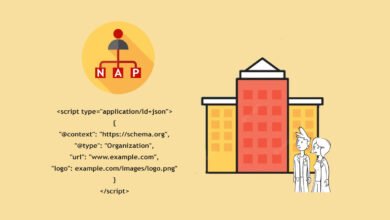
- Organization: Establishes your brand entity.
- FAQPage: Great for winning rich snippets on “How-to” or “Pricing” pages.
- BreadcrumbList: Helps users and bots understand site hierarchy.
What I validate (and where beginners usually slip)
Use the Rich Results Test tool. The most common mistake I see is a mismatch: adding FAQ schema code but not having the actual visible text on the page. This is a policy violation. Always ensure your structured data matches the visible content 1:1. Also, don’t ignore warnings vs. errors. Errors mean the schema is broken; warnings usually mean you are just missing recommended (but optional) fields like “priceRange”.
GEO and AI Overviews readiness: updating the SaaS SEO audit for 2025–2026

I don’t chase every new acronym, but Generative Engine Optimization (GEO) is real. With AI Overviews appearing in over 50% of U.S. searches , your content needs to be “citation-ready.” The goal isn’t just to rank blue links; it’s to be the source the AI summarizes.
Your audit should now check for:
- Definitional Clarity: Does your content clearly define terms immediately after the heading? (e.g., “SaaS churn is…”)
- Structured Lists: AI models love bullets and numbered lists.
- Authority Signals: Are stats cited? Are authors real experts?
What I look for: “citation-ready” content signals
To be cited in an AI overview, your content must be authoritative. I audit for E-E-A-T signals: Do we have an “About Us” page? Do blog posts have author bios? Do we link to external, reputable sources? A page that looks like a generic content farm is less likely to be surfaced by AI models that prioritize trust.
Formatting upgrades that help both SEO and GEO
Formatting is your secret weapon. I recommend adding a “TL;DR” or “Key Takeaways” block at the very top of long articles. This helps human readers who scan (which improves engagement signals) and gives AI models a concise summary to ingest. Use clear <h2> and <h3> tags that ask and answer questions directly.
Turn findings into an action plan: prioritization, common mistakes, FAQs, and next steps

You have your data. Now, what do you do with it? If you try to fix everything at once, you will fix nothing. I use a prioritization matrix to decide what goes into the next sprint.
Prioritization matrix: what I fix first (impact vs effort)
| Issue | Impact | Effort | Owner | Action |
|---|---|---|---|---|
| Blocked/Noindexed Money Pages | High | Low | Marketing | Fix immediately in CMS/GSC. |
| Critical Core Web Vitals (LCP) | High | High | Dev | Add to engineering backlog (P1). |
| Refreshing decaying Blog Posts | Medium | Medium | Content | Schedule 2 refreshes/week. |
| Adding Schema Markup | Low | Medium | Dev | Backlog for later (P2). |
Common SaaS SEO audit mistakes (and how I avoid them)
I’ve made these mistakes myself, so you don’t have to:
- Auditing only the homepage: Your users enter through blog posts and feature pages. Audit those first.
- Ignoring “Not Indexed” data: Assuming it’s all fine. Often, your best content is hidden there.
- Obsessing over keywords, ignoring intent: Ranking for “CRM” is useless if you are a niche tool for realtors. Rank for “CRM for realtors” instead.
- Forgetting to re-check: An audit is a snapshot. Fixes need validation. Check GSC two weeks after implementation.
FAQ: What is a SaaS SEO audit (“Software Health Check”) and why is it critical?
A SaaS SEO audit is a comprehensive review of your website’s technical health, content relevance, and backlink profile. It is critical because SaaS platforms often grow complex quickly, accumulating technical debt that blocks organic growth. It ensures your software is discoverable by potential customers when they are searching for a solution.
FAQ: How do generative AI and GEO change traditional SaaS SEO audit priorities?
Generative AI shifts the focus from “keywords” to “information gain” and authority. Audits must now prioritize structure, clarity, and “citation readiness.” You need to ensure your content is formatted so machines can easily parse and summarize it, positioning your brand as the trusted source in AI-generated answers.
FAQ: Which technical areas are most important to audit for SaaS platforms today?
If you are overwhelmed, start with these three: Crawlability (can Google see it?), Core Web Vitals (is it fast enough?), and Schema Markup (does Google understand it?). Specifically for SaaS, ensure your Single Page Application (SPA) renders correctly for bots using Server-Side Rendering or dynamic rendering.
Next Steps for This Week:
1. Run a crawl of your site to find broken links and orphan pages.
2. Check your GSC “Not Indexed” report for quick wins.
3. Pick your top 5 falling pages and write a refresh brief for them.