Introduction: Why I treat SEO automation like a security problem (not just a growth hack)

I still remember the sinking feeling I got a few years ago when a simple automated script—intended to update meta descriptions across 2,000 product pages—accidentally wiped the canonical tags for an entire category. Traffic didn’t just dip; it evaporated. It took us three days to diagnose the root cause and another week to convince Google to re-crawl the corrected pages.
That incident changed how I view secure SEO automation. We often treat automation as a speed tool—a way to scale content production or technical fixes faster than humanly possible. But without governance, speed just means you can break things faster. If you are managing high-volume workflows, especially in regulated industries like finance or healthcare, you can’t afford that kind of volatility.
In this article, I’m going to share the framework I use to prevent these disasters: applying SCAP-style security protocols to SEO. It’s not about slowing down; it’s about building guardrails that let you move fast without crashing.
SCAP in SEO: what it means (and what it doesn’t)

Let’s clear up the terminology first because “SCAP” usually scares marketers away. SCAP (Security Content Automation Protocol) is originally a NIST cybersecurity standard used to automate vulnerability management and policy compliance. In the security world, it’s how IT teams ensure that thousands of servers are configured correctly without checking each one manually.
When I talk about SCAP in SEO, I am not suggesting you run vulnerability scans on your blog posts. Instead, I am borrowing the governance mindset of SCAP to secure content operations. It means applying rigor—access control, auditability, policy enforcement, and validation checkpoints—to your SEO automation workflows.
Think of it as change management for SEO. Just as a developer wouldn’t push code to production without a review process, an SEO lead shouldn’t let an automated tool publish 500 pages or change site-wide schema without a similar set of controls. If you are a beginner, remember this: Automation executes the task; governance ensures the task was the right thing to do.
Quick answer: SCAP-style governance for SEO automation
SCAP-style governance for SEO automation means structuring your automated tasks with strict permissions, detailed logs, approval checkpoints, and pre-set policy rules. This allows you to scale content and technical changes safely, preventing preventable errors that could tank your rankings or violate compliance rules.
Where SCAP comes from (NIST) and why marketers borrow the idea
SCAP originated from NIST (National Institute of Standards and Technology) to standardize how security data is communicated. Marketers borrow this concept because we face a parallel challenge: we are managing thousands of assets (pages, images, links) that need to adhere to strict standards (Google guidelines, brand voice, legal compliance). By adopting security automation principles like “verify before deploy,” we can manage SEO at an enterprise scale with the same discipline IT teams use for server security.
Why secure SEO automation matters for businesses (especially regulated teams)
If you are a solo blogger, a mistake might be annoying. If you are a marketing lead at a fintech company, a healthcare provider, or a SaaS enterprise, a mistake can be a compliance violation. Regulated industries SEO requires a different level of rigor. You aren’t just worried about losing a snippet; you’re worried about publishing a financial claim that hasn’t been vetted or leaking PII in a structured data field.
Furthermore, Google’s stance on automation is nuanced. They have clarified that AI-generated content is permissible if it is helpful and human-reviewed. It is not a loophole for mass manipulation. Secure SEO automation ensures you stay on the right side of this policy by embedding human review into the process. Without these controls, you risk content risk management failures that lead to algorithmic penalties or manual actions.
What can go wrong when automation is ungated

I’ve seen automation go wrong in spectacular ways when left ungated. Here are the most common failure modes:
- Canonical tag removal: Scripts meant to update headers accidentally strip essential canonicals, causing duplicate content issues.
- Accidental noindex: A staging environment setting gets pushed to production, de-indexing thousands of pages overnight.
- Schema errors: Automated injection applies the wrong
@type(e.g., calling a blog post a “Product”), disqualifying you from rich results. - Internal link spam: Auto-linking tools aggressively target the same anchor text, triggering spam filters.
- Compliance violations: Content goes live without mandatory medical or financial disclaimers.
Where humans stay essential (and where automation shines)

To avoid these pitfalls, I use a simple rule of thumb: If a change alters the meaning, claims, or strategy of a page, a human must review it. Human-in-the-loop SEO is the default operating model for safe scaling. Automation shines at repetitive execution—generating SEO quality control reports, drafting meta tags based on templates, or rolling out code fixes—but humans must remain the architects and the final judges of quality.
The SCAP-style governance model: 5 pillars I use to secure SEO automation

When I audit a workflow for a client or my own team, I don’t just look for “good SEO strategies.” I look for governance gaps. I use a five-pillar framework adapted from SCAP principles to secure our operations. These pillars ensure that SCAP-informed workflow logic is applied to every automated task.
| SCAP Pillar | What it prevents | SEO Automation Examples | Practical Control |
|---|---|---|---|
| 1. Role-Based Access Control (RBAC) | Unauthorized changes | Who can edit global templates? | CMS user roles & permissions |
| 2. Audit Trails & Versioning | “Silent” errors | Tracing a ranking drop to a specific deployment. | Git logs, CMS revision history |
| 3. Automated Approval Checkpoints | Accidental publishing | Gating a 500-page rollout. | Workflow status gates (Draft -> Pending -> Live) |
| 4. Secure Asset Delivery | Broken/unsafe resources | Optimizing images or injecting JS. | CDN validation, script integrity checks |
| 5. Compliance Policy Enforcement | Legal/Brand risk | Ensuring disclaimers exist. | Regex content rules, required field validation |
Pillar 1: Role-based access controls (RBAC) for SEO changes
RBAC for SEO is about least privilege. In a small team, everyone might have “Admin” access, but that’s a disaster waiting to happen at scale. I set it up so that only the Technical SEO Manager can edit global title tag templates or schema rules. Writers can edit content bodies, but they cannot touch the site infrastructure. Editors can approve content but cannot deploy code.
Pillar 2: Audit trails and versioning (so you can trace and roll back)
If your traffic drops 20% on a Tuesday, your first question is, “What changed on Monday?” Without audit logs, you are guessing. I insist on versioning for everything: content drafts, metadata rules, and especially automation scripts. If an automated internal linking tool runs amok, I need to be able to see exactly which links were created and have a “Undo” button. SEO versioning is your safety net.
Pillar 3: Automated approval checkpoints (gates, not bottlenecks)
Approvals shouldn’t slow you down; they should just catch the dangerous stuff. I don’t approve every single meta description tweak. However, I do set up approval workflow gates for high-blast-radius changes. If a change affects more than 50 pages or touches the homepage, it triggers a manual review requirement. This is smart change management SEO—automating the low-risk stuff while gating the high-risk stuff.
Pillar 4: Secure asset delivery (images, scripts, templates)
Automation often handles assets like images and scripts. Secure asset delivery ensures that when an automated tool optimizes an image, it doesn’t break the file structure or strip necessary metadata. It also means ensuring that any scripts injected for schema or tracking are validated and served securely. Even an image swap can create legal problems if the licensing data is stripped out during SEO image optimization automation.
Pillar 5: Compliance policy enforcement (rules that run automatically)
This is where automation actually helps governance. You can set up compliance automation rules—like Regex checks—that scan content before it goes live. For example, a rule could block any page from publishing if it contains a specific forbidden phrase or is missing a required “Terms and Conditions” link. This content policy enforcement is critical for handling PII and regulatory disclosures reliably.
A practical secure SEO automation workflow (step-by-step, with checkpoints)

Theory is great, but let’s talk about how to actually build this. Here is the exact workflow I use to deploy secure SEO automation. It moves from planning to monitoring, with specific gates to ensure quality.
Step 1: Define scope, risk level, and “blast radius” before automating
I start small. Before I automate anything, I assess the blast radius—how many pages will this touch? If it breaks, does the site go down, or does just one typo appear?
- Low Risk: Reporting dashboards, generating alt text drafts.
- Medium Risk: internal linking suggestions, meta description updates.
- High Risk: Global template changes, sitewide schema injection, redirect mapping.
If the SEO change risk is high, I double the governance controls.
Step 2: Set roles and permissions (who can do what)
In a typical workflow, I define clear SEO workflow roles. The “Writer” role can create drafts. The “Editor” role validates quality. But only the “Publisher” or “SEO Lead” role has the permissions model to push to production. This separation prevents a junior team member (or a rogue script) from accidentally publishing incomplete work to the live index.
Step 3: Automate drafting + metadata, but validate claims and intent
I use automation heavily here. I might use an AI article generator to produce detailed outlines, first drafts, and metadata generation suggestions. This saves massive amounts of time. However, the human step is non-negotiable: I read through to validate search intent and factual accuracy. I check that the tone matches our brand and that no hallucinated claims have slipped in. This is AI-assisted writing done right.
Step 4: Automate internal linking and schema—then run validation rules
Once the content is drafted, I run tools to suggest internal links and generate schema markup. But before these go live, I run them through a validator. A bad schema injection is worse than no schema. I look for missing required fields (like `author` or `datePublished`) and ensure the schema validation passes Google’s Rich Results Test.
Step 5: Pre-publish gates: QA checklist + approvals
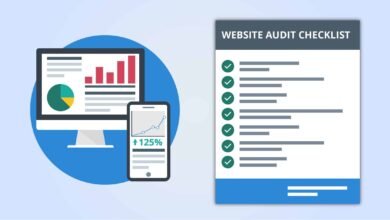
This is the most critical step. I recommend using a standardized pre-publish checklist. You can copy/paste this into your ticketing system:
- Directives: Is the page indexable? (Check for accidental noindex).
- Canonicals: Does the self-referencing canonical tag match the URL?
- Structure: Are H1s and title tags unique and aligned?
- Schema: Did the structured data validate with 0 errors?
- Links: Are all internal links working (no 404s)?
- Compliance: Are all required disclaimers present?
Step 6: Publishing and rollback plan (deploy safely)
When it’s time to go live, we might run the content through an Automated blog generator pipeline that formats and posts the HTML. But even then, I ensure we have a rollback plan. If I’m deploying changes to 1,000 URLs, I never ship without knowing exactly how to revert to the previous state within minutes. This is essential for a secure content publishing workflow.
Step 7: Post-publish monitoring: alerts, audits, and continuous improvement
The work isn’t done at publish. For the first 48 hours, I monitor closely. I set up alerts for sudden drops in indexing coverage or spikes in 404 errors. I watch Core Web Vitals to ensure the new content hasn’t bloated the page load time. SEO monitoring is your early warning system; it tells you if your automation worked as intended or if it needs immediate triage.
Tools and integrations: building a secure SEO automation stack (without overengineering)

You don’t need a complex enterprise stack to start. You just need tools that talk to each other and respect governance. I look for an SEO ops stack that includes a CMS with granular roles (like WordPress), a workflow automation tool (like Zapier or Make) for connecting pipes, and a dedicated SEO content generator that prioritizes quality. For instance, platforms like Kalema act as a content intelligence layer, helping you maintain high editorial standards at scale rather than just churning out raw text.
Minimum viable stack for a small business vs a regulated enterprise
- Small Business: A good CMS (WordPress), a robust SEO plugin (Yoast/RankMath), and a basic task manager (Trello/Asana) for approvals.
- Regulated Enterprise: Headless CMS with strict enterprise SEO governance, CI/CD pipelines for deployment, automated testing suites (e.g., Cypress for SEO checks), and enterprise-grade logging for audit trails.
Where to enforce policies: CMS, pipeline, or both?
I like a “belt and suspenders” approach. I enforce CMS governance policies (like requiring a featured image) directly in the editor. But I also place enforcement in the pipeline (like checking for broken links) before the deploy happens. This layered approach ensures that if one gate fails, the other catches the error. These are your critical policy enforcement points.
Expected performance gains (and what to measure to prove it)
Why go through all this trouble? Because the data shows it works. When you combine automation with security, you don’t just get safety—you get performance. Industry benchmarks suggest that automated technical auditing can improve crawl budget utilization by 35–50% and reduce page load times by around 40% .
More importantly, you get consistency. I’ve seen indexing coverage improve by 25–40% within 90 days simply because automation ensured every page had correct directives and sitemap inclusion . To prove SEO automation ROI, I measure these metrics strictly:
| Metric | Why it matters | Typical Lever |
|---|---|---|
| Crawl Efficiency | Google sees more of your pages. | Automated log analysis & pruning. |
| Indexing Coverage | More pages eligible to rank. | Automated sitemap & canonical checks. |
| Page Speed (CWV) | Better UX and ranking factor. | Automated image optimization. |
A simple reporting cadence I recommend (weekly vs monthly)
I recommend a weekly check on technical health (alerts, errors, SEO monitoring workflow) and a monthly deep dive on performance (rankings, traffic). This SEO reporting cadence keeps you agile enough to fix bugs quickly but focused enough to see the long-term trends.
Common mistakes in secure SEO automation (and how I fix them)
Even with a good plan, things happen. Here are the mistakes I see most often in secure SEO automation and how to fix them:
- Over-automating decisions: Letting a script delete “low performing” content without human review. Fix: Use automation to flag candidates, but humans must push the delete button.
- The “Set and Forget” trap: Assuming a schema plugin works forever. Fix: Schedule quarterly schema markup errors audits.
- Ignoring the staging site: Accidentally indexing the dev site. Fix: Automate HTTP authentication or IP whitelisting on all non-prod environments.
- Over-optimization: Tools that stuff keywords or internal links aggressively. Fix: Set strict caps on link frequency and validate anchors to avoid over-optimized anchors.
- Accidental Canonical Swaps: A deployment resets canonicals to default. Fix: Implement a canonical tag removal check in your pre-deploy test suite. I’ve learned to never trust a default setting on a major update.
Mistake-to-fix checklist (printable)
- [ ] Permissions: Are admin rights limited to only those who need them?
- [ ] Logs: Can you see who changed the homepage title yesterday?
- [ ] Validation: Is schema tested before deploy?
- [ ] Backup: Do you have a recent rollback point?
- [ ] Alerts: Will you get an email if noindex tags spike?
FAQs + wrap-up: how to get started with SCAP-style secure SEO automation
FAQ: What exactly is SCAP in the context of SEO automation?
What is SCAP in SEO? It is the application of security automation principles—like access control, audit trails, and policy enforcement—to SEO workflows. It ensures that your automated content and technical changes are governed, safe, and compliant, rather than just being fast.
FAQ: Which parts of SEO automation benefit most from SCAP-style governance?
Tasks that operate at scale benefit most. This includes SEO tasks to automate like metadata generation, schema markup injection, internal linking, and technical audits. Any workflow where a single error could affect thousands of pages needs SCAP governance.
FAQ: Can automation replace human judgment in SEO workflows?
No. Human oversight in SEO automation is essential. Automation handles the repetitive execution, but humans must own the strategy, the editorial voice, and the interpretation of data. Fully automated SEO strategies often lack the nuance required to maintain high quality and trust.
FAQ: What types of firms need SCAP-style SEO automation the most?
Regulated industries SEO automation is critical for healthcare, finance, legal, and government sectors. However, any enterprise with a large site or high brand equity should adopt these controls to prevent reputational damage.
FAQ: What are the most compelling performance gains from secure SEO automation?
While results vary, benchmarks show crawl efficiency gains of up to 50% and indexing coverage gains of 40%. The real win, however, is stability—fewer emergencies means more time spent on growth.
Final Thoughts
If you take one thing away from this, let it be this: Automation is an accelerator. It will accelerate your success, or it will accelerate your failure. By applying a SCAP-style framework—roles, logs, gates, and rules—you ensure that you are always accelerating in the right direction.
To get started this week:
- Map out your current team roles and permissions.
- Add a simple pre-publish checklist to your workflow.
- Set up an automated alert for critical SEO tags.
For a content intelligence approach that values quality as much as speed, you can explore how Kalema supports these governed workflows.